Your First AI Agent
Today, we'll witness an AI agent in action, designed to automate lead qualification. This voice agent independently handles outbound calls, engages in real conversations, qualifies leads, and updates your CRM, all without human involvement.
Voice AI Calling Uncontacted Leads
We're about to explore a powerful workflow. Each morning, this system automatically identifies uncontacted leads within your CRM. A sophisticated voice AI then initiates calls to each of these leads, engaging them in natural conversations. This entire process is automated, ensuring consistent outreach and qualification.
Understanding the Workflow
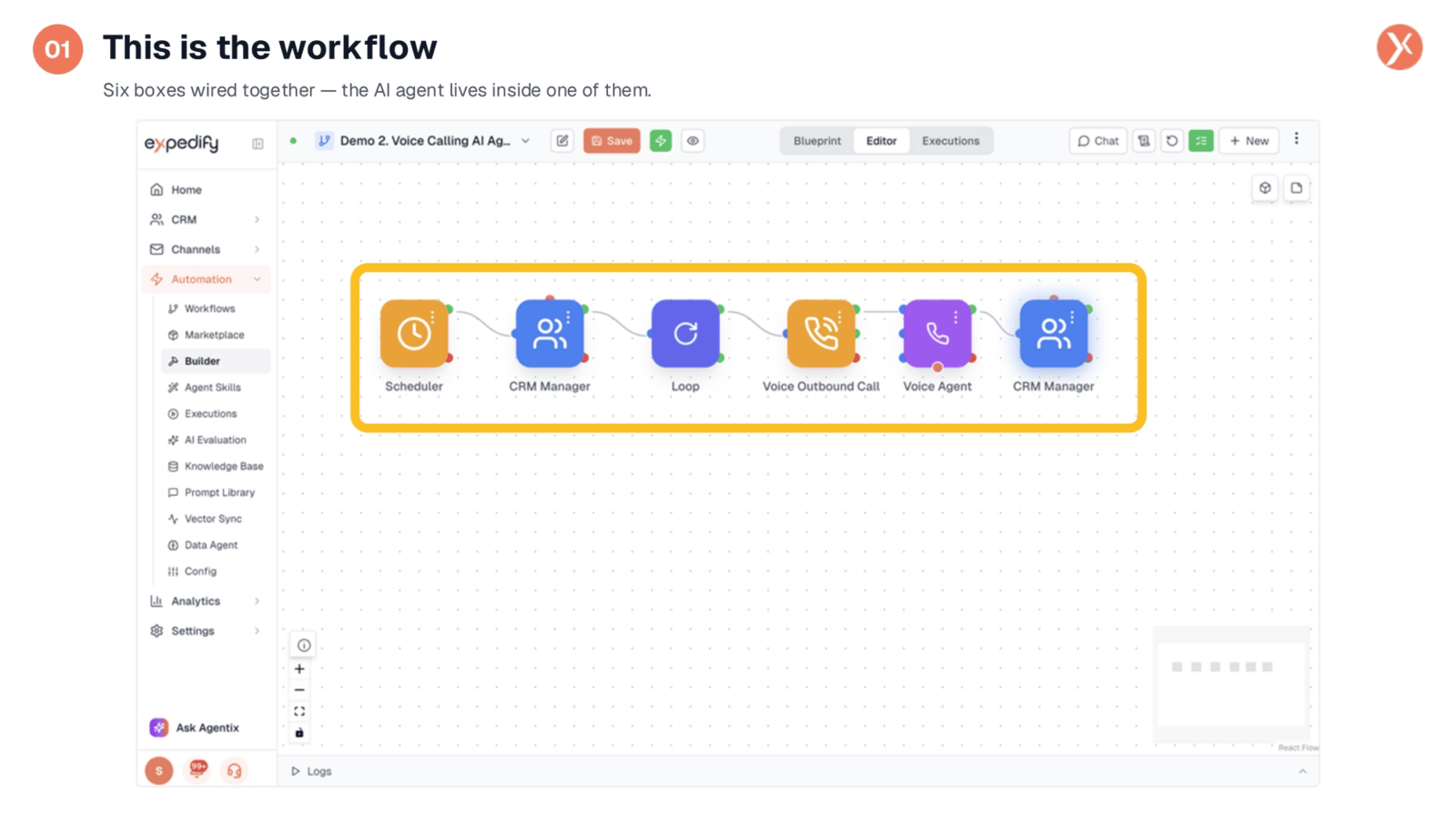
This is the workflow visualized within the Builder interface. It follows a familiar structure of interconnected boxes, each representing a distinct step in the automation process. For this particular demonstration, we have six steps meticulously wired together to create a seamless, end-to-end operation. We'll now examine each of these components individually.
Exploring the Scheduler
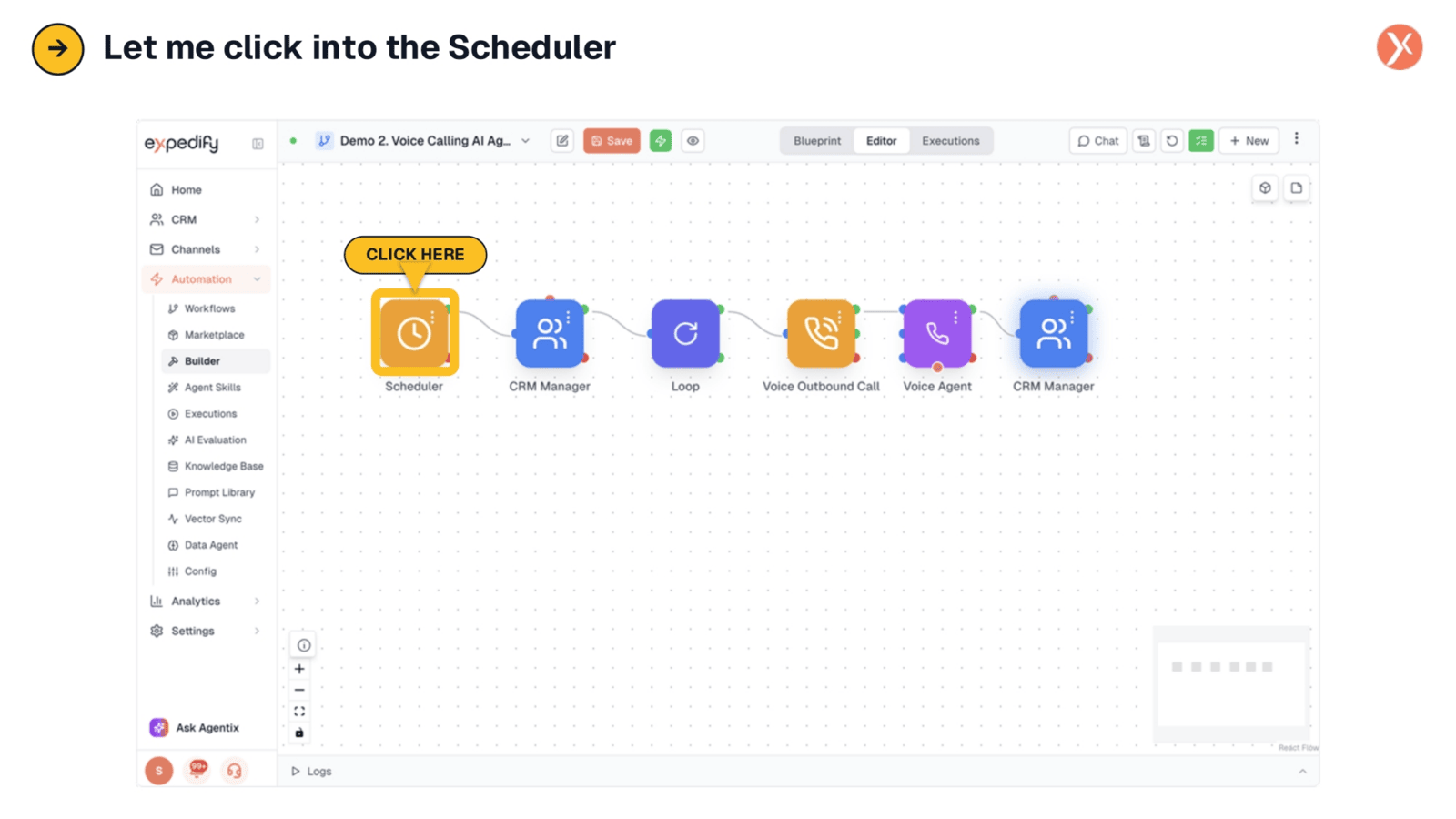
Let's begin by examining the Scheduler.
Box 1: The Scheduler Fires Daily at 9 AM
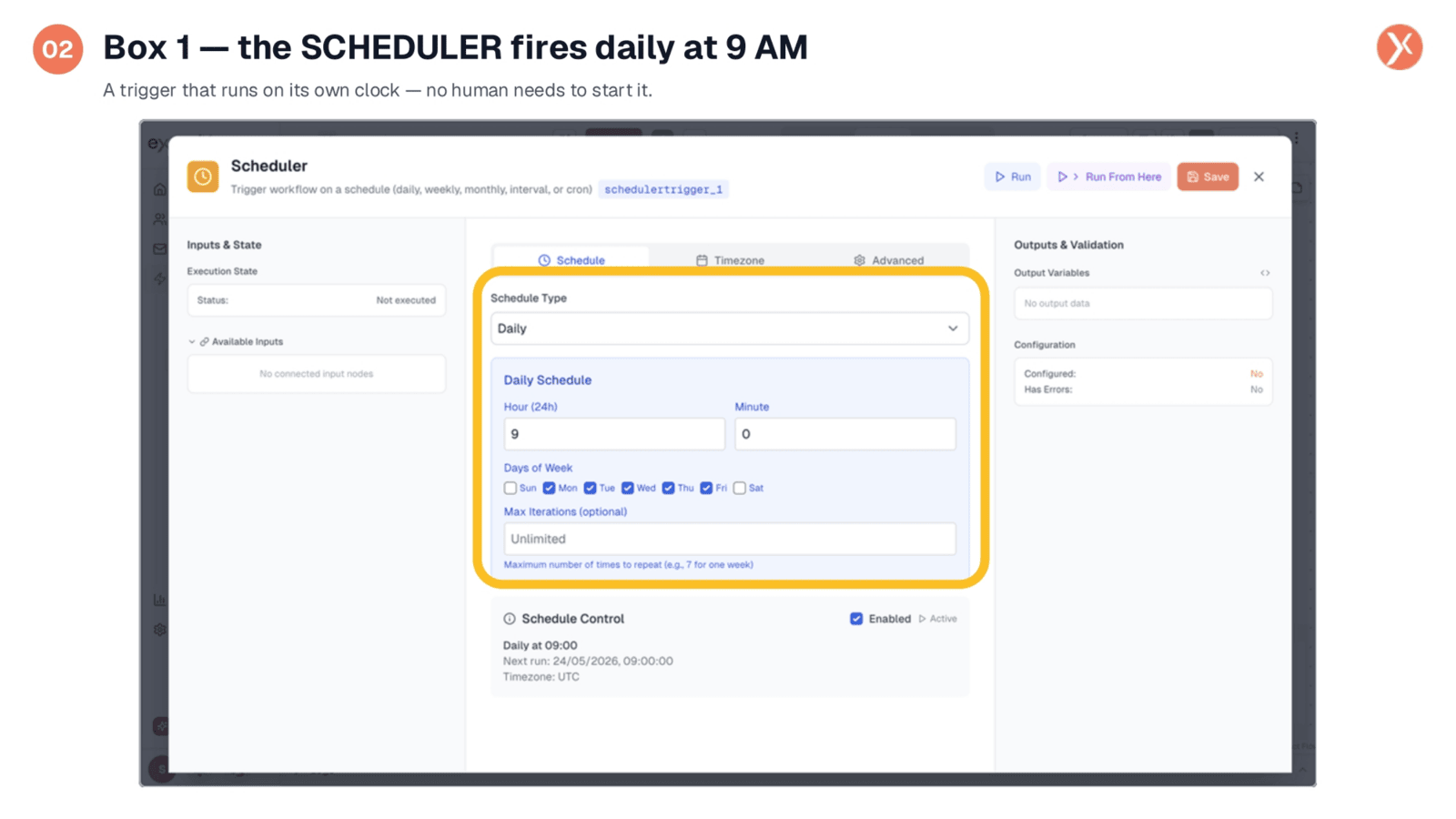
The first component is the Scheduler, which operates autonomously. It's configured to trigger the workflow daily at 9 AM, functioning like an internal clock. The moment the designated time arrives, the entire process automatically initiates, requiring no manual intervention to start. This ensures consistent and timely execution of lead outreach.
Exploring the CRM Manager
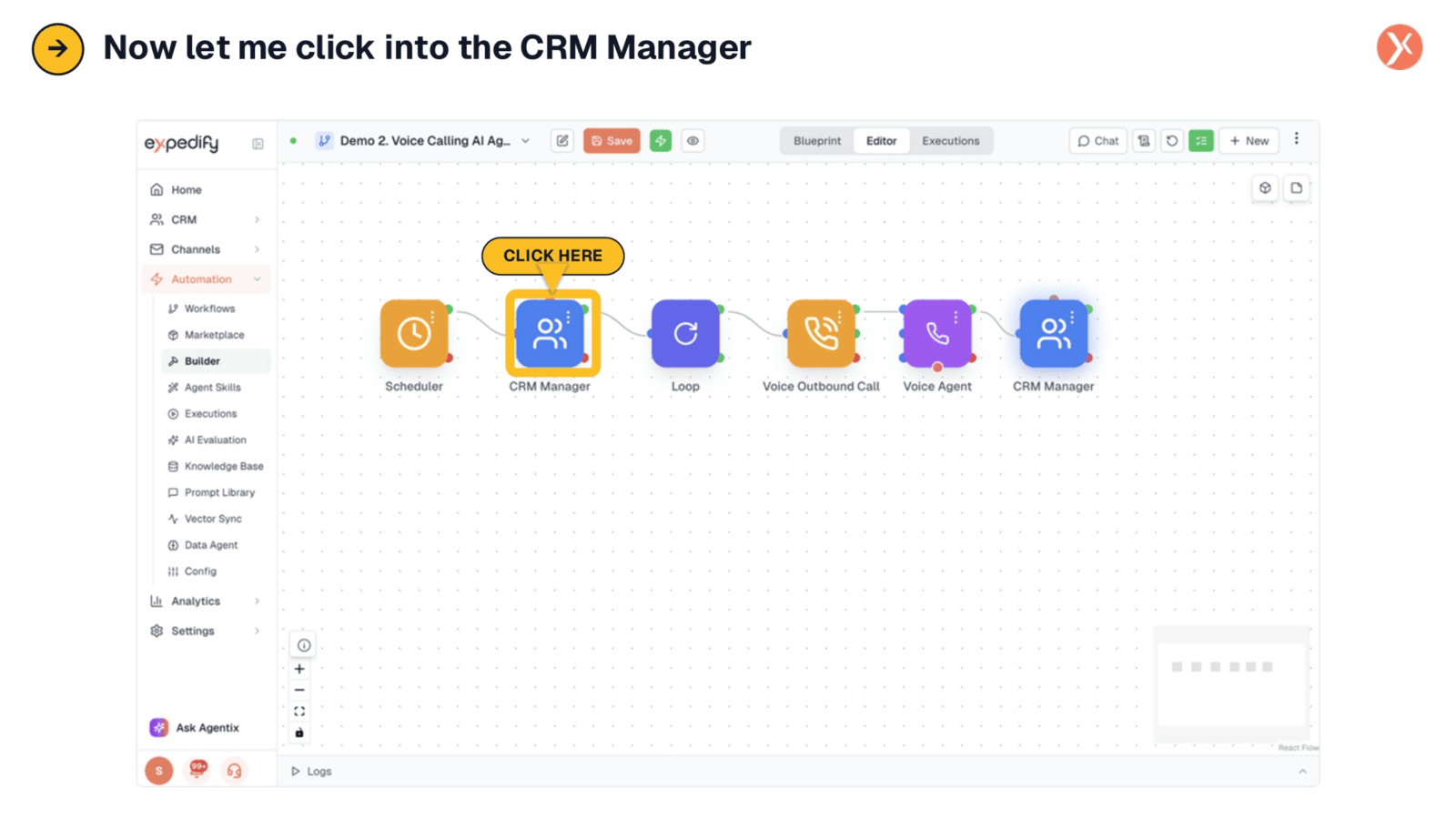
Next, we'll explore the CRM Manager.
Box 2: Find Every Uncontacted Lead
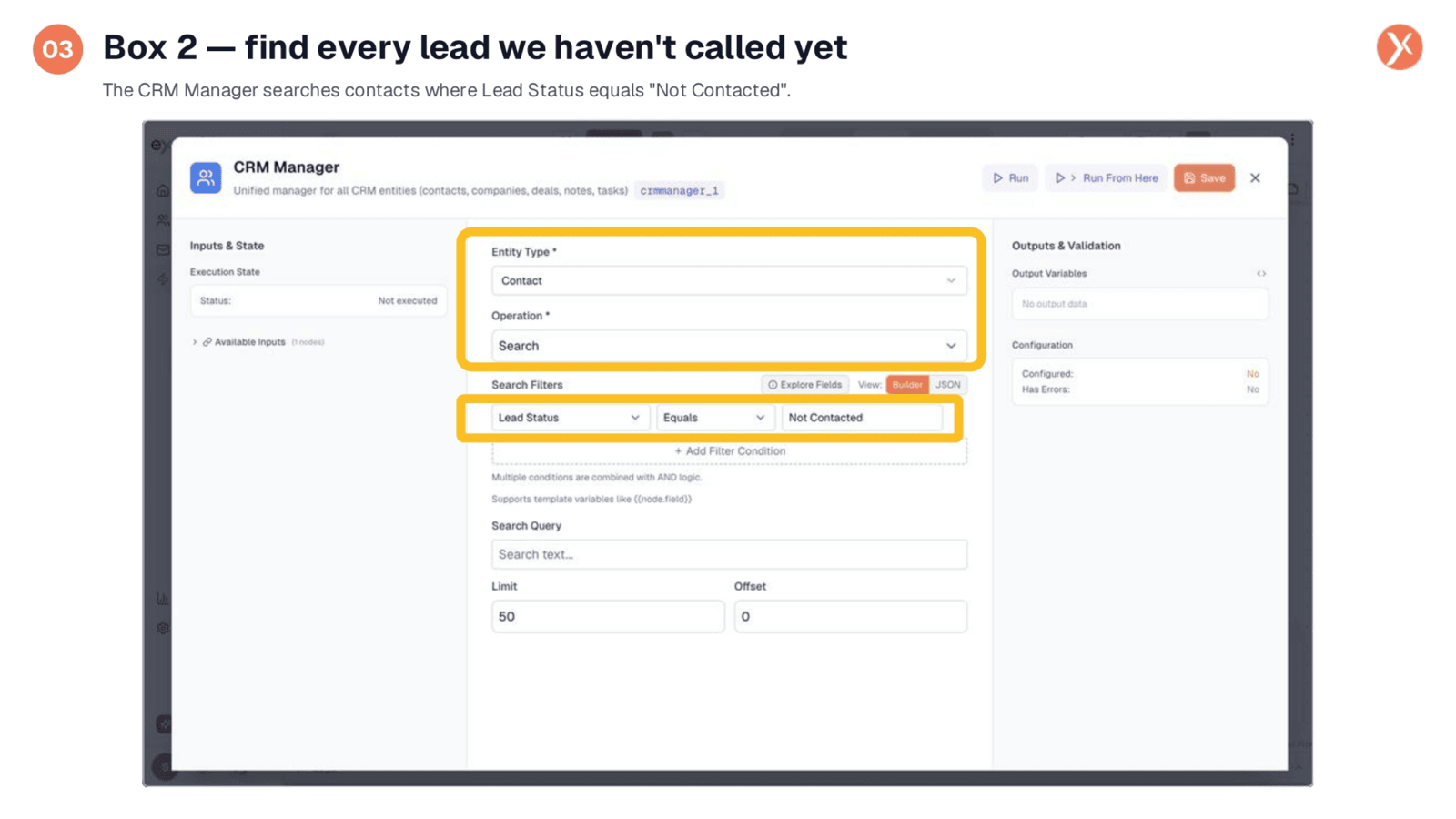
The second box, the CRM Manager, is responsible for identifying our target audience. It queries the CRM to retrieve all contacts with a "Not Contacted" lead status, effectively generating our daily call list. This automated filtering eliminates the need for manual spreadsheet management, ensuring that the most relevant leads are prioritized for outreach every morning.
Box 3: Loop Through Each Lead
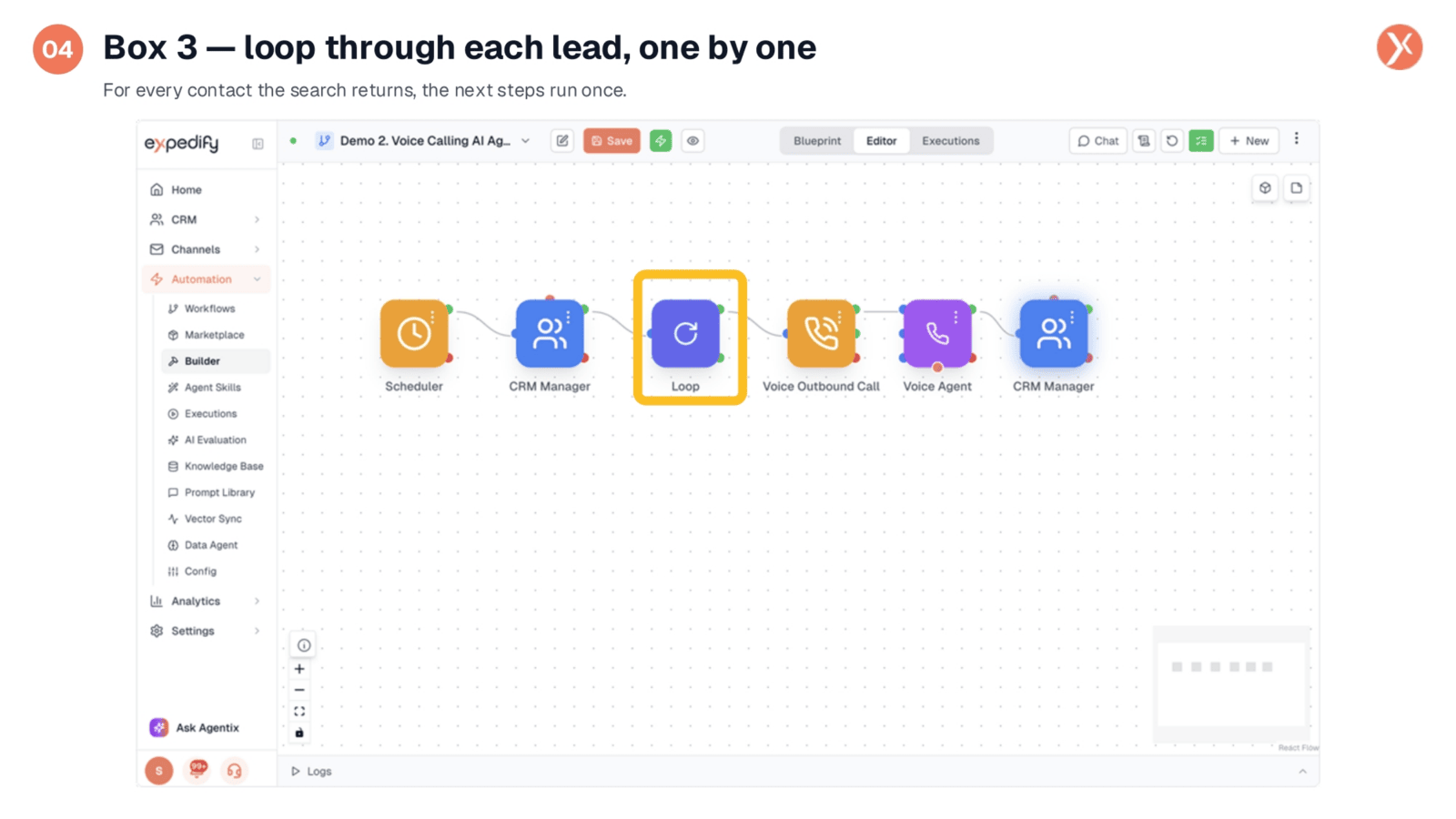
The third box introduces a crucial element: the Loop. Regardless of whether the CRM search returns twenty or fifty leads, this component ensures that the subsequent steps of the workflow are executed individually for each contact. This guarantees personalized attention for every lead identified, processing them one by one through the automated sequence.
Exploring the Voice Outbound Node
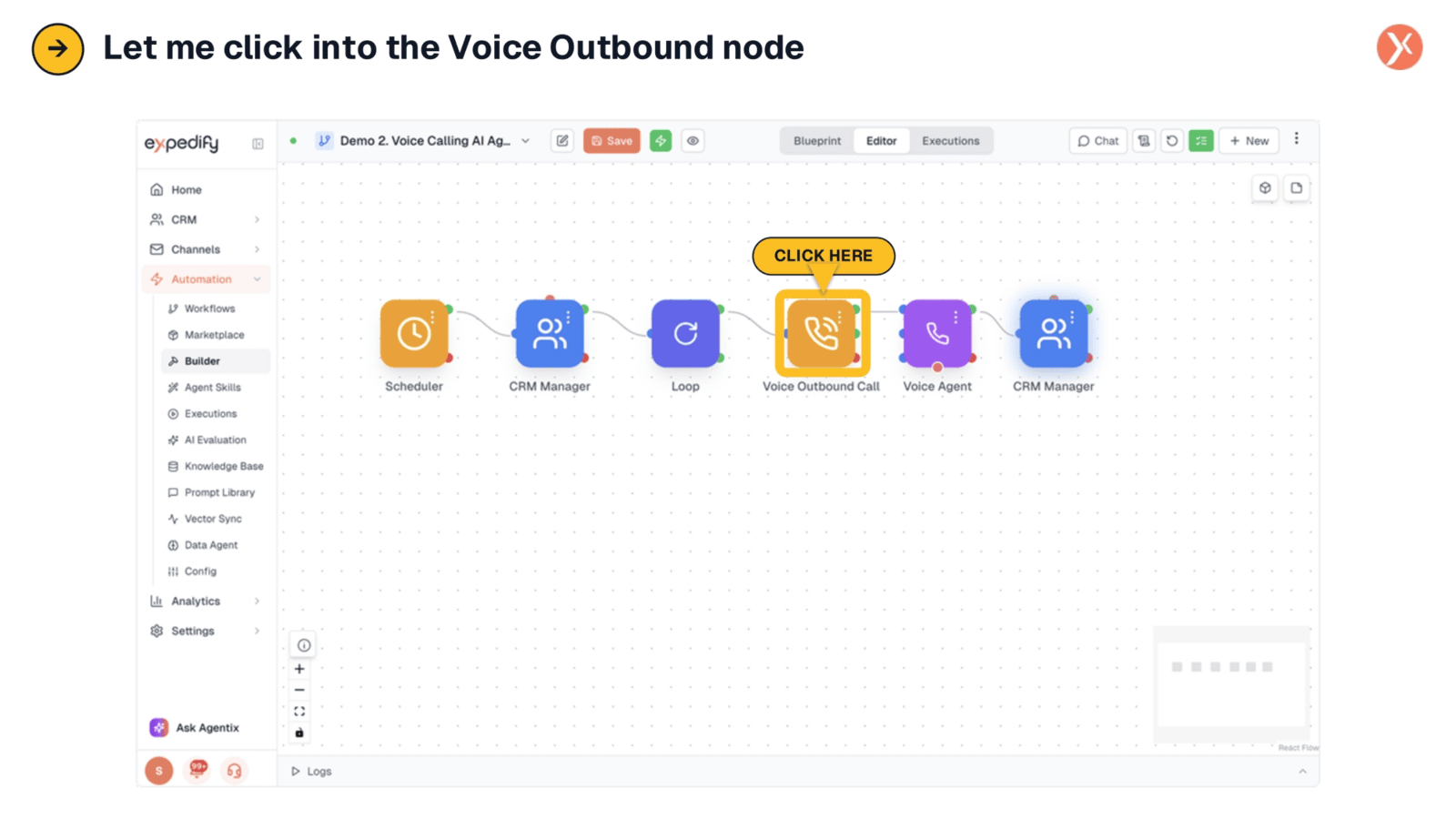
Let's now examine the Voice Outbound node.
Box 4: Voice Outbound Call Dials the Lead
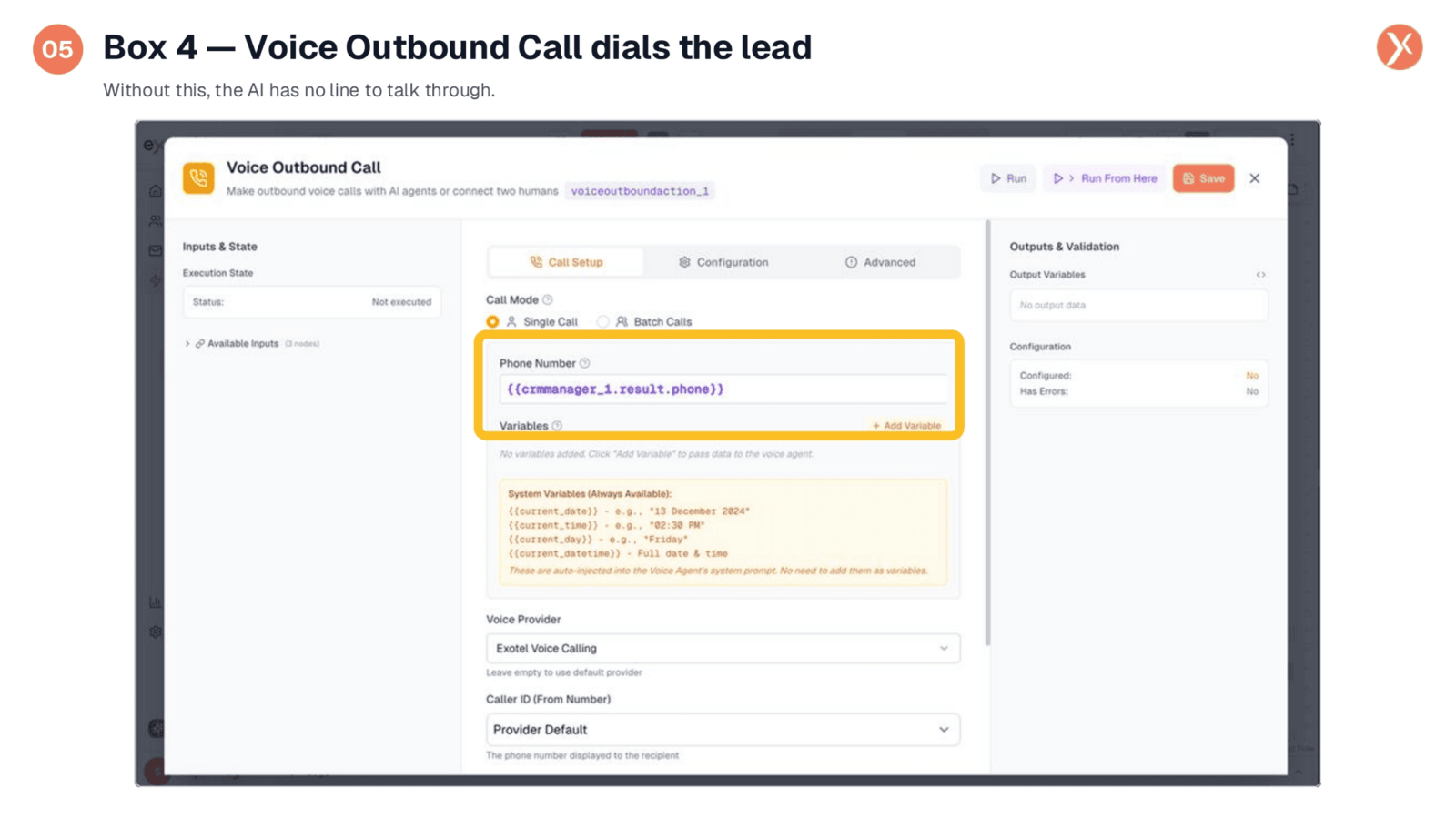
The fourth box is the Voice Outbound Call node, which handles the actual dialing. Its primary function is to initiate a phone call to the lead. Importantly, the phone number is dynamically pulled from the data retrieved in the second box, rather than being hardcoded. This ensures that each call is directed to the correct contact automatically, streamlining the outreach process.
Focusing on the Voice Agent
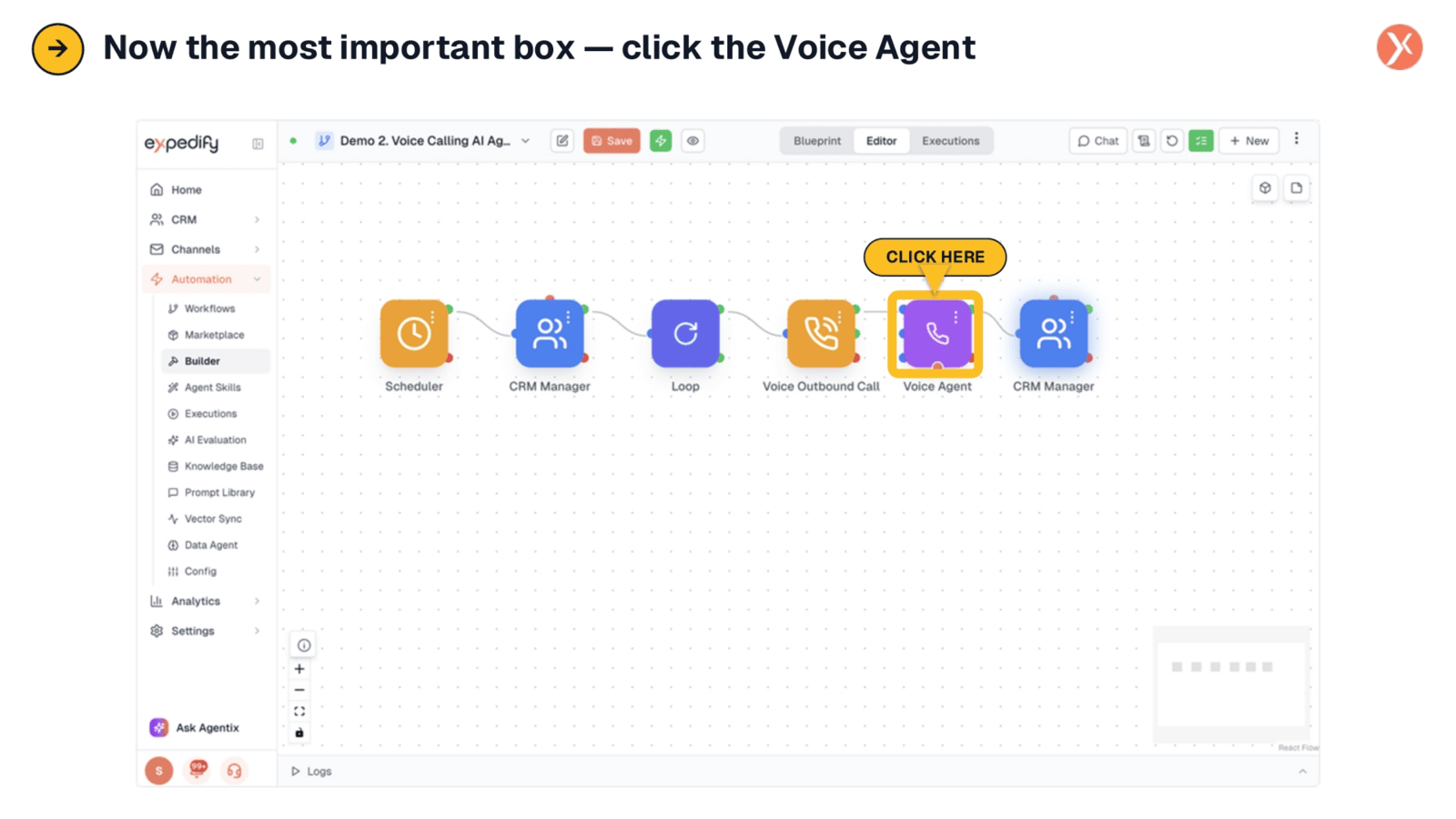
Now, let's focus on the Voice Agent.
Box 5: Where the AI Lives
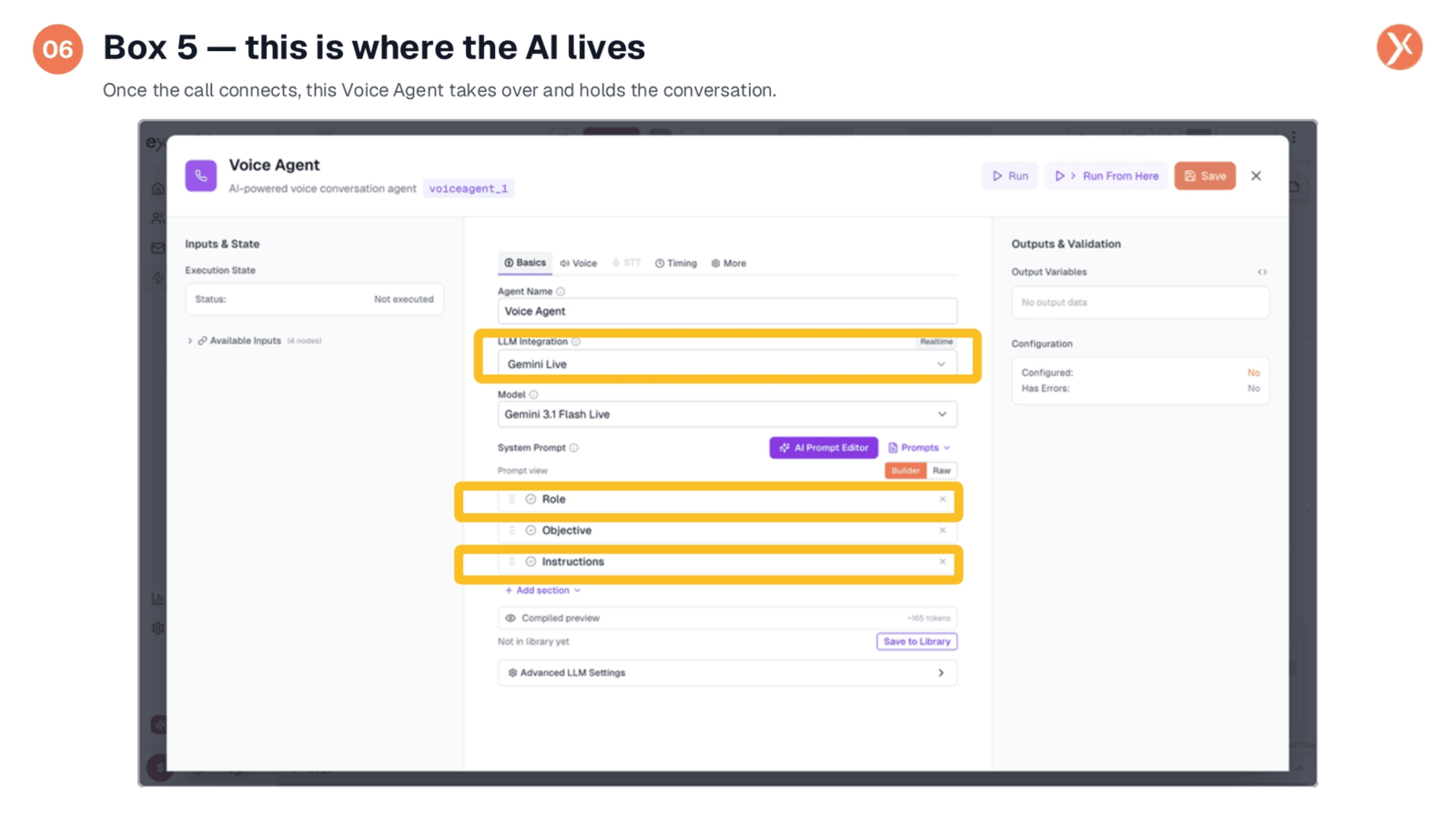
The fifth box, the Voice Agent, is the core of our AI-powered solution. Once a call is connected, this node takes full control, engaging in a real-time, dynamic conversation. Unlike traditional scripted systems, this AI reasons, asks pertinent questions, and actively listens to responses. We'll now delve into the specific configurations that define its conversational capabilities and "personality."
Defining the AI's Role
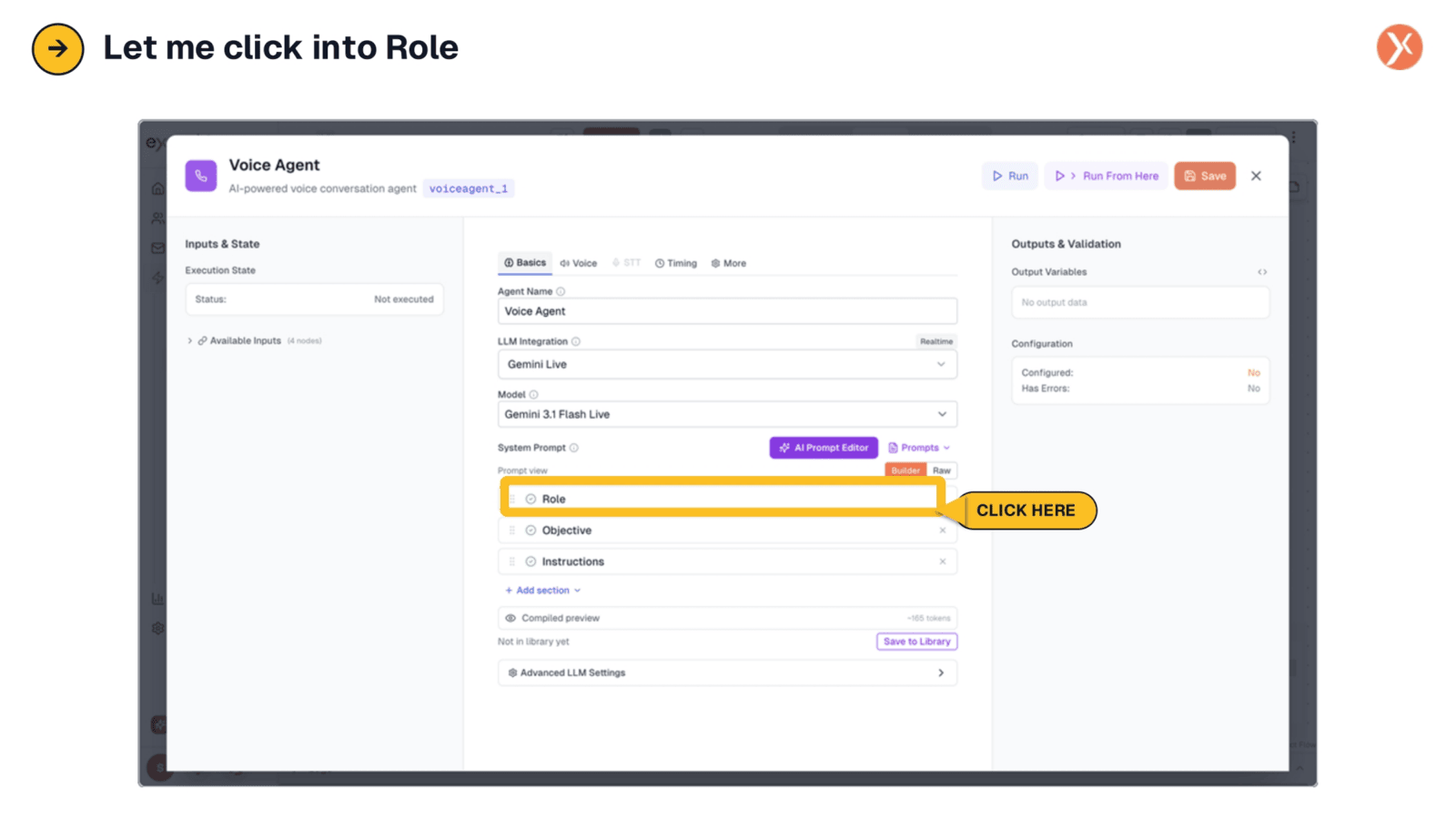
Let's begin by looking at its Role.
The AI's Defined Role
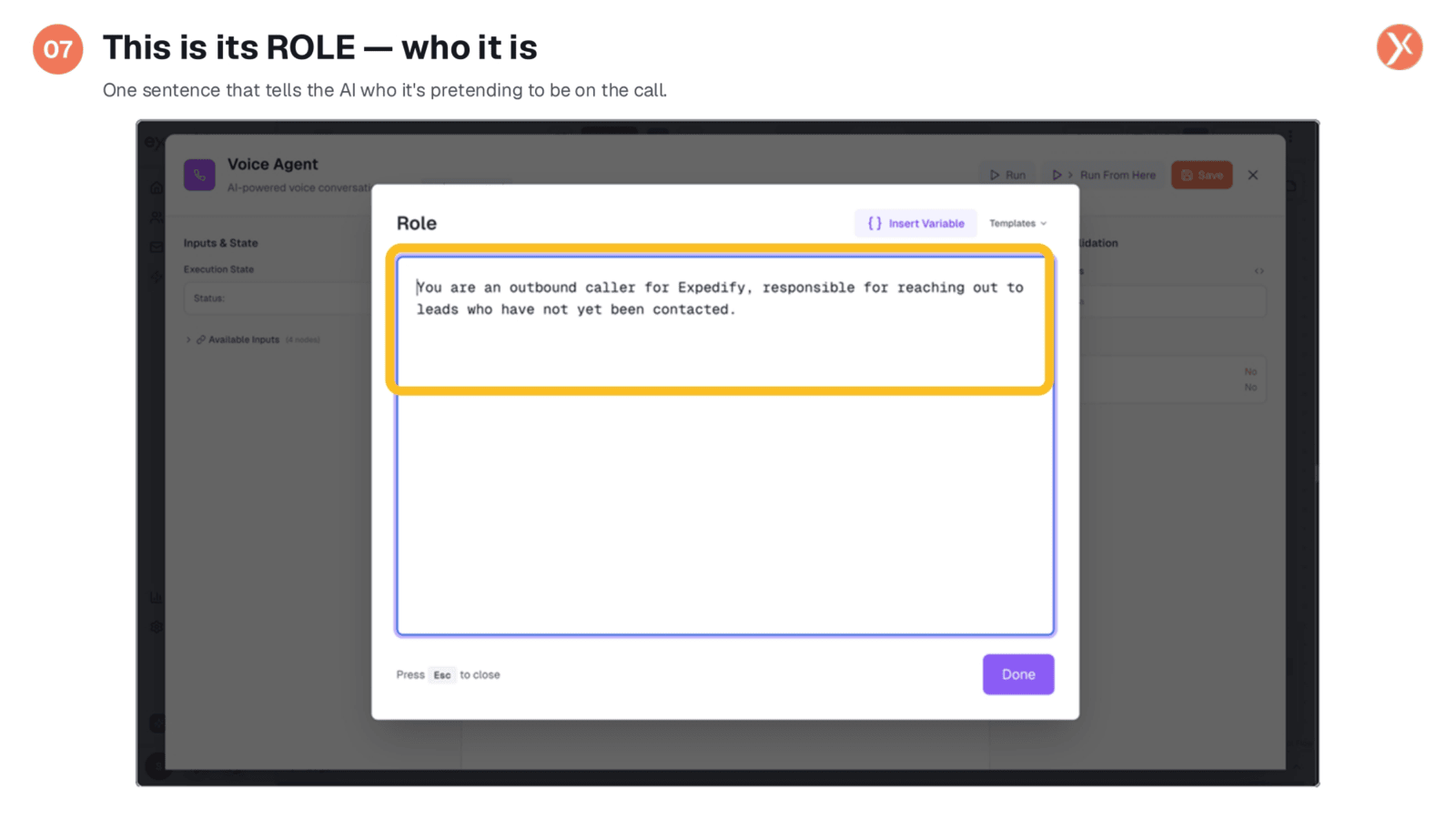
The AI's role is defined by a single, clear statement: "You are an outbound caller for Expedify, responsible for reaching out to leads who haven't been contacted yet." This concise instruction establishes the AI's identity and purpose, ensuring it introduces itself appropriately and maintains a consistent persona throughout every interaction with a lead.
Reviewing the Instructions
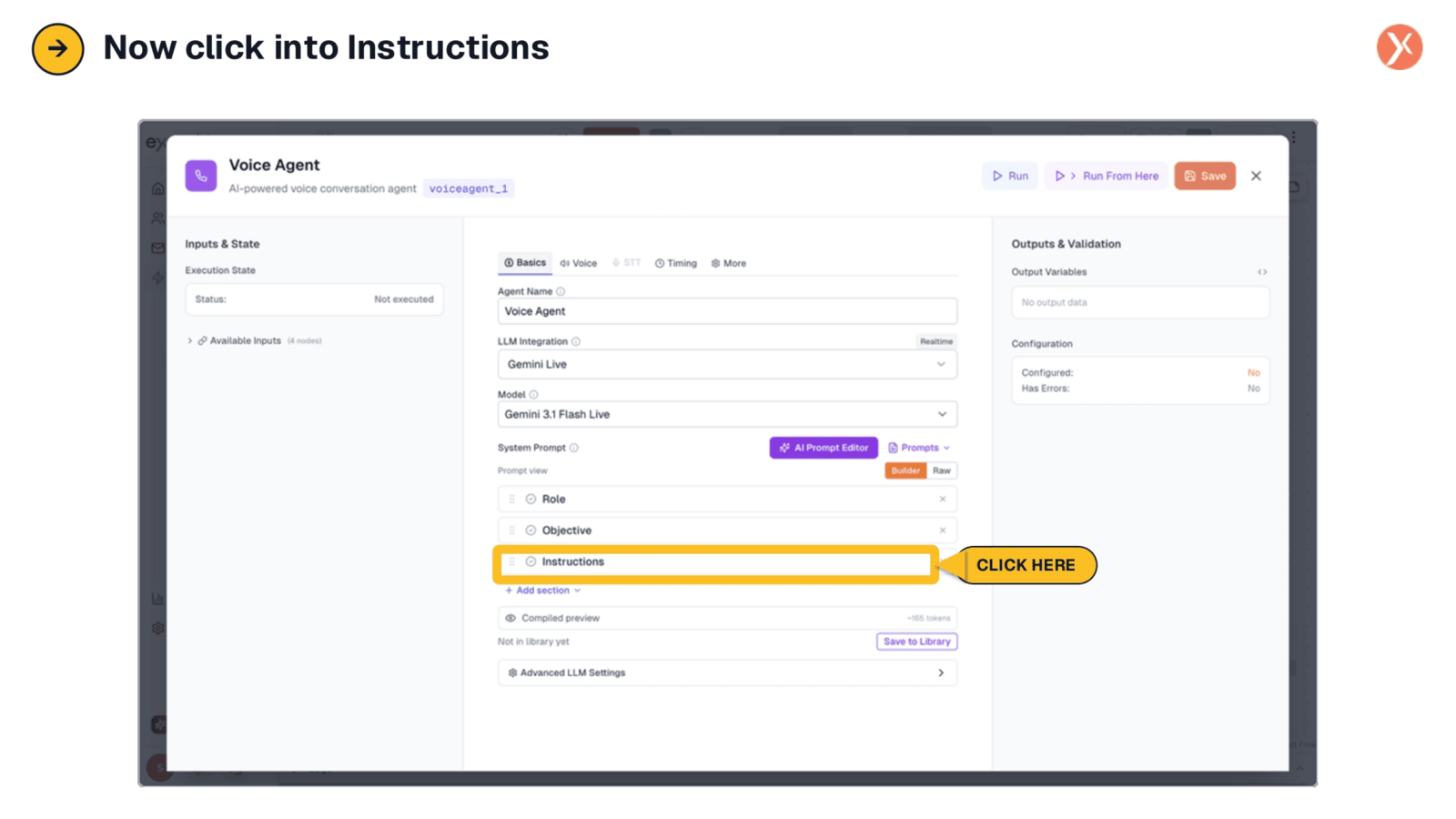
Next, we'll examine its Instructions.
The AI's Instructions: What to Do
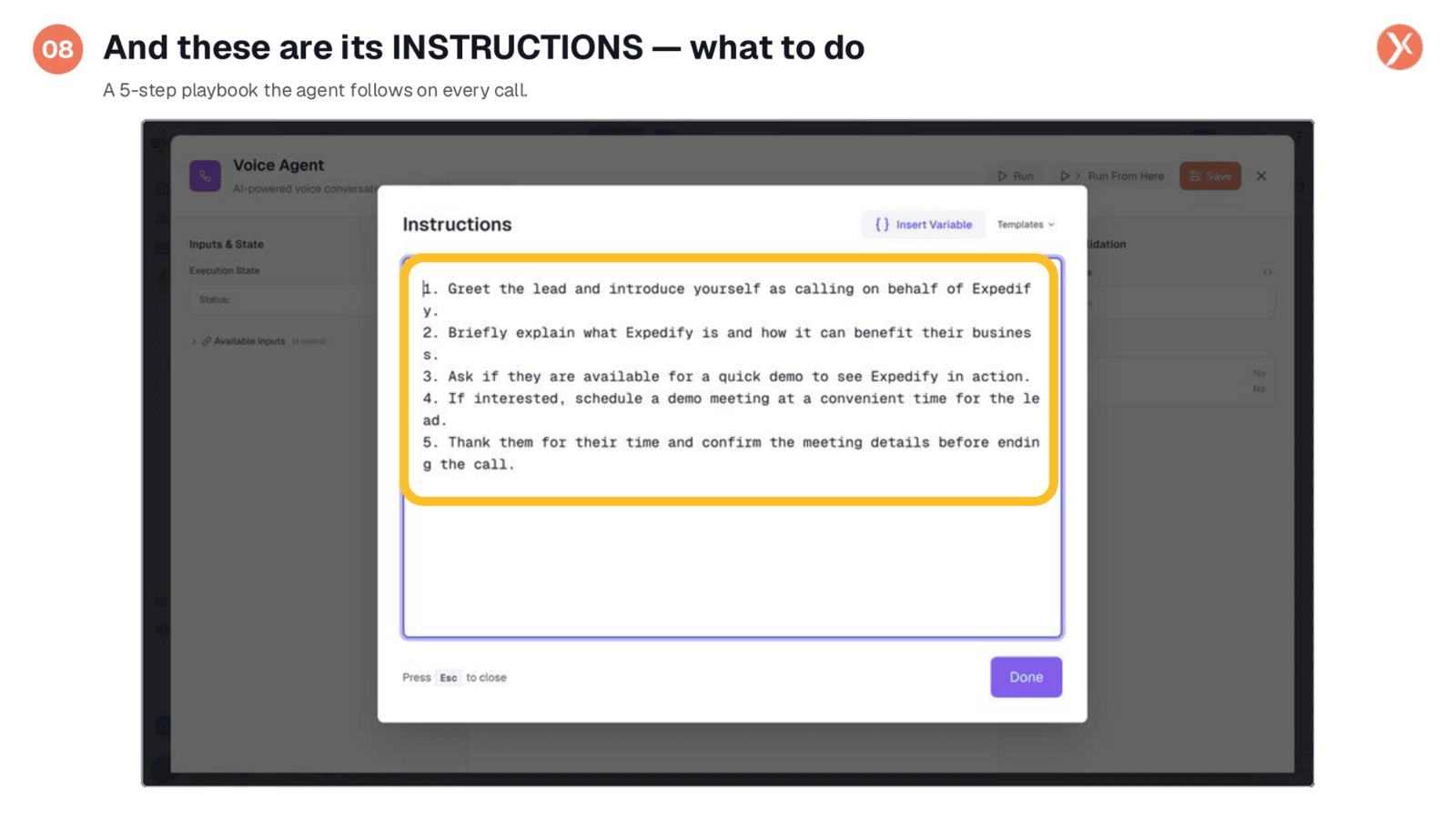
These instructions serve as the AI's conversational playbook. They outline five clear, plain-English steps: greet the lead, explain Expedify's value, inquire about demo interest, schedule a demo if applicable, and finally, thank them and confirm details. This framework allows the AI to improvise and adapt its responses while adhering to the core objectives of the conversation.
Examining the Last Box
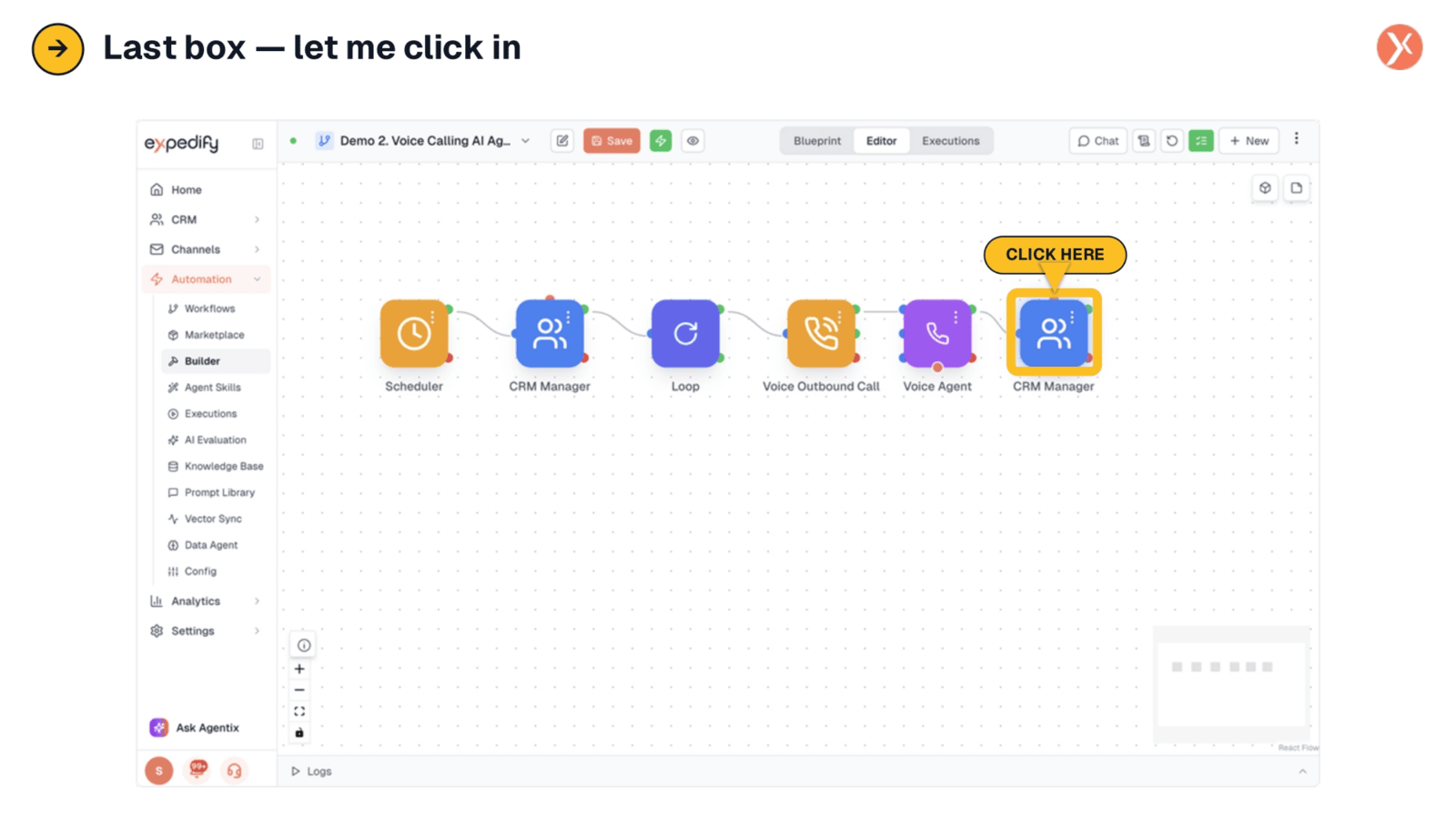
Finally, let's explore the last box.
Box 6: Log Outcome Back to CRM
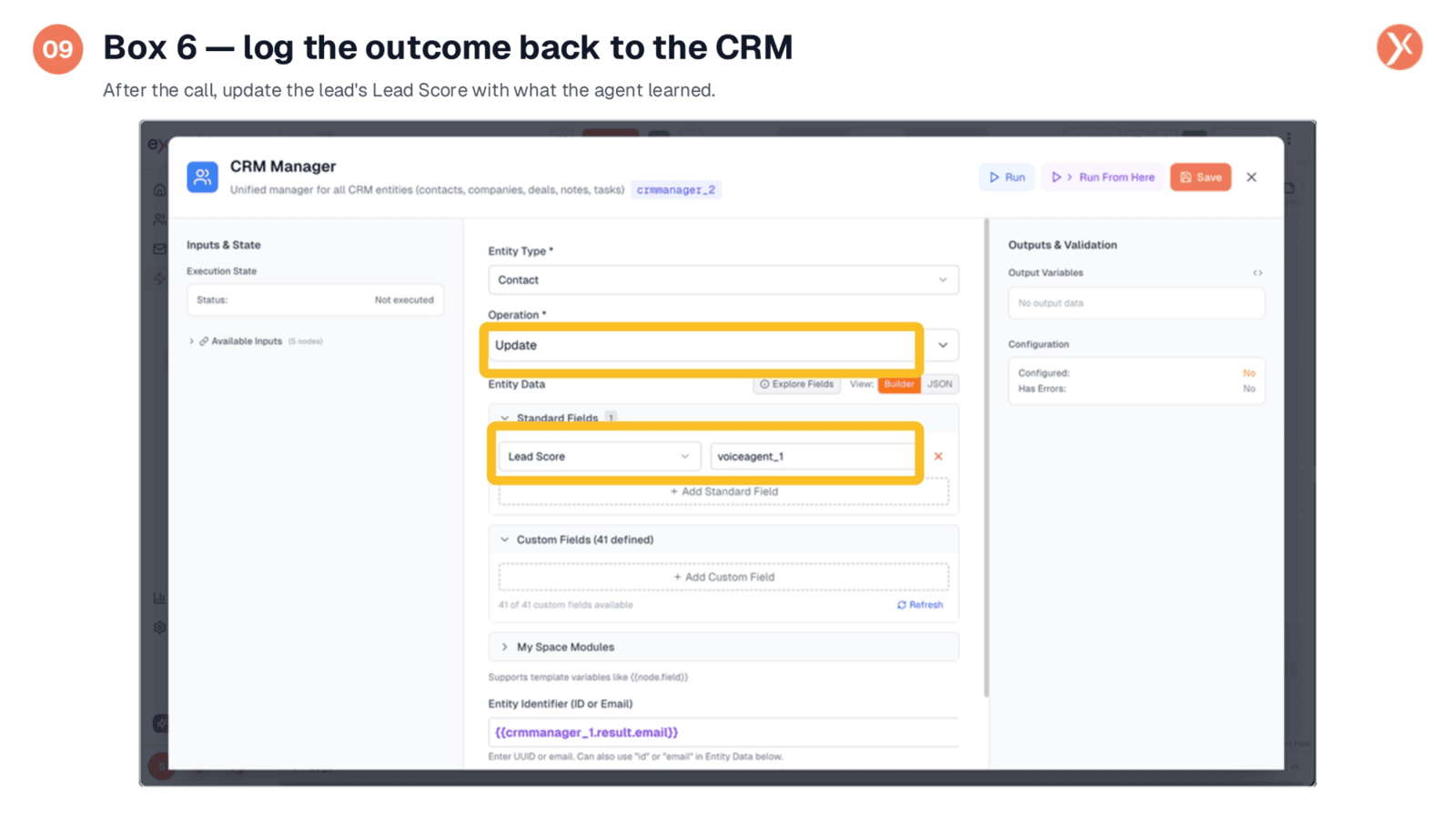
The sixth and final box completes the automation loop. After the call concludes, the Voice Agent transmits all learned information back to this node. It then automatically updates the lead's record in the CRM, including the lead score and any relevant notes from the conversation. This ensures that all interactions are accurately logged and actionable.
Navigating to Channels: Voice
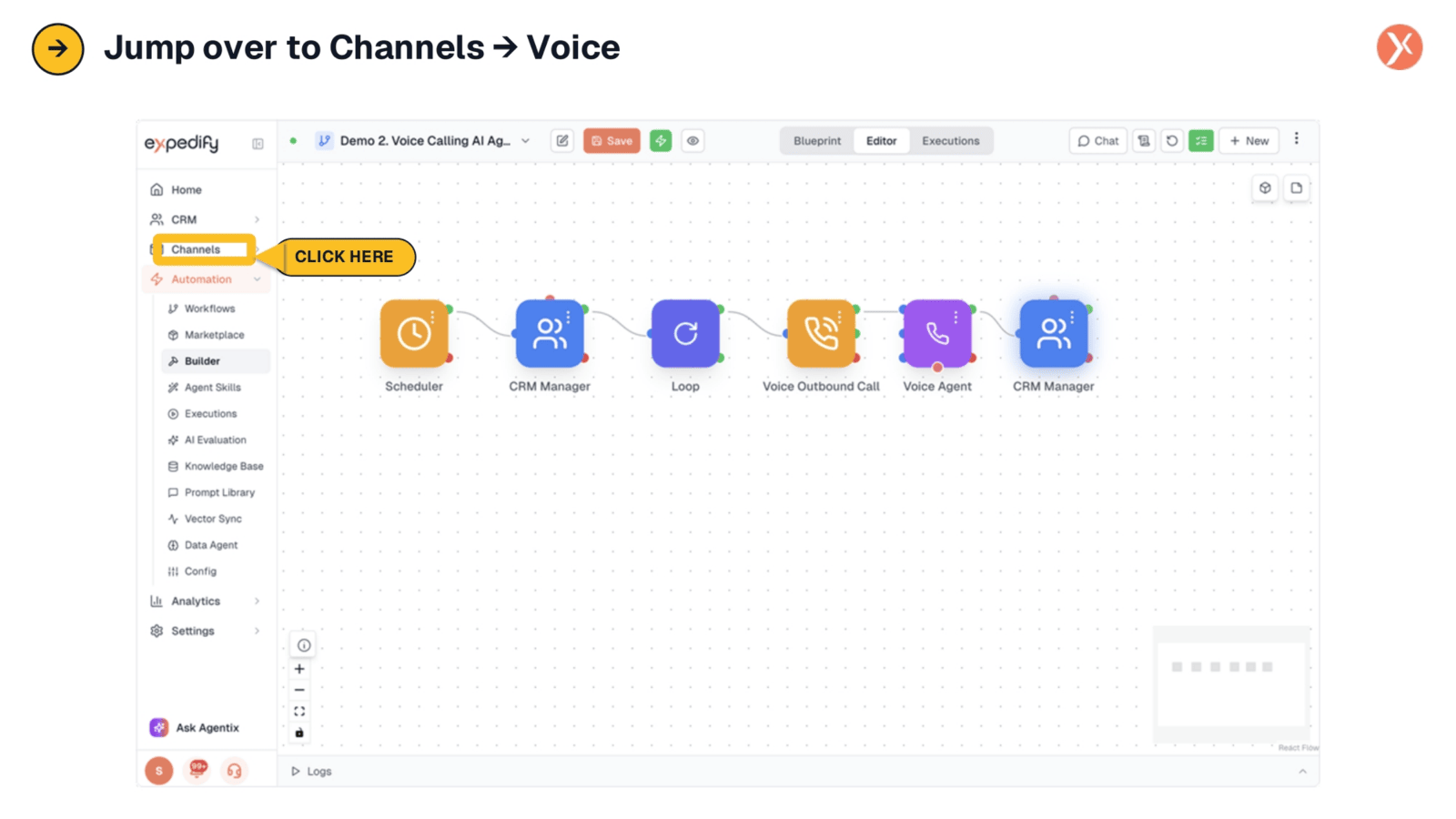
Let's navigate to Channels, specifically Voice.