WhatsApp Support Agent
Today, we'll explore how to build an end-to-end WhatsApp support agent, transforming individual components into a real-world solution. We'll cover the four-node assembly, the structured prompt that creates a lifelike persona, and a live conversation demonstrating its capabilities, including human escalation.
Four Nodes, Structured Prompt, Live Conversation
Our journey today focuses on three core aspects of building this agent. First, we'll examine the four-node assembly, comprising the trigger, the core agent, the knowledge tool, and the output. Second, we'll delve into the structured prompt, which utilizes fourteen distinct sections to transform a generic language model into a specific, product-aware persona. Finally, we'll observe the agent in action within the runtime environment, showcasing its live conversation capabilities and the crucial AI-to-human safety net.
Four Nodes, One Agent Architecture
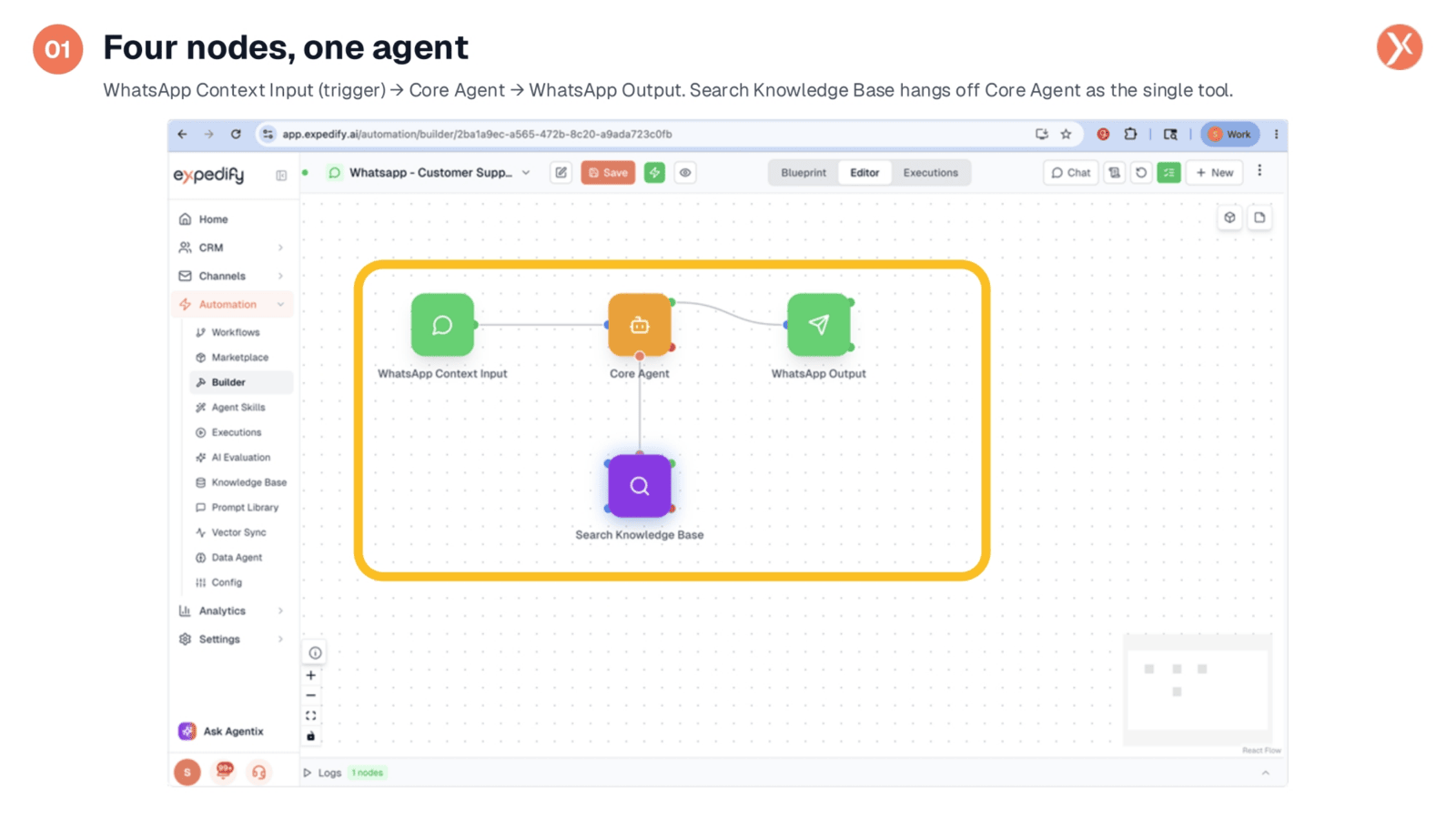
The architecture of our WhatsApp support agent is surprisingly streamlined, built around just four key nodes. It begins with the WhatsApp Context Input, acting as the trigger for every incoming message. The Core Agent serves as the brain, processing messages and deciding on actions. Crucially, the Search Knowledge Base is wired as a tool to the Core Agent, ensuring answers are grounded in your documentation. Finally, the WhatsApp Output node handles sending the agent's replies back to the customer. This simple yet powerful flow ensures efficient and accurate customer interactions.
Trigger: WhatsApp Context Input
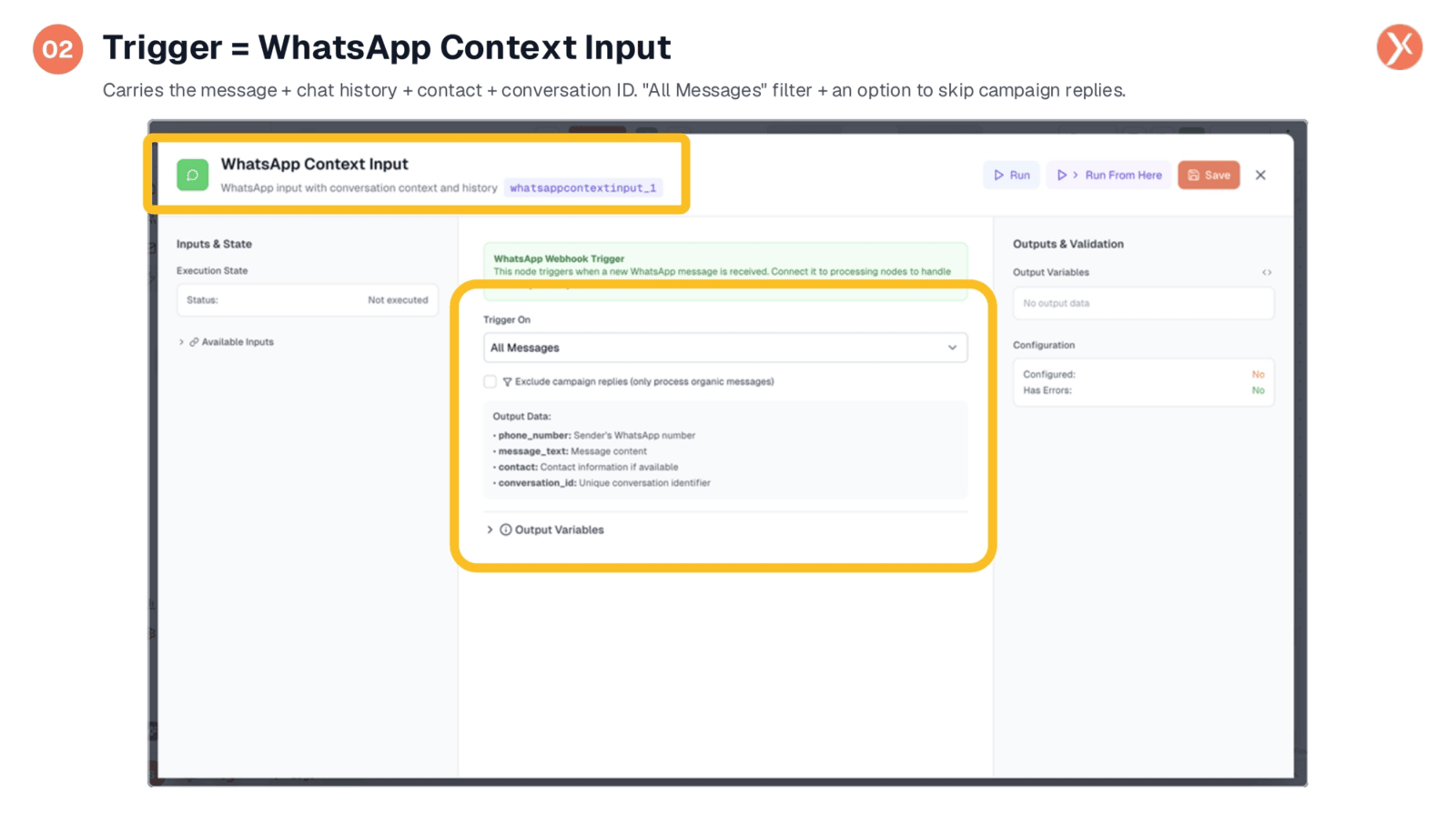
The WhatsApp Context Input node is more than just a trigger; it's designed to carry the full conversation context. This includes the customer's phone number, the message text, any recognized contact information, and a unique conversation ID to maintain coherence across multiple turns. Key configurations include the 'Trigger On: All Messages' setting for comprehensive inbound coverage, and the 'Exclude campaign replies' option, which ensures the agent only processes organic customer messages, maintaining a clean separation from outbound campaigns.
Agent Configuration: Model, Prompt, Tool Wiring
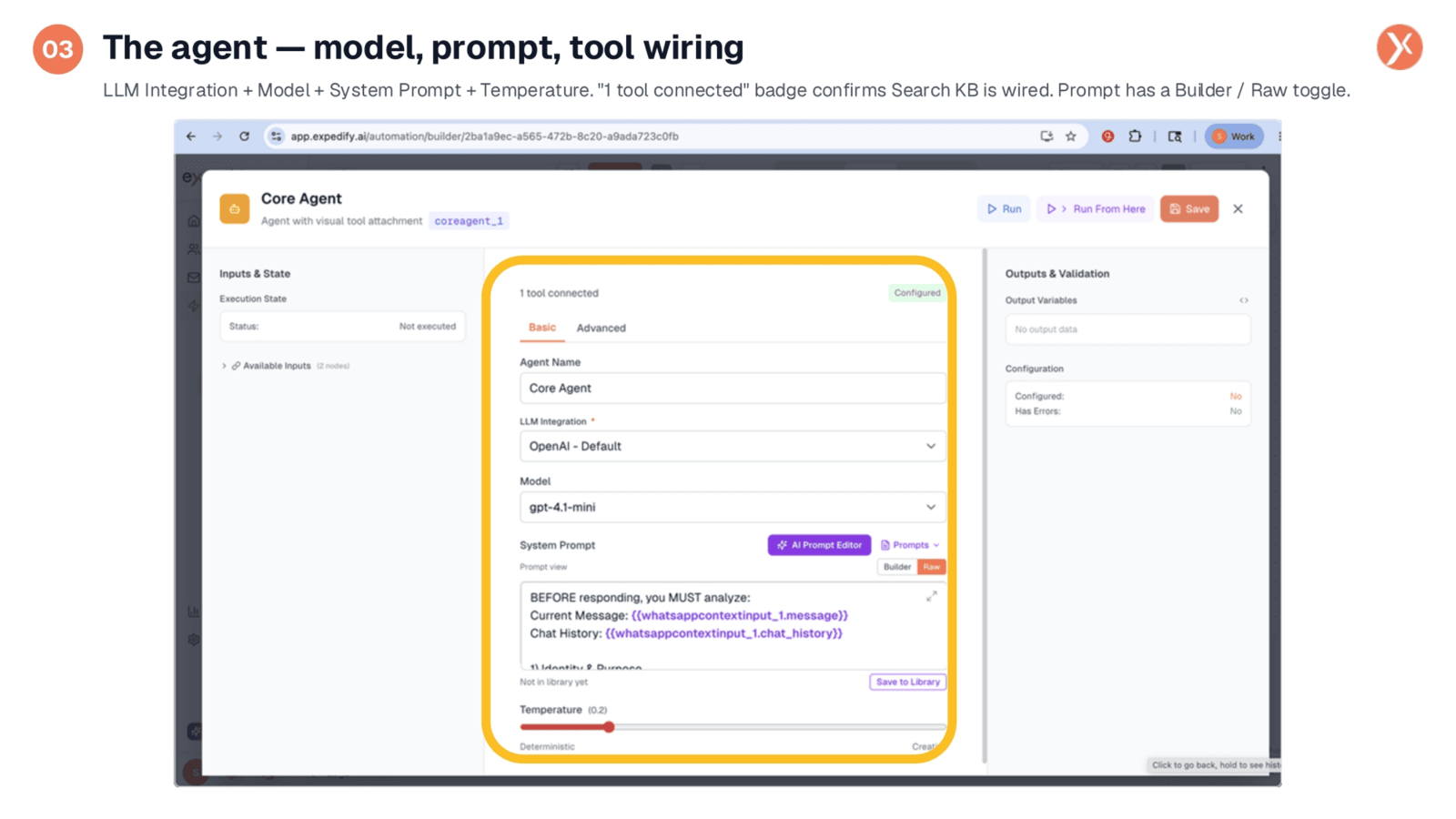
Configuring the Core Agent involves several critical steps. We integrate with an LLM, such as OpenAI's default, and select a model like gpt-4.1-mini, chosen for its balance of capability, speed, and cost-effectiveness. For support agents, a low temperature setting, typically around 0.2, is crucial to ensure deterministic and consistent responses rather than creative ones. The System Prompt is central, and the Prompt Builder offers a structured approach, breaking it into named sections for easier iteration and refinement, making the agent feel truly responsive and intelligent.
14 Named Prompt Sections for a Real Agent
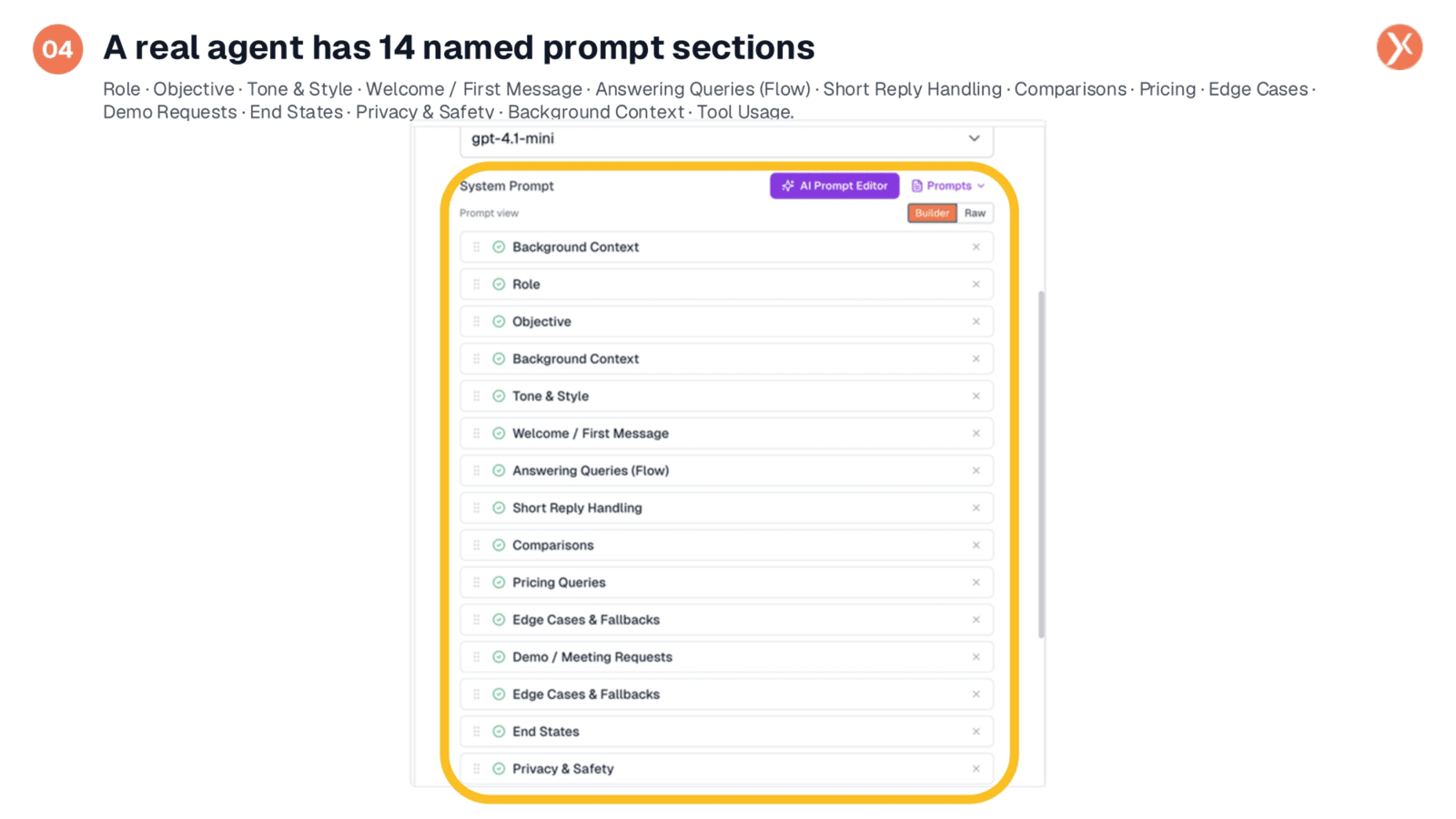
A truly effective AI agent leverages a sophisticated prompt structure, not just a single line of text. Our Prompt Builder features fourteen named sections, each contributing to the agent's persona and functionality. These sections range from defining the agent's background context, role, and objective, to setting its tone and style, and outlining the multi-step logic for answering queries. It also includes specific sections for product comparisons, pricing, handling edge cases, and ensuring privacy and safety. This modular approach allows for precise tuning of the agent's behavior, one slice at a time.
Background Context: Piping Runtime Data into the Prompt
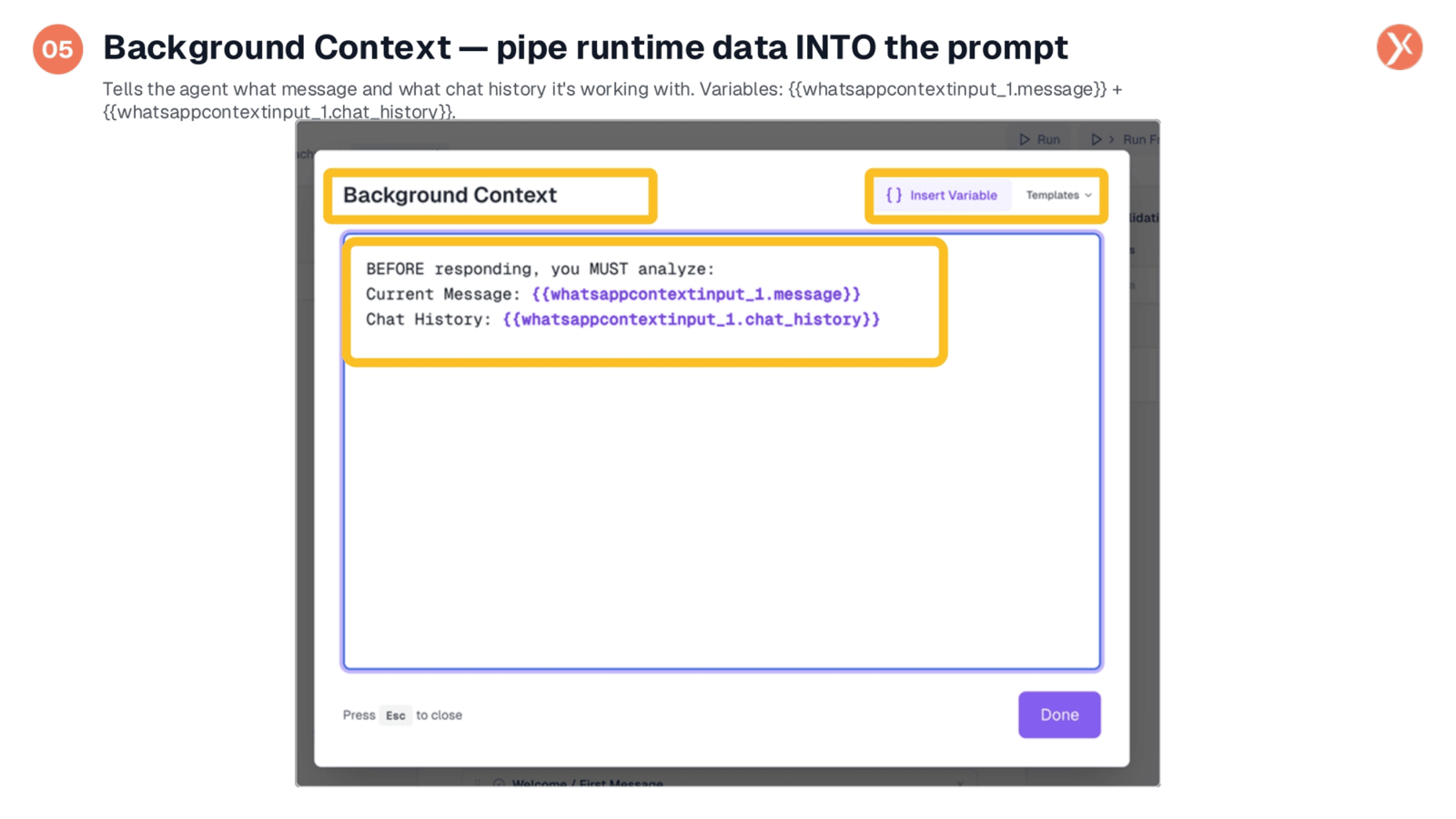
The Background Context section is vital for connecting real-time data to the agent's prompt. Each time the agent runs, this block dynamically resolves with the current message and the entire chat history, pulled directly from the trigger. This is achieved using template syntax, such as {{whatsappcontextinput_1.message}} and {{whatsappcontextinput_1.chat_history}}, ensuring the agent always has the full conversational context. The 'Insert Variable' feature simplifies this process, allowing you to easily incorporate data from any upstream node without manual path typing.
Answering Queries: Multi-Step Logic
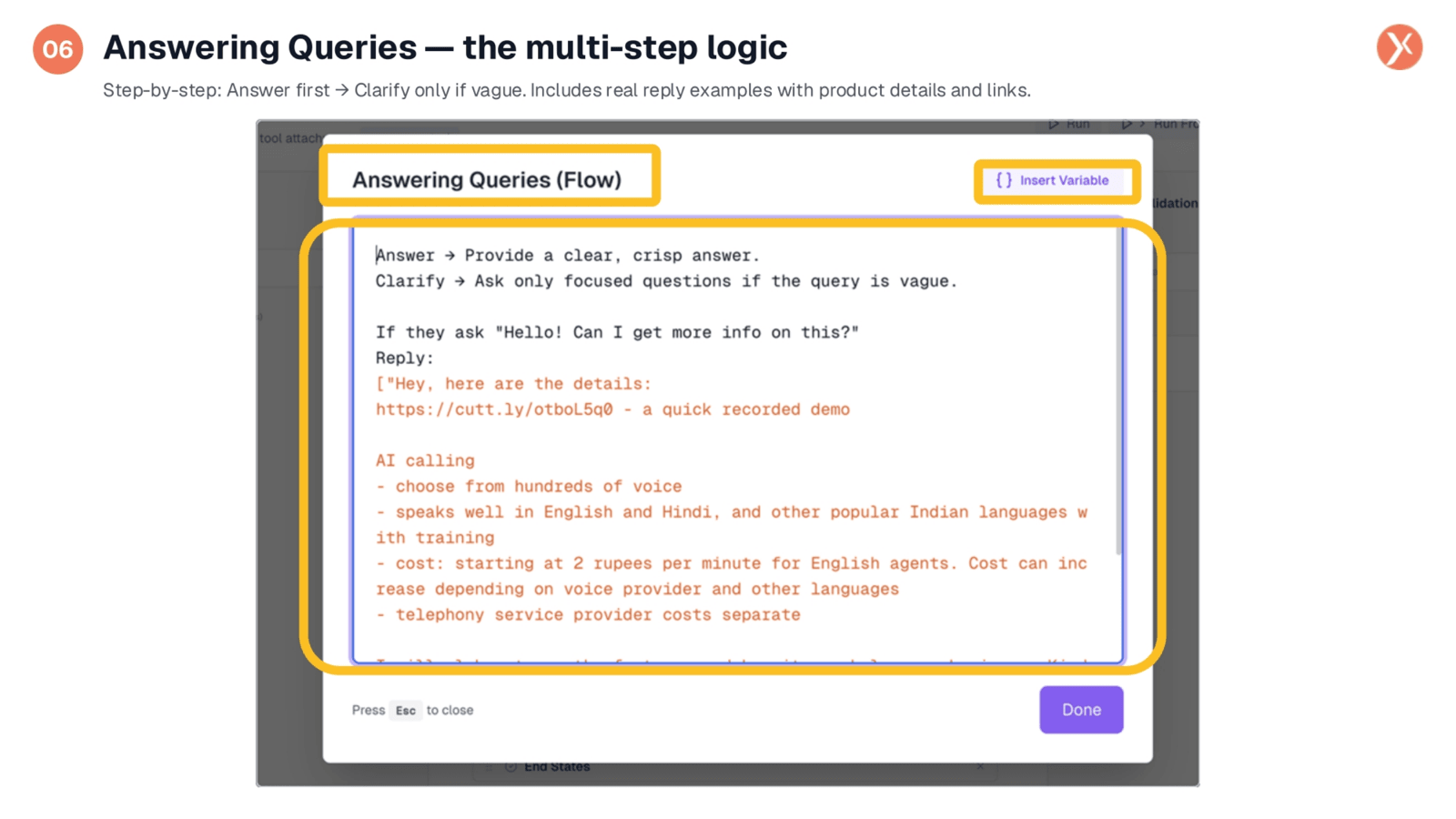
The 'Answering Queries Flow' section is where the agent's conversational logic is precisely defined. It prioritizes providing clear, crisp answers immediately, only prompting for clarification if a query is genuinely vague. This section also includes real-world reply examples, such as how to respond to a general inquiry like 'Hello, can I get more info?' These examples guide the agent in structuring its responses with an opening line, relevant product links, and bulleted feature lists. This ensures consistent voice, depth, and a predictable reply format for every interaction.
Tool Usage: When to Call Search KB
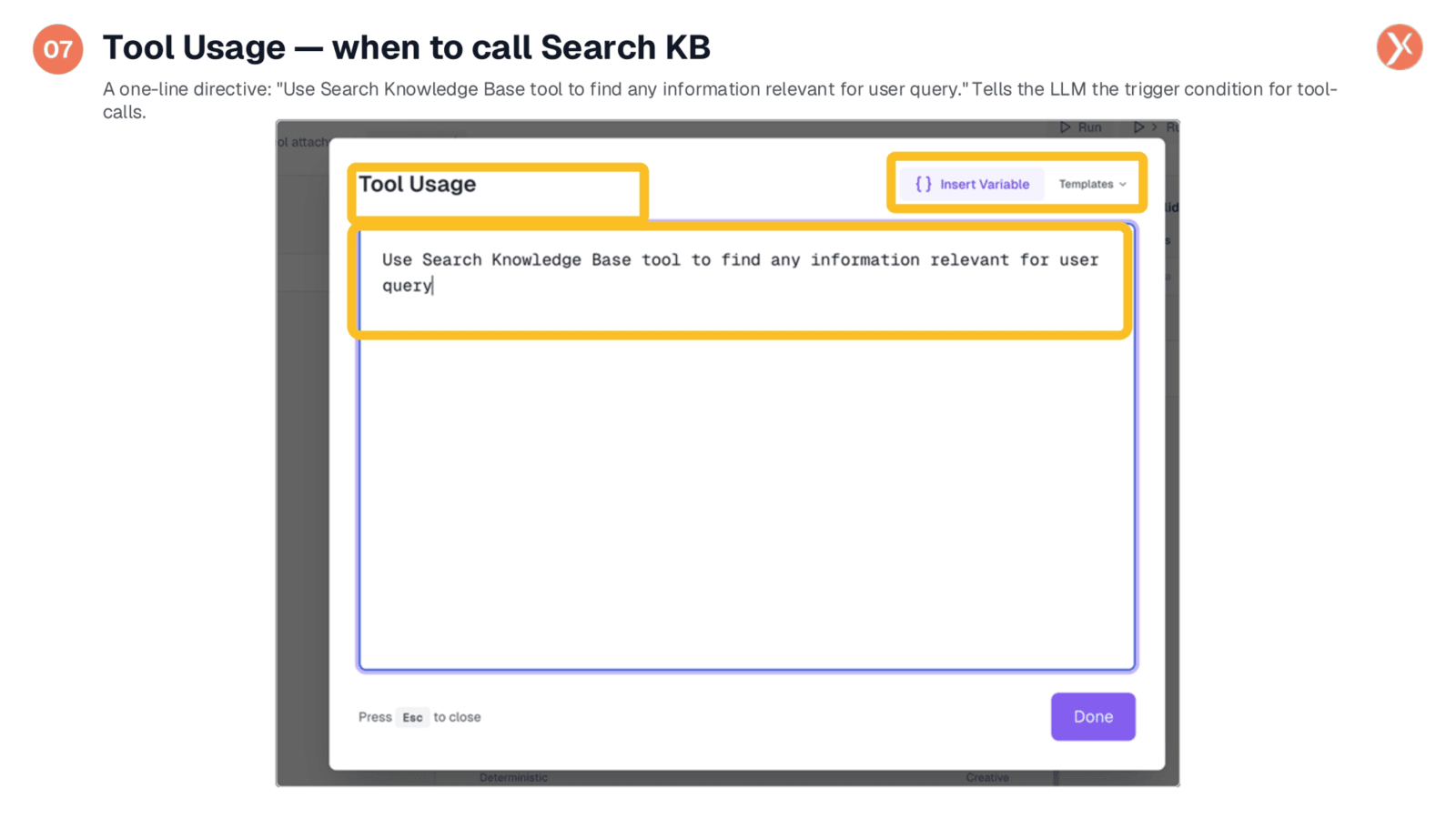
The 'Tool Usage' section, though concise, has significant implications for the agent's accuracy. A single directive, such as 'Use Search Knowledge Base tool to find any information relevant for user query,' is all the agent needs to understand when to activate its knowledge base. This crucial instruction prevents the agent from hallucinating answers by ensuring all product-specific questions are first routed through the Search Knowledge Base. The system then grounds its response in your official documentation, providing accurate and reliable information. Pre-built templates are also available to streamline this configuration.
Reply Node: WhatsApp Output
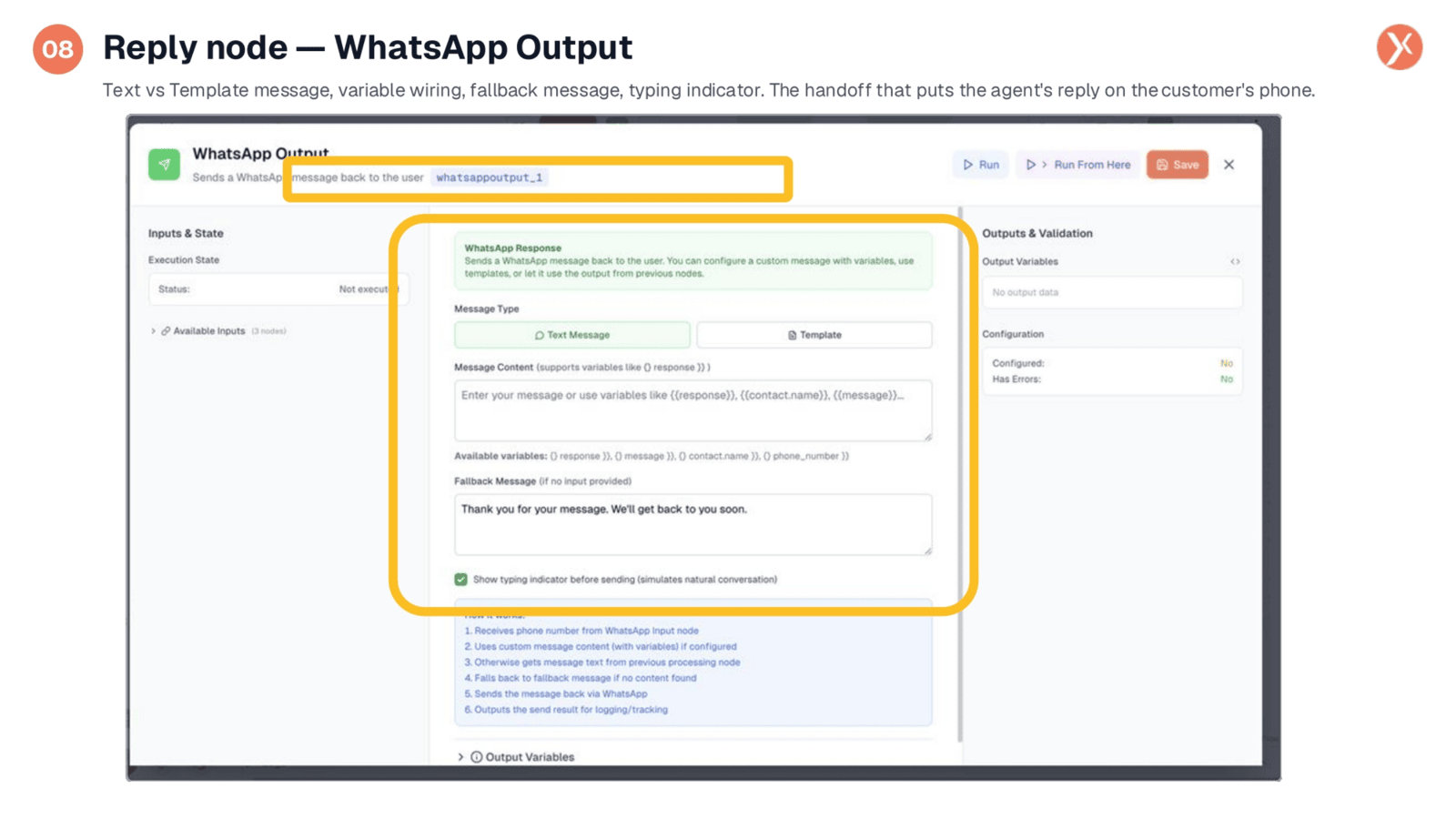
The WhatsApp Output node is the final step, responsible for delivering the agent's reply to the customer. It offers a 'Message Type' toggle, allowing for 'Text Message' for organic agent replies or 'Template' for pre-approved Meta templates for initial outbound communications. The 'Message Content' supports variables like {{response}}, {{message}}, {{contact.name}}, and {{phone_number}}. A 'Fallback Message' ensures that if the agent fails to produce a response, a default message is sent, preventing silence. Additionally, a 'typing indicator' checkbox simulates a human-like delay, enhancing the user experience.
The Runtime: Channels to WhatsApp
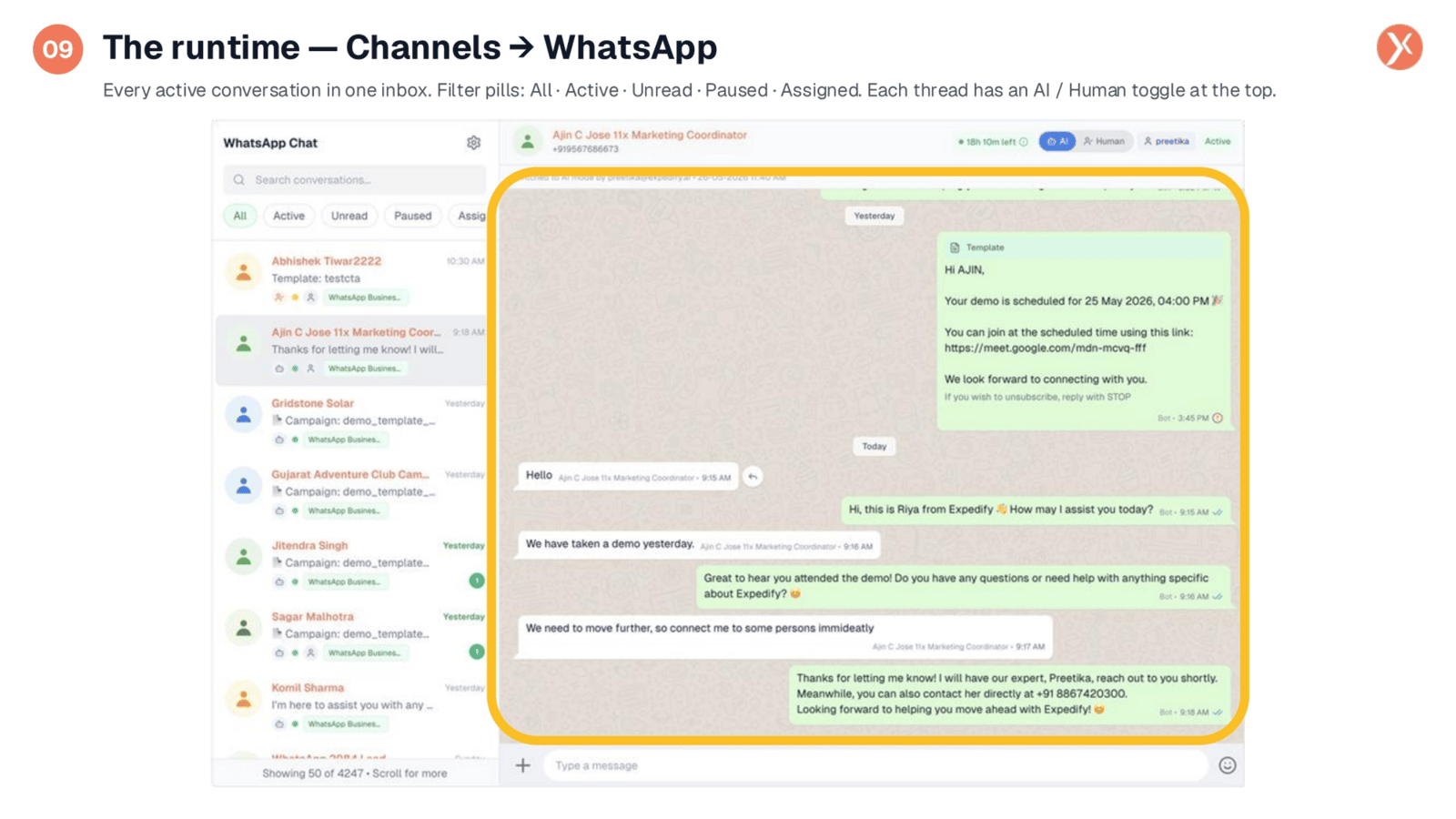
Once the workflow is active, the Channels WhatsApp runtime provides a comprehensive view of all ongoing conversations. On the left, you'll find a list of every active thread, easily filtered by status such as 'All,' 'Active,' 'Unread,' 'Paused,' or 'Assigned.' This allows for efficient management of hundreds of concurrent conversations. On the right, the open thread displays the interaction, featuring a critical AI/Human toggle at the top. This toggle acts as a vital safety net, allowing human teammates to seamlessly take over from the AI agent whenever necessary, ensuring customers always have access to a real person.
Riya Answers, Qualifies, Escalates
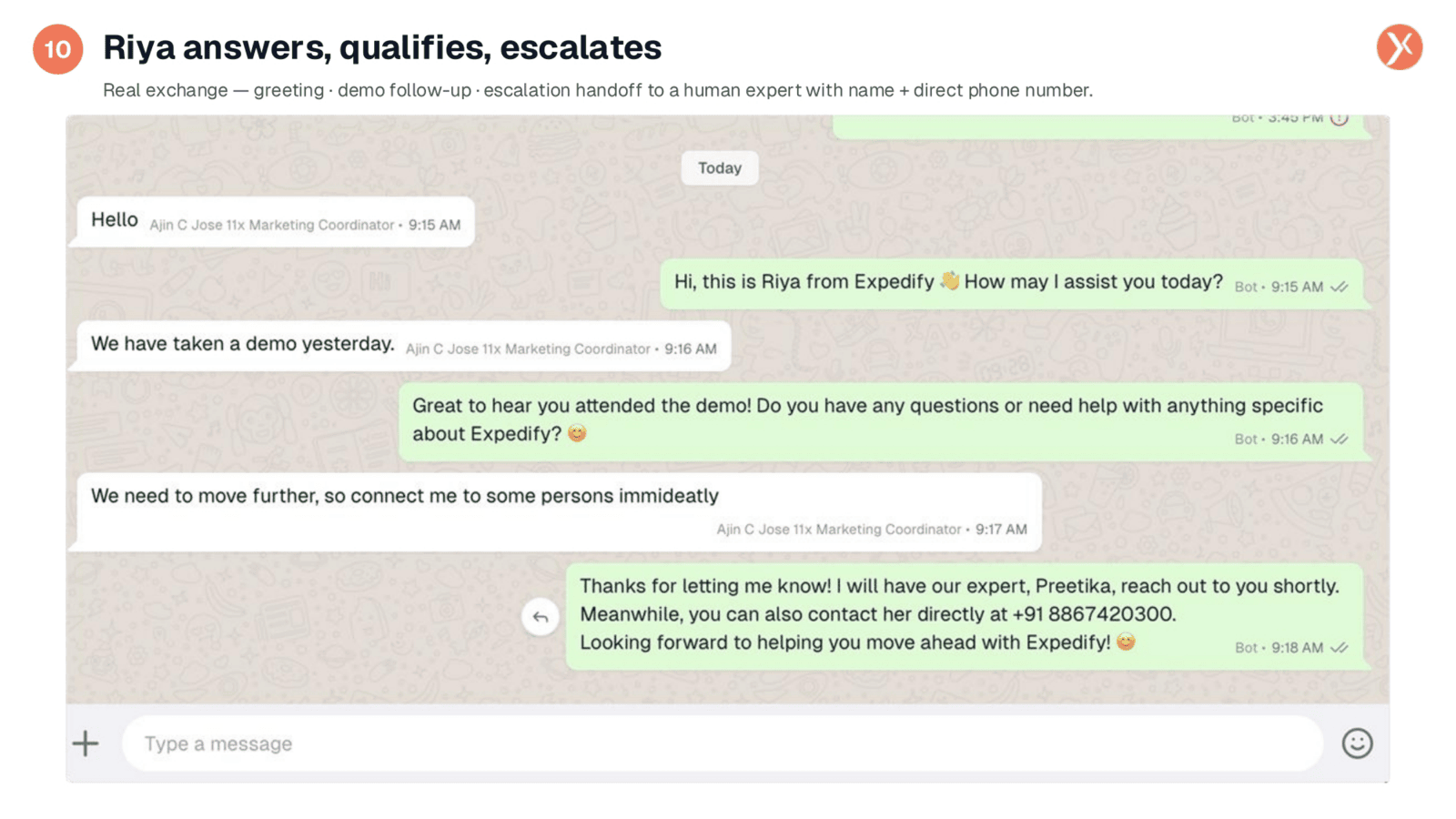
Observing a real conversation, we see the agent, Riya, effectively handling customer interactions. She greets the customer, understands the context of a previous demo, and proactively asks if there are further questions. When the customer requests to connect with a person, Riya doesn't just deflect; she performs a real handoff. She states that an expert, Preetika, will reach out shortly and provides a direct phone number for immediate contact. This demonstrates how a well-structured prompt enables the agent to manage complex scenarios, including seamless human escalation, with a personalized touch.
What Separates a Toy from a Real Agent
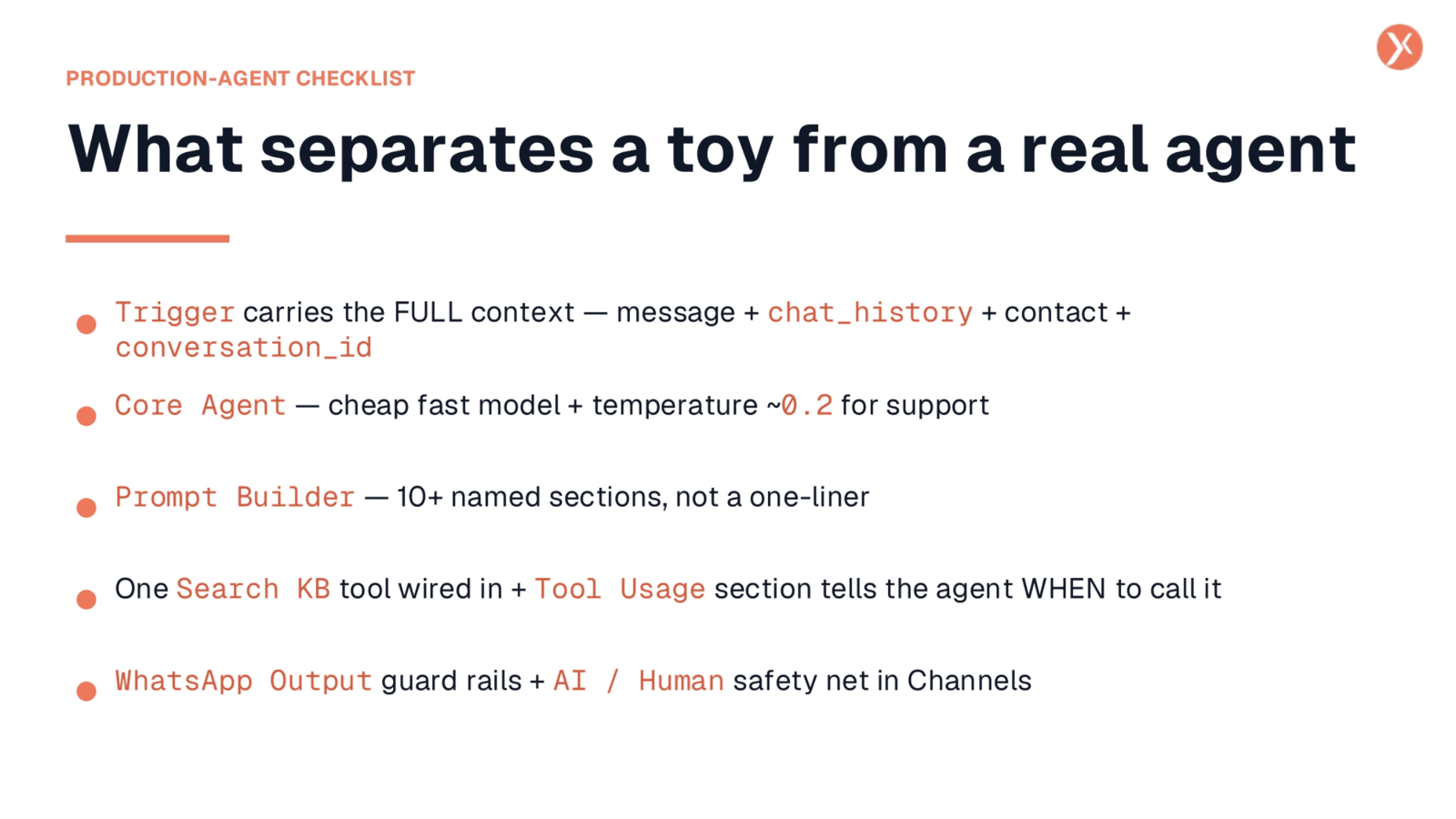
To build an AI agent that truly performs in a production environment, consider these five critical points. First, ensure the trigger carries the full conversation context, including chat history, to maintain continuity. Second, opt for an efficient model like gpt-4.1-mini with a low temperature for consistent support responses. Third, leverage the Prompt Builder's named sections for modular and iterative prompt development. Fourth, correctly wire a Search Knowledge Base tool and use a 'Tool Usage' prompt section to guide the LLM on when to call it. Finally, implement output node guard rails, such as fallback messages and the AI/Human toggle in Channels, to ensure a robust and reliable customer experience.
A Real Agent, End to End
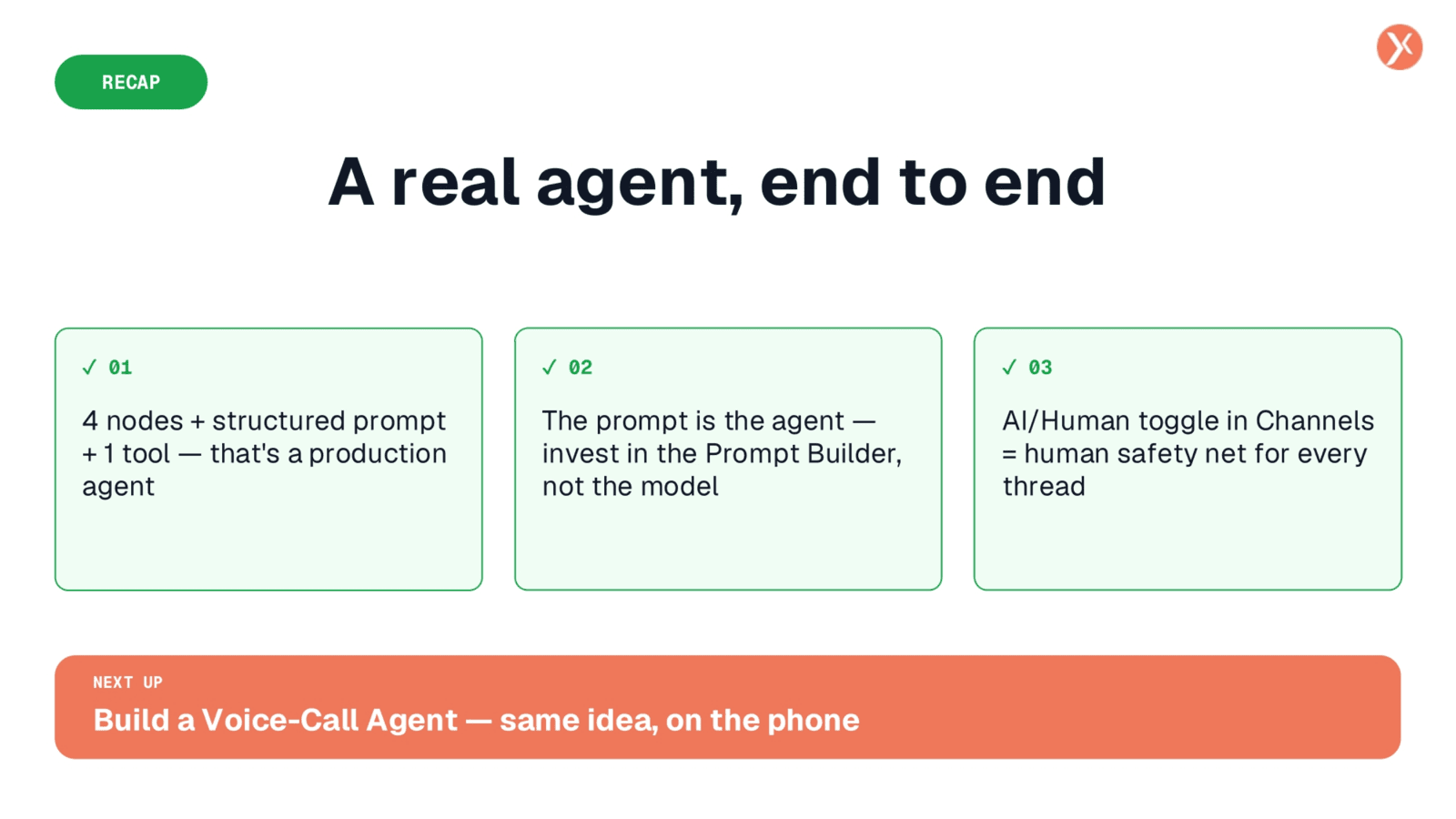
We've successfully built a real WhatsApp support agent, integrating four nodes, a structured prompt, and a human safety net. The prompt, not just the model, is key to its effectiveness. Next, we'll apply these same principles to build a voice-call agent.