Voice Call Agent
Welcome to the Expedify Voice-Call Agent, a powerful solution for building end-to-end AI phone automation. This system is designed to handle outbound calls, qualify leads efficiently, and seamlessly book meetings, streamlining your sales and outreach processes.
Workflow Overview: Schedule, Search, Loop, Call, Talk, Log
This demonstration outlines the core workflow of our outbound calling AI agent. It begins with a scheduled trigger, followed by searching for leads, iterating through them, initiating outbound calls, engaging in conversation, and finally logging the results. This entire process runs automatically every Monday through Friday at 9 AM.
Workflow Structure: Six Nodes and Two Tools
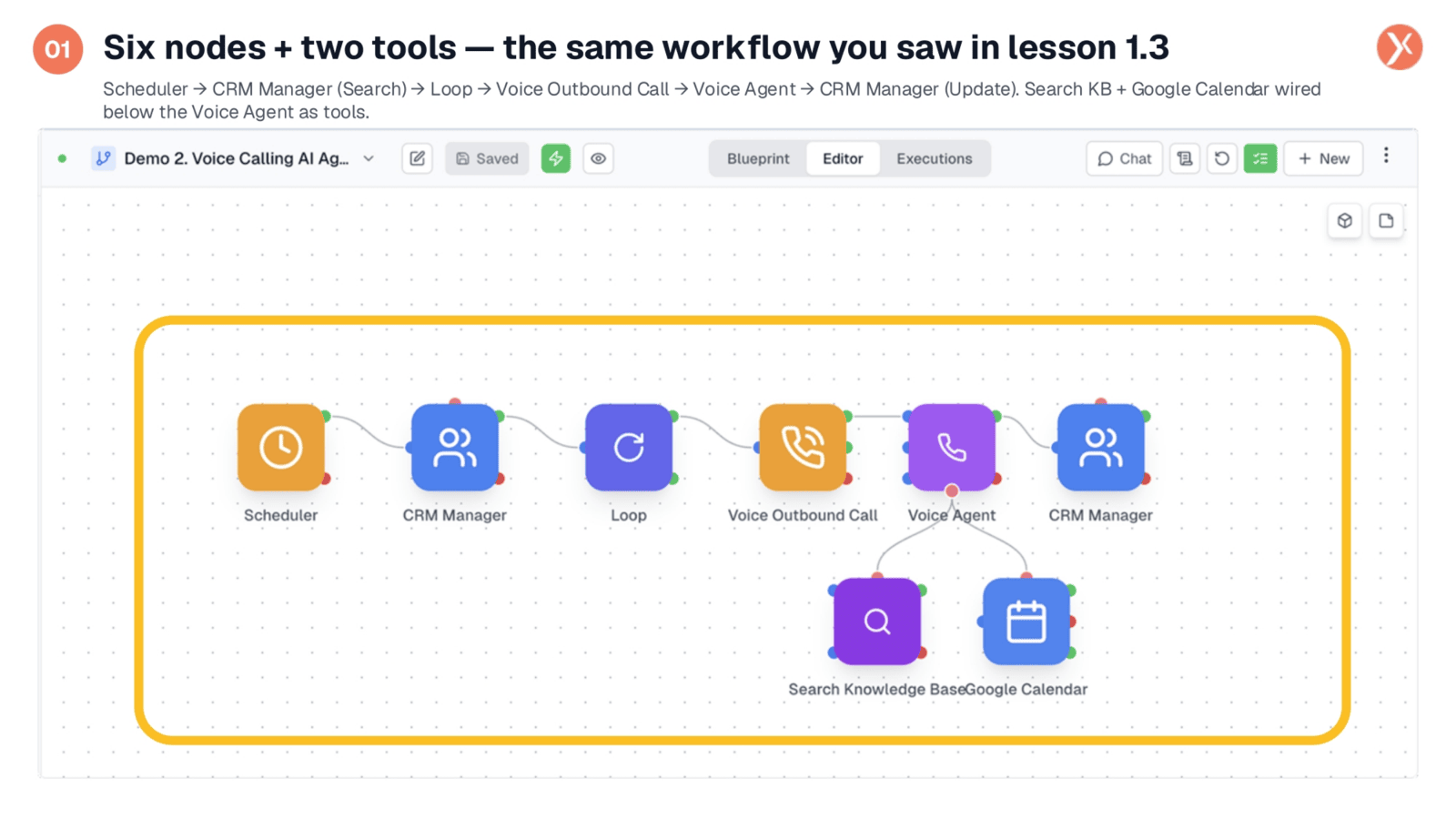
The complete workflow, as seen in lesson 1.3, is structured with six primary nodes and two integrated tools. The sequence includes a Scheduler, CRM Manager for searching, a Loop for iteration, a Voice Outbound Call, the Voice Agent itself, and a CRM Manager for updates. The Voice Agent is further enhanced by Search Knowledge Base and Google Calendar tools.
Scheduler Configuration: Daily at 9 AM, Monday-Friday
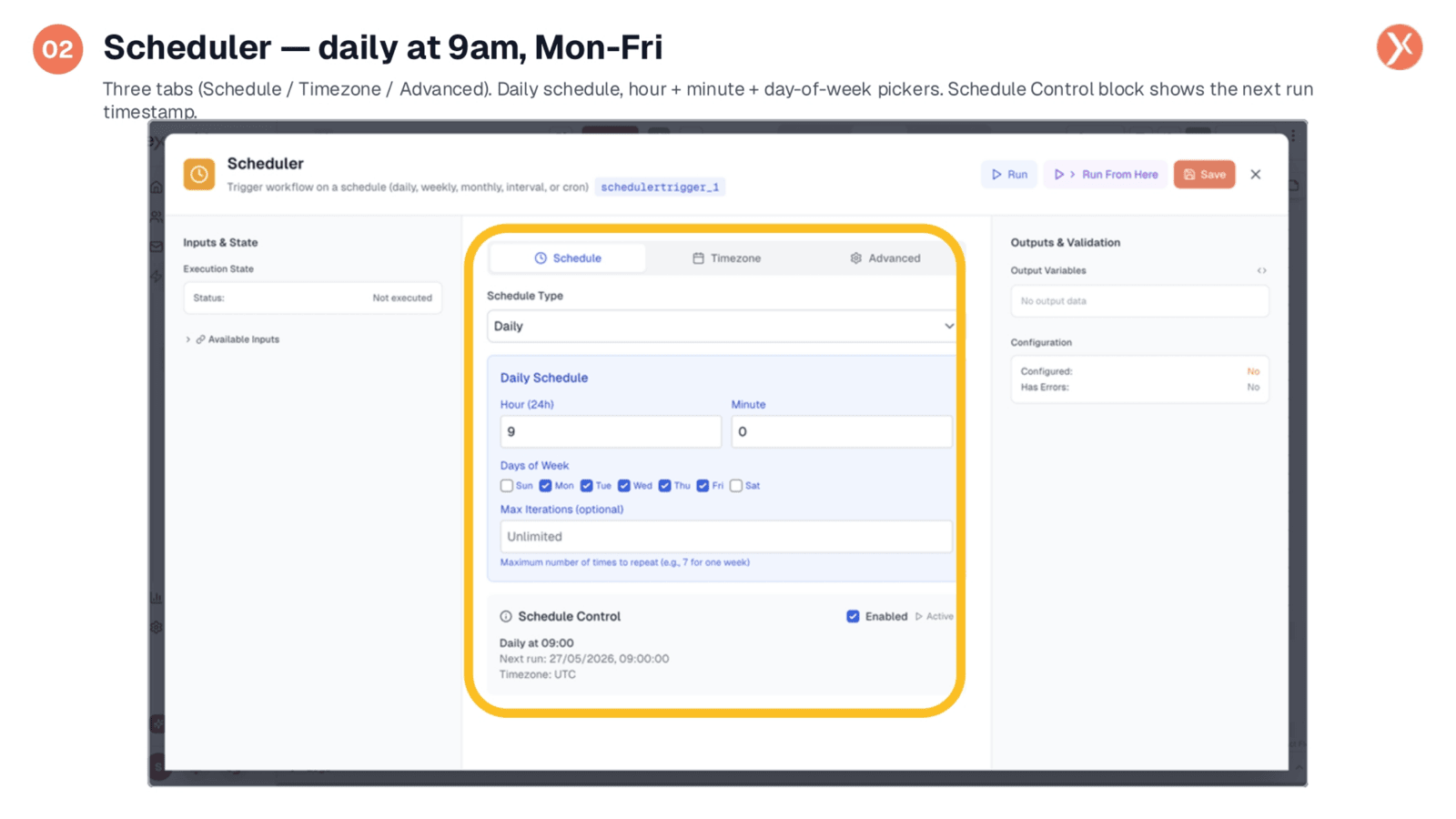
Configuring the Scheduler is straightforward, utilizing three tabs: Schedule, Timezone, and Advanced. We've set it for a daily schedule at 9 AM, specifically from Monday to Friday, ensuring weekends are off. The Schedule Control block provides a clear timestamp for the next run, offering a crucial sanity check before activation. This node precisely defines when your workflow will execute.
CRM Manager (Search): Pulling Not Contacted Leads
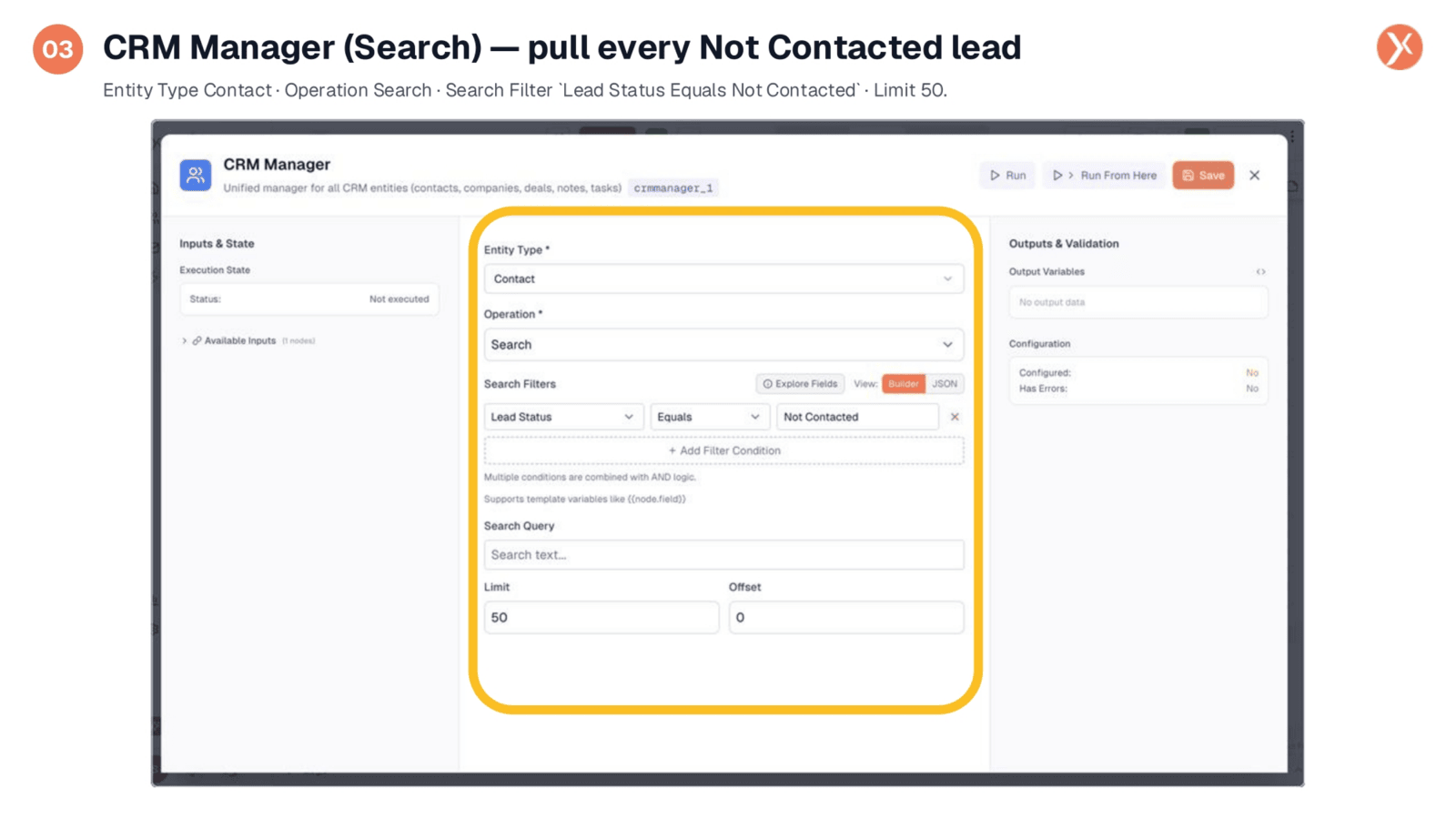
The CRM Manager, operating in Search mode, is configured to pull every "Not Contacted" lead. We specify the Entity Type as "Contact" and the Operation as "Search," applying a filter where "Lead Status Equals Not Contacted." A limit of 50 leads per run is set, ensuring manageable batches. Additional filters can be added to refine lead selection based on various criteria.
Loop Node: Iterating Search Results
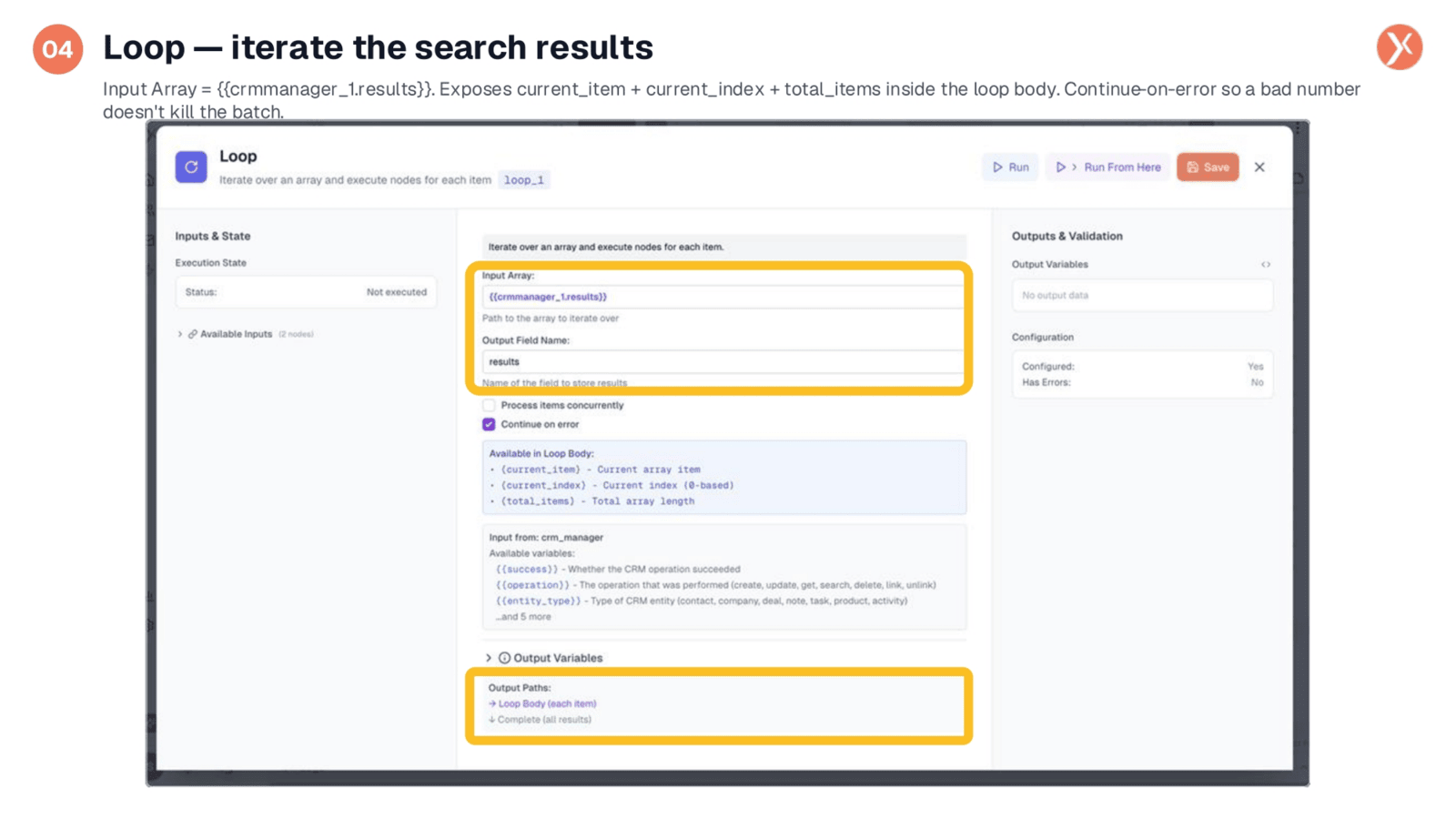
The Loop node is critical for processing search results efficiently. It takes the output from the CRM Manager search as its input array. Within the loop body, runtime variables like current_item, current_index, and total_items are exposed. The "Continue on error" setting is enabled, preventing a single problematic entry from halting the entire batch. This ensures robust and continuous processing.
Voice Outbound Call: Dialing via the Telco
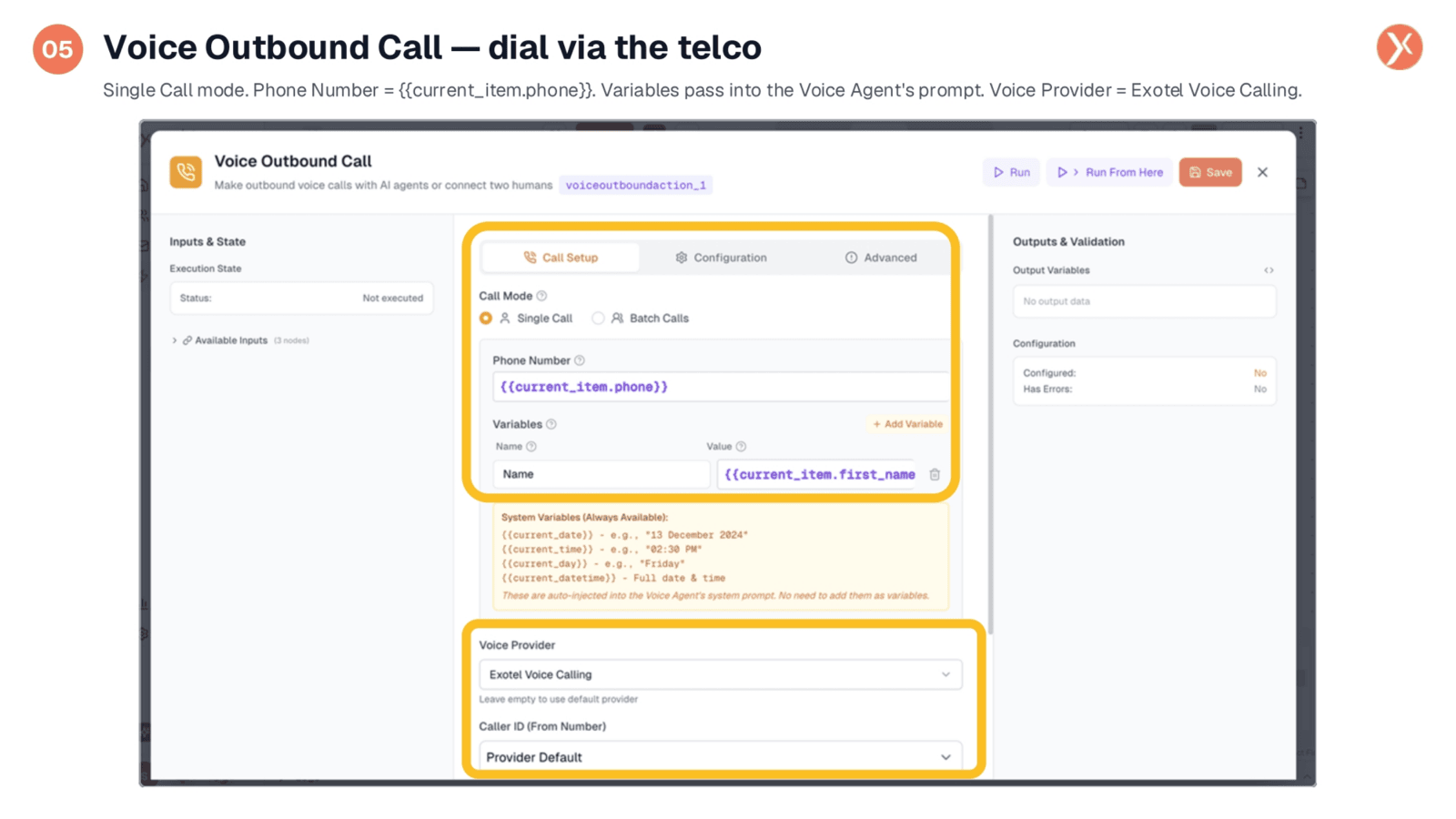
The Voice Outbound Call node is responsible for initiating the actual phone calls. It operates in "Single Call" mode, dialing one number per execution, which is dynamically pulled from the current_item.phone variable within the loop. We pass the lead's first name as a variable, allowing the Voice Agent to personalize the greeting. System variables like current date and time are also automatically available. Exotel serves as our voice provider.
Voice Agent: Integrated with Search KB and Google Calendar
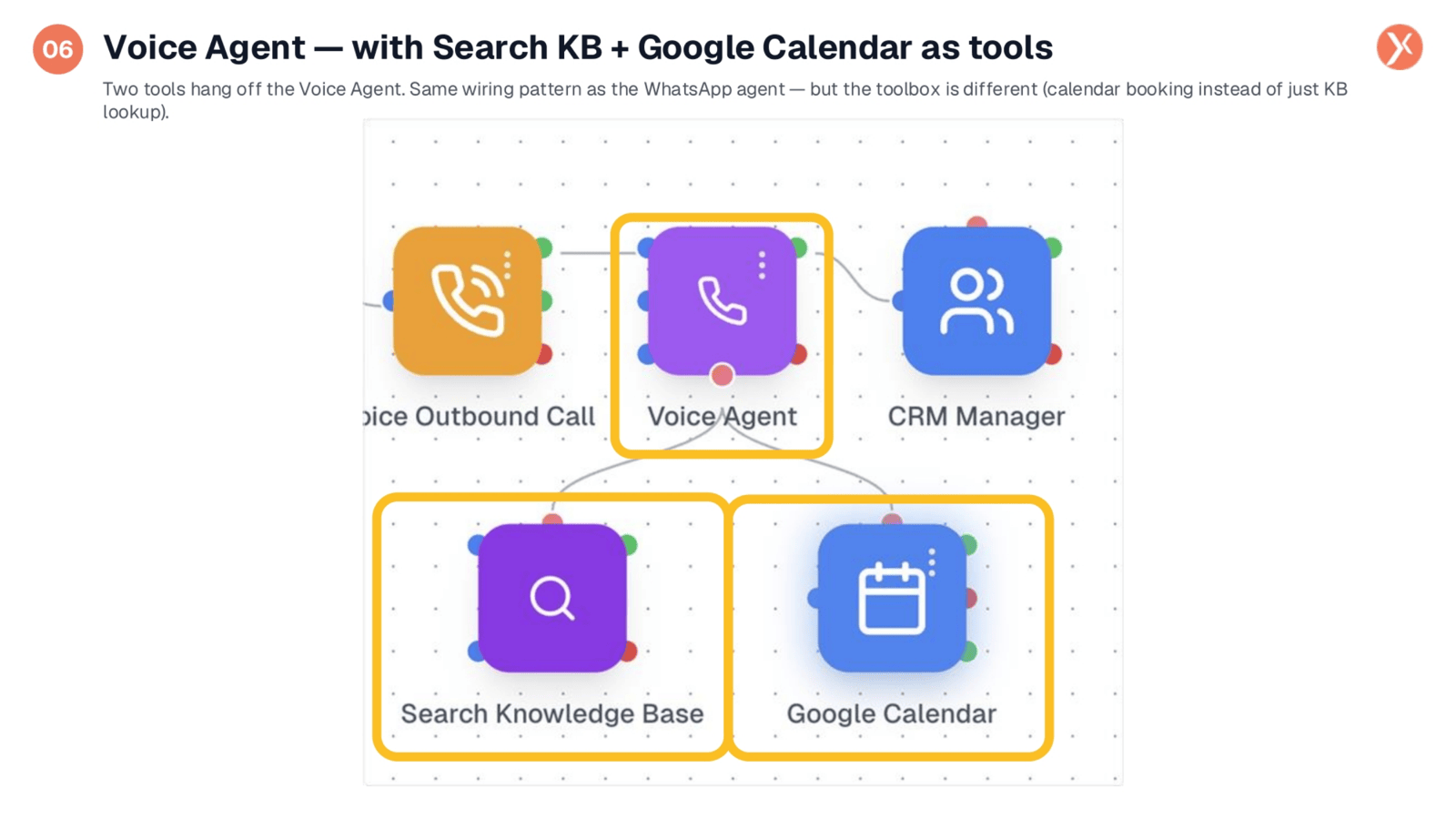
The Voice Agent is at the heart of the conversation, and it's powerfully enhanced by integrated tools. Similar to the WhatsApp agent, Search Knowledge Base is wired for quick access to product information. Crucially, Google Calendar is also connected, enabling the agent to check availability and book demo meetings directly during the call. This capability transforms the agent from a mere script-reader into an active sales agent.
Voice Agent: Realtime LLM and Advanced Configuration
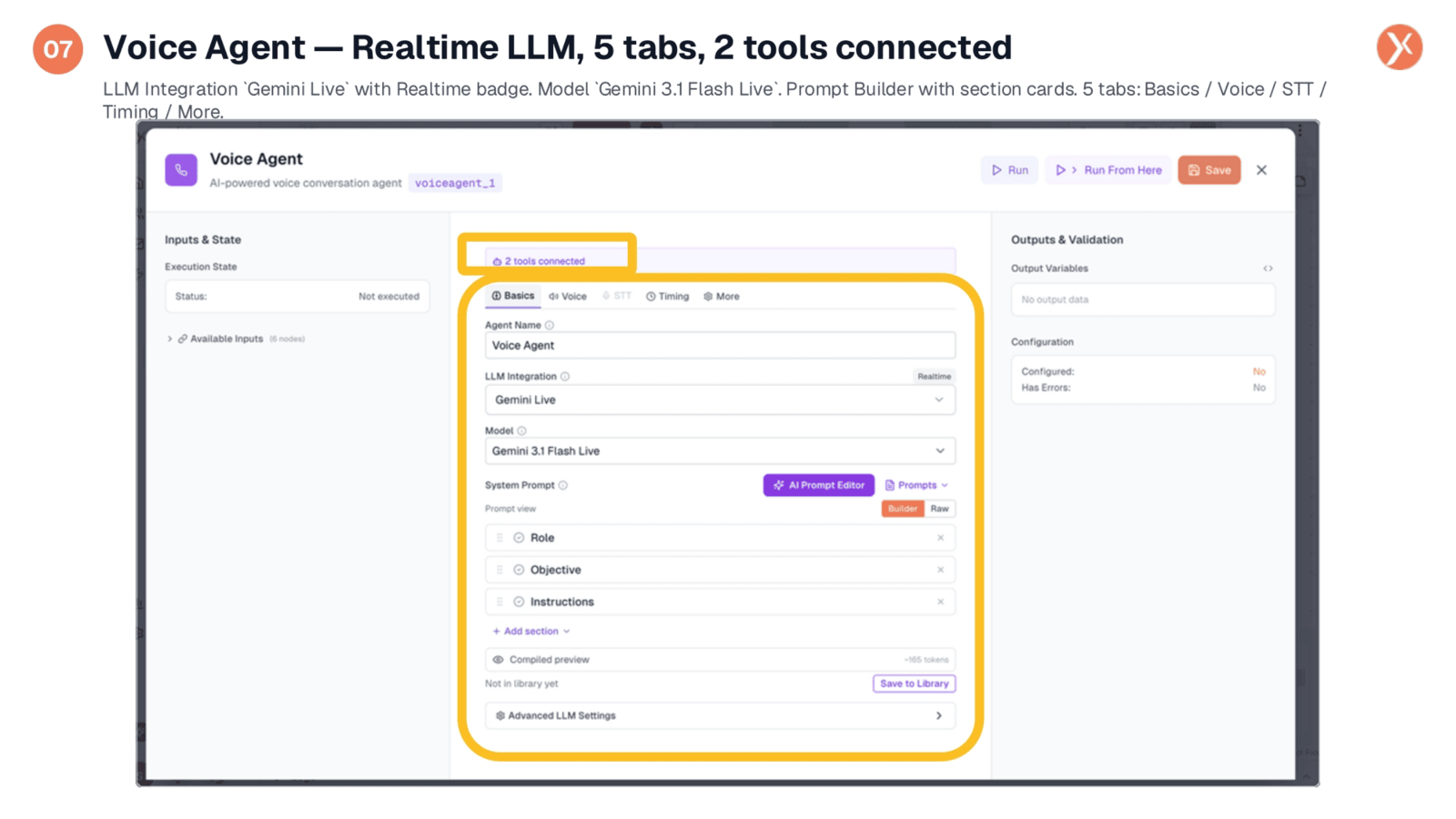
Delving into the Voice Agent's configuration, we see "2 tools connected" and five distinct tabs: Basics, Voice, STT, Timing, and More. The LLM Integration is set to "Gemini Live," featuring a "Realtime" badge. This signifies a low-latency, speech-in, speech-out model, eliminating separate speech-to-text and text-to-speech round-trips for more natural turn-taking. The model used is Gemini 3.1 Flash Live.
Voice Agent: Unique Voice-Tuned Prompt Sections
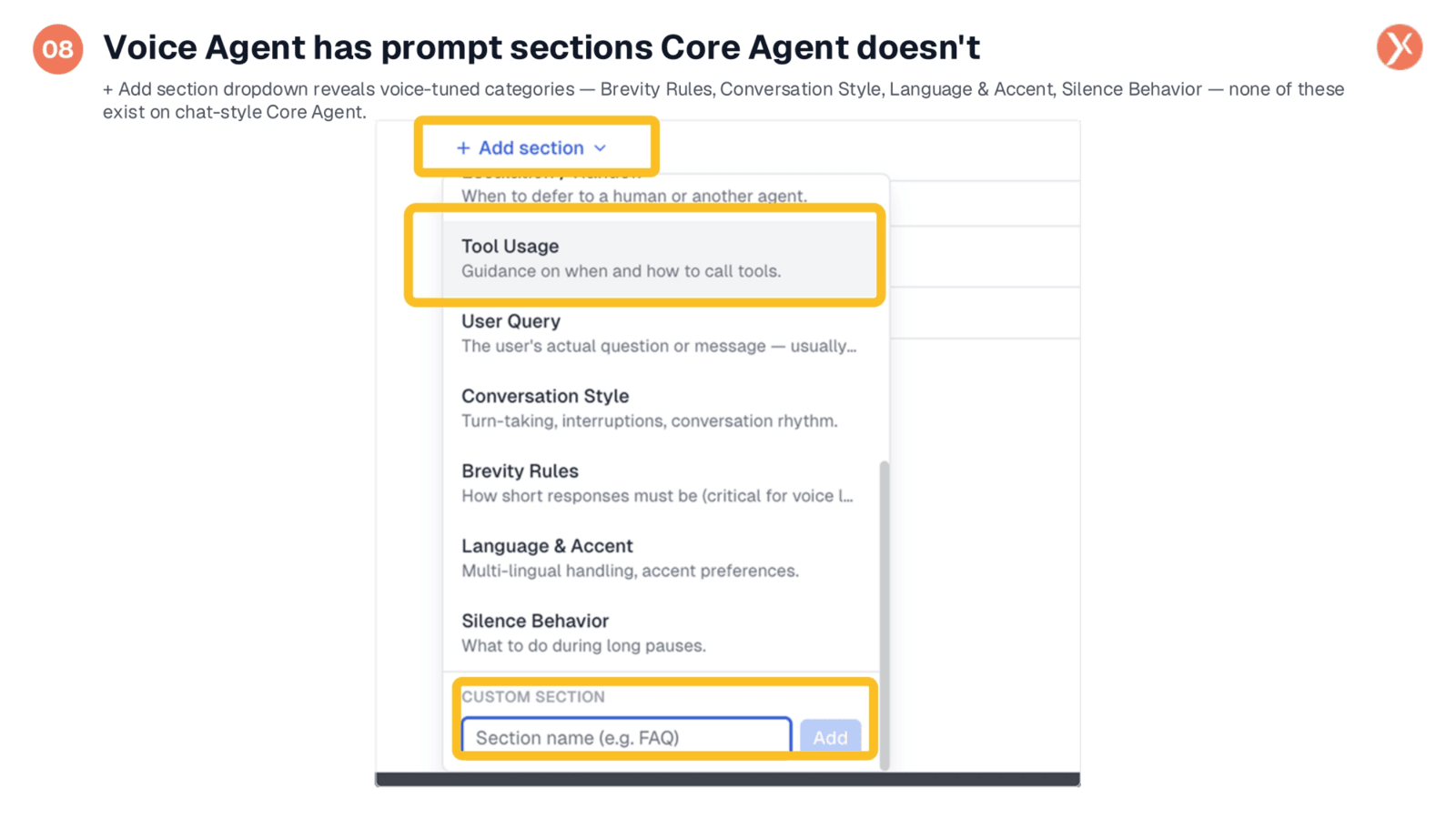
The Voice Agent offers specialized prompt sections not found in chat-style Core Agents, which are vital for natural phone interactions. These include "Brevity Rules" to prevent rambling, "Conversation Style" for managing turn-taking and interruptions, "Language & Accent" for multi-lingual handling, and "Silence Behavior" to dictate responses during pauses. These features are crucial for making the agent feel like a real conversational partner.
Tool Usage: When to Use KB, When to Use Calendar
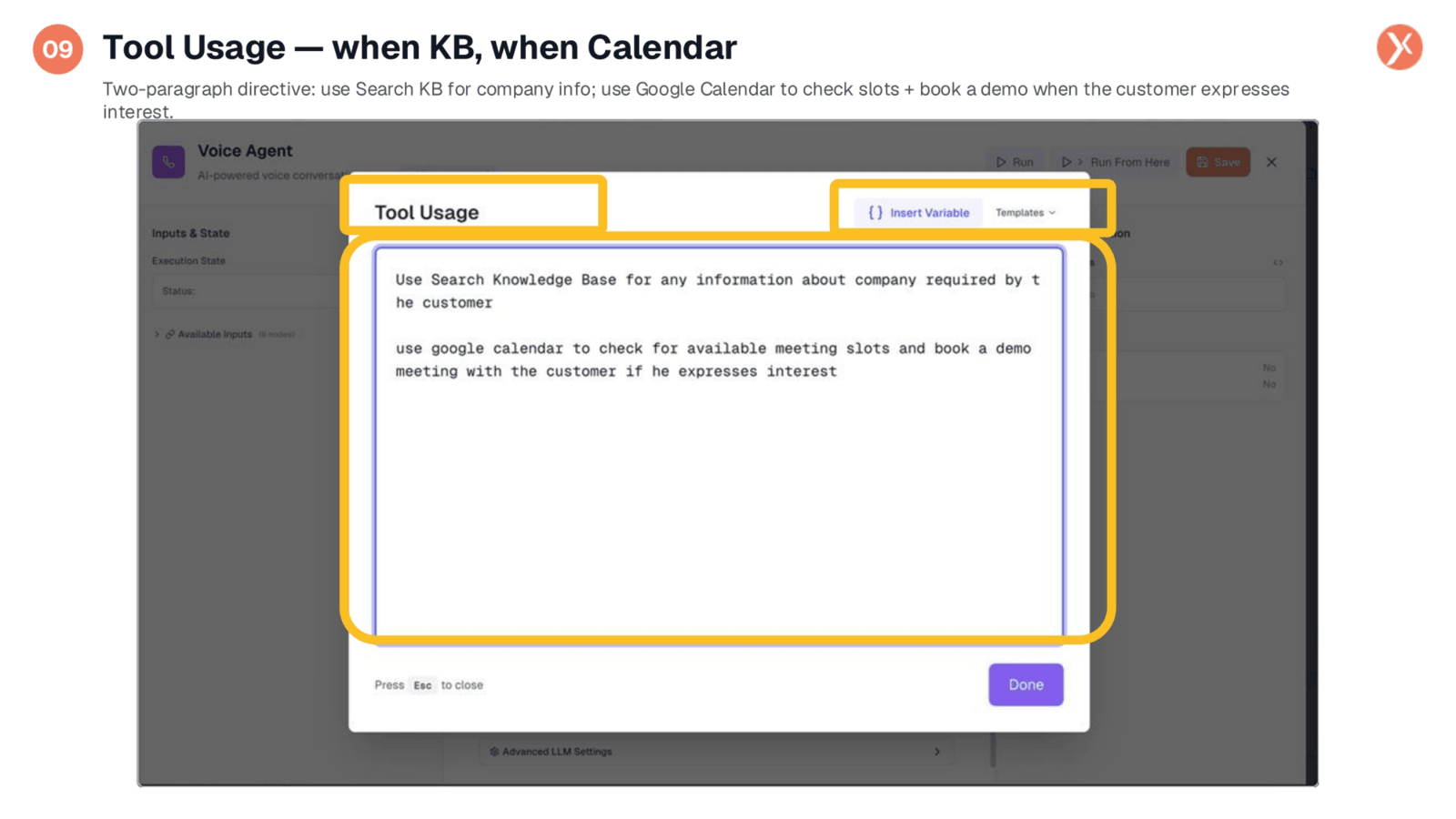
The "Tool Usage" section within the Voice Agent's prompt provides clear directives for tool activation. It instructs the agent to use the Search Knowledge Base for any company-related information requested by the customer. Furthermore, it directs the agent to utilize Google Calendar to check for available meeting slots and book a demo if the customer expresses interest, enabling real-time action during the call.
CRM Manager (Update): Persisting Lead Score Post-Call
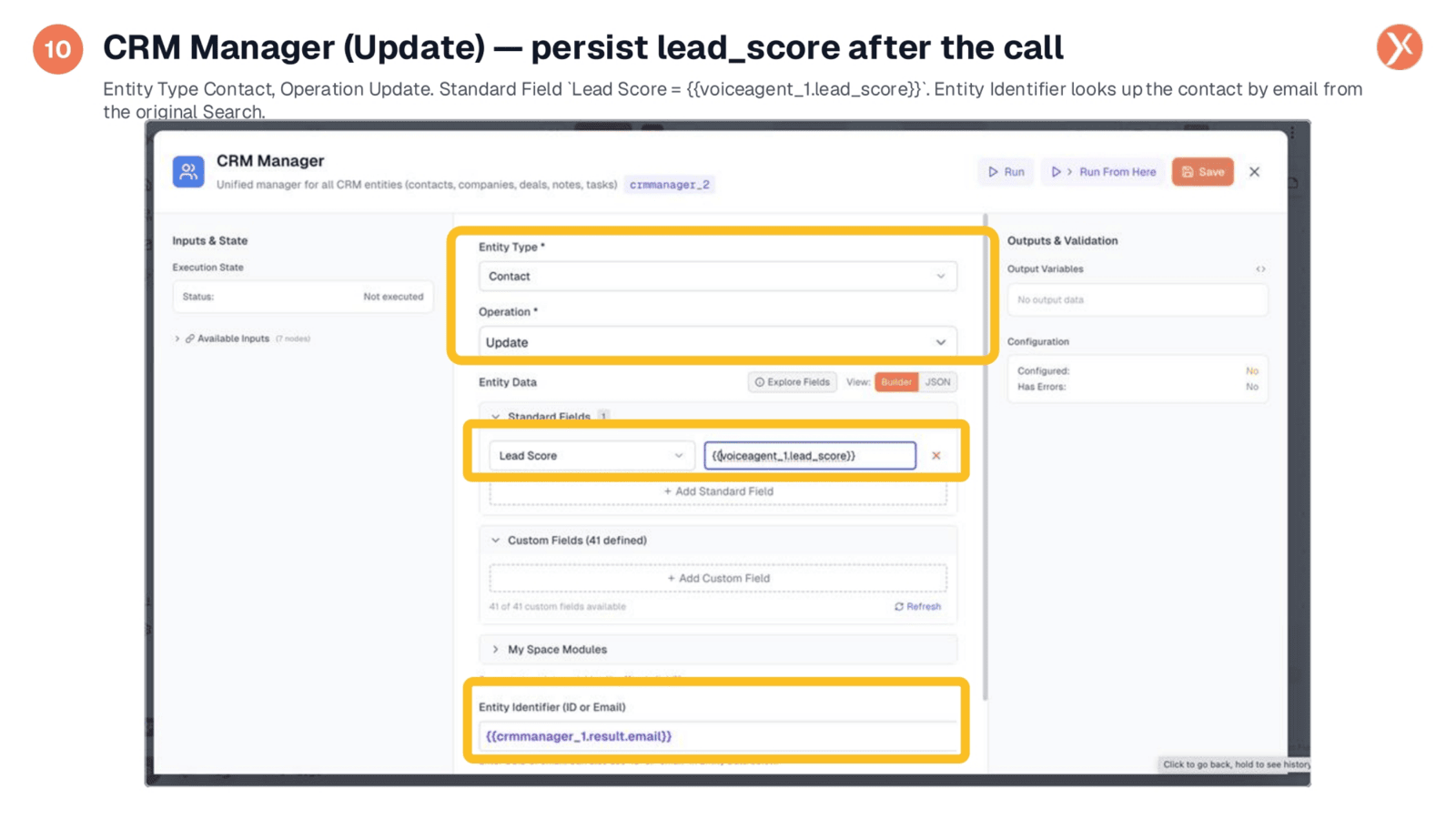
After the call, the CRM Manager (Update) node plays a crucial role in persisting the lead_score generated by the Voice Agent. The agent's real-time assessment of lead interest, objections, and demo acceptance is captured. This lead_score is then pushed back to the contact's record in the CRM, using the original search email for identification. This enables smarter prioritization for future outreach batches.
A Real Call: Multi-Lingual, Code-Switching, Qualified
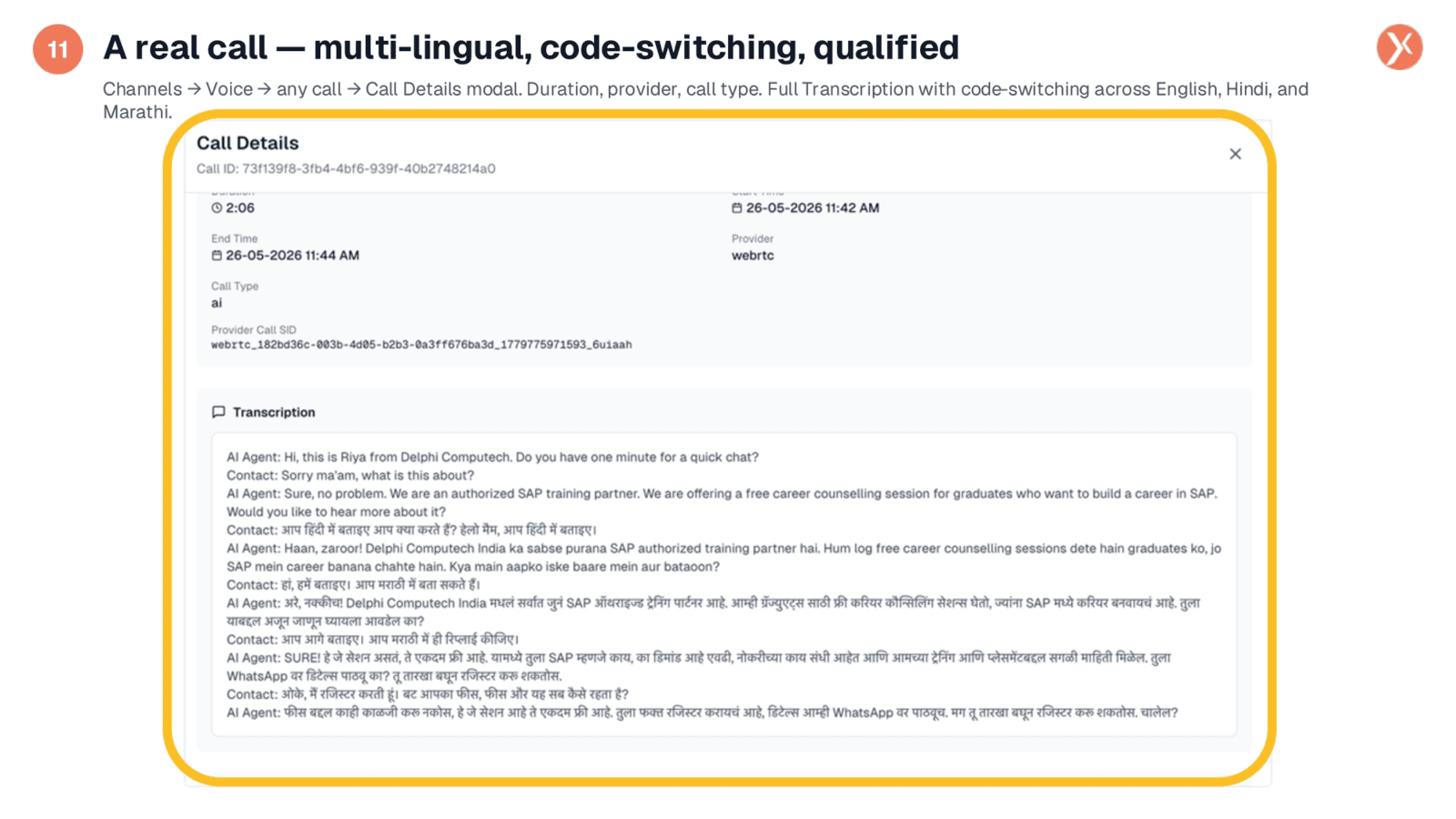
This example showcases a real call, demonstrating the agent's impressive multi-lingual and code-switching capabilities. The transcript reveals the AI agent, Riya, seamlessly conversing in English, then pivoting to Hindi, and even responding in Marathi. This natural flow across three languages within a single conversation highlights the effectiveness of the Realtime LLM combined with the Language and Accent prompt section.
Essentials for a Real-Feeling Voice Agent
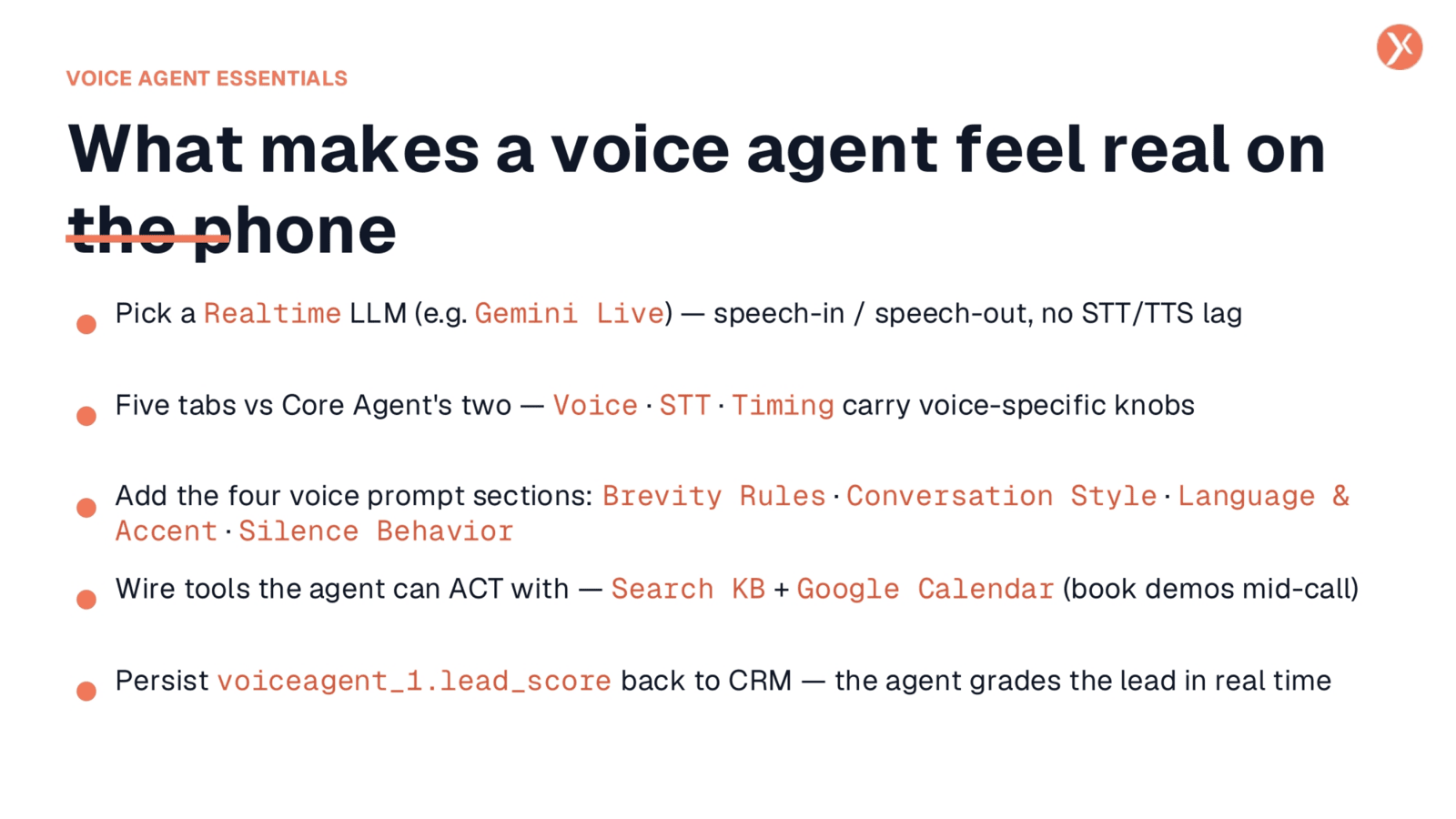
To create a voice agent that feels truly real on the phone, five key elements are essential. First, utilize a Realtime LLM like Gemini Live for seamless speech-in and speech-out. Second, leverage the Voice Agent's five tabs, including voice-specific settings. Third, incorporate the four voice-tuned prompt sections for natural conversation. Fourth, wire actionable tools like Google Calendar for mid-call actions. Finally, persist the agent's lead_score back to CRM for continuous improvement.
Recap: Your Real Phone Agent
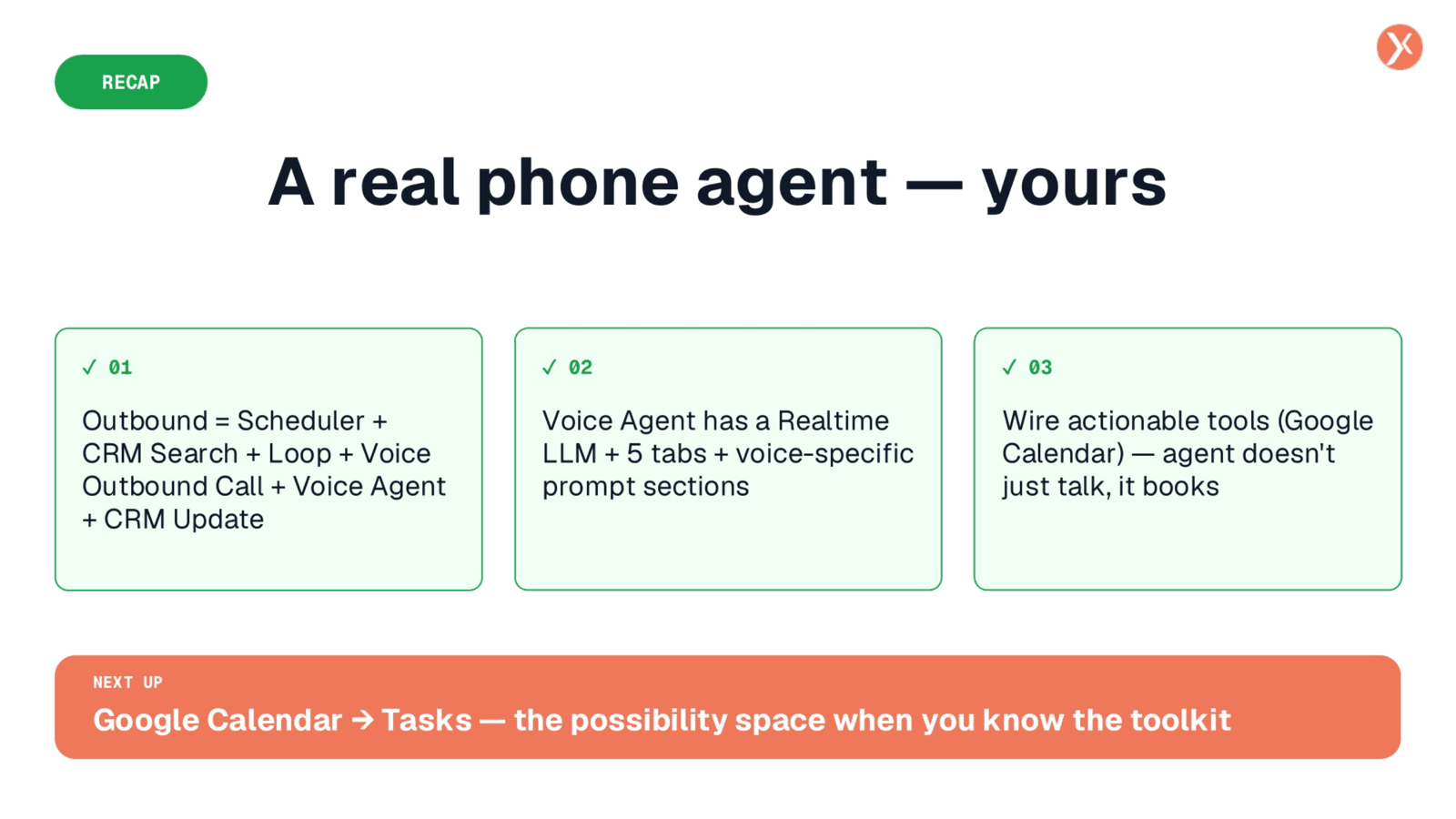
We've successfully built a real phone agent, demonstrating a complete outbound workflow from scheduling to CRM updates. This agent features a Realtime LLM with voice-specific prompt sections and actionable tools like Google Calendar, allowing it to not just talk, but also book.