Google Calendar to Tasks
Today, we're exploring a comprehensive workflow that automates task creation directly from Google Calendar events. This advanced setup demonstrates how a single trigger can orchestrate a complex series of actions, leveraging AI to streamline your task management. We'll highlight key components, showcasing the power of composable automation.
Complex Workflow Overview
This powerful workflow operates from a single Google Calendar trigger, yet it branches into six distinct paths, utilizing over twenty nodes. It handles five different event types, from creation and updates to cancellations and events starting soon. Crucially, when meeting notes are attached after a call, AI automatically reads them and bulk-creates tasks within your CRM. This intelligent automation ensures no action item is missed, transforming unstructured notes into actionable tasks.
Workflow Architecture
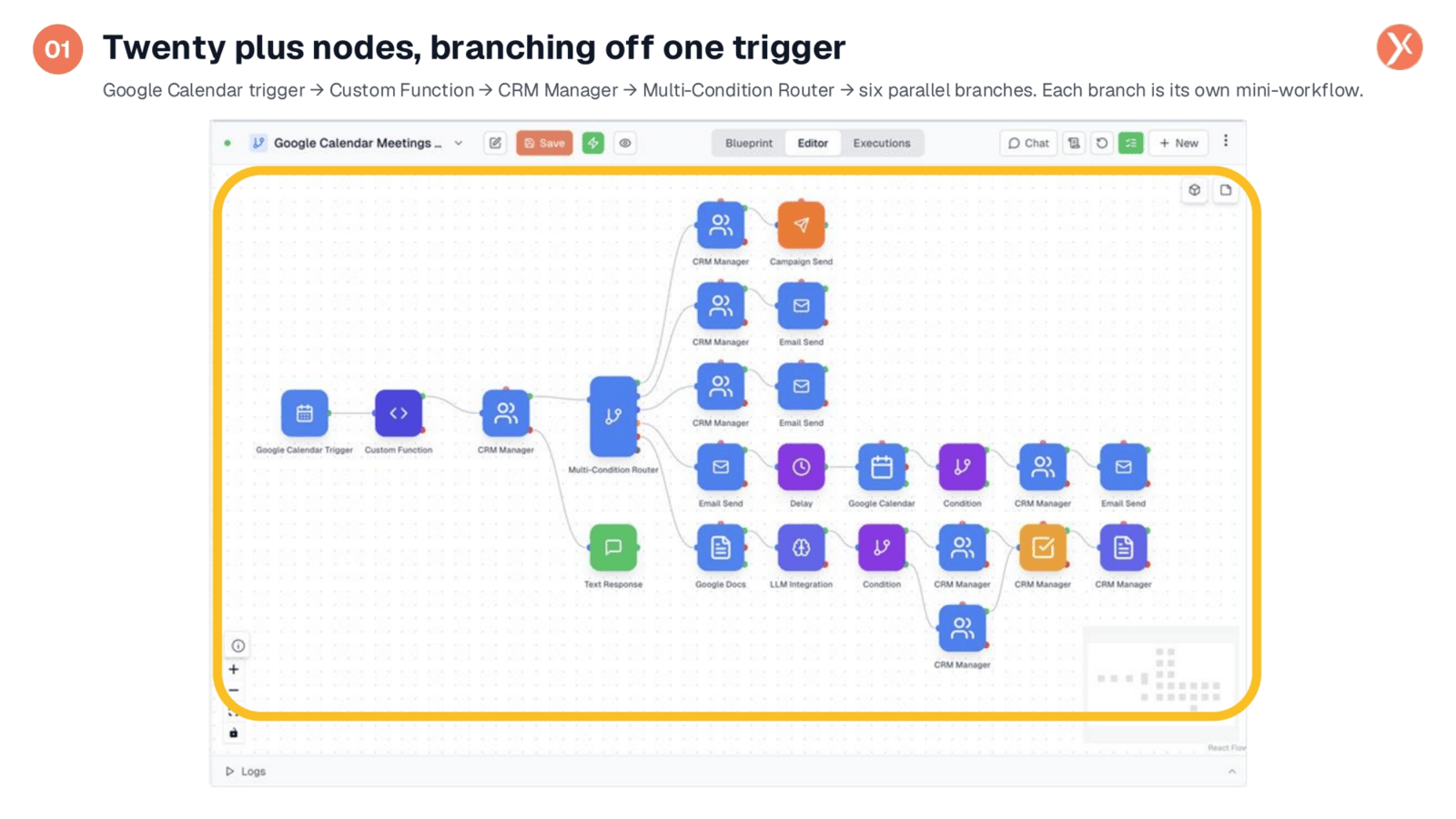
Observe the intricate structure of this workflow, featuring over twenty nodes and six distinct branches originating from a single trigger. This design isn't a simple tutorial example; it's a solution to a real-world problem, demonstrating the flexibility of our toolkit. The Google Calendar trigger initiates the process, followed by a custom Python function and a CRM Manager. A Multi-Condition Router then intelligently splits the workflow into six parallel paths, each tailored to a specific calendar event type. We'll now examine four key nodes to illustrate this versatility.
Versatile Calendar Trigger
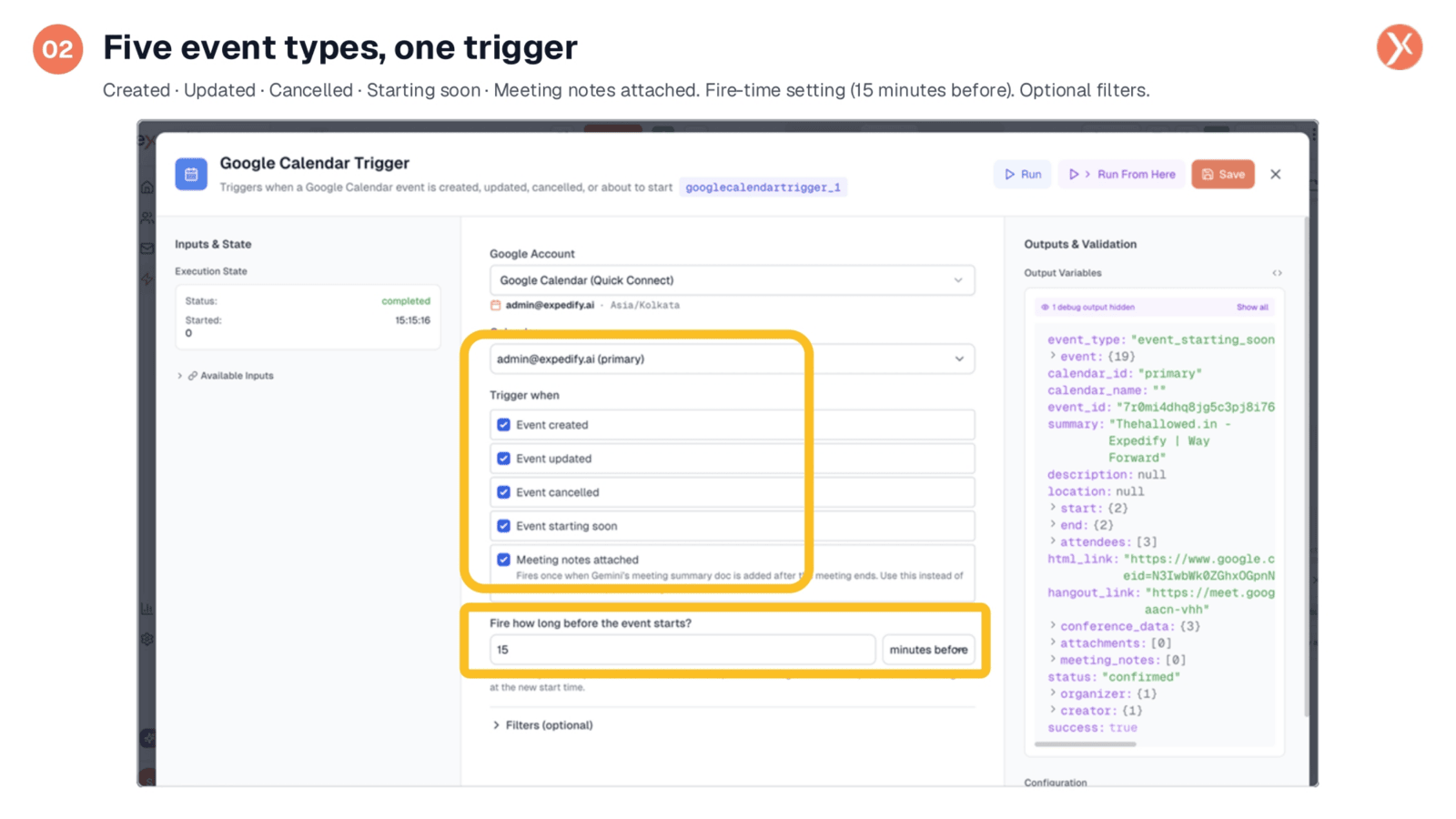
The Google Calendar trigger is highly versatile, configured to respond to five distinct event types: created, updated, cancelled, starting soon, and when meeting notes are attached. This single workflow effectively manages every kind of calendar event. For instance, the 'starting soon' trigger activates 15 minutes before an event, enabling timely team reminders. The 'meeting notes attached' trigger fires once Gemini's summary document is added, initiating the note parsing process. Optional filters further refine which events trigger the workflow, providing precise control over your automation.
Custom Python Functions
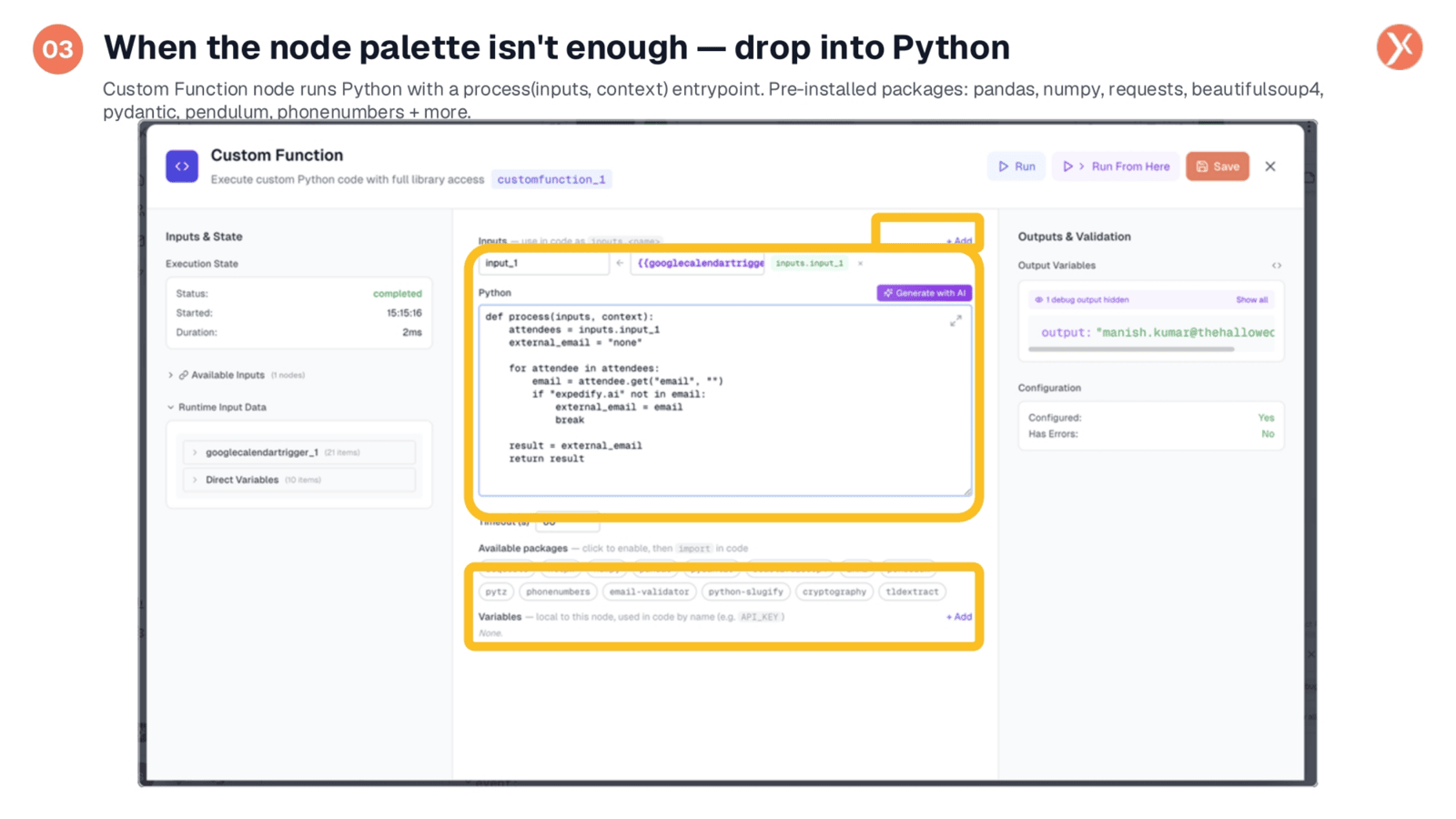
When standard nodes don't quite meet a specific need, our Custom Function node allows you to seamlessly integrate Python code. In this example, the workflow identifies the first non-Expedify attendee in a meeting, a task not directly supported by a pre-built node. A concise five-line Python script iterates through attendees, filters internal emails, and returns the external contact. Expedify provides numerous pre-installed packages like pandas and numpy, and even offers an 'Generate with AI' button to help write functions, ensuring you're never limited by the existing node palette.
Multi-Condition Routing
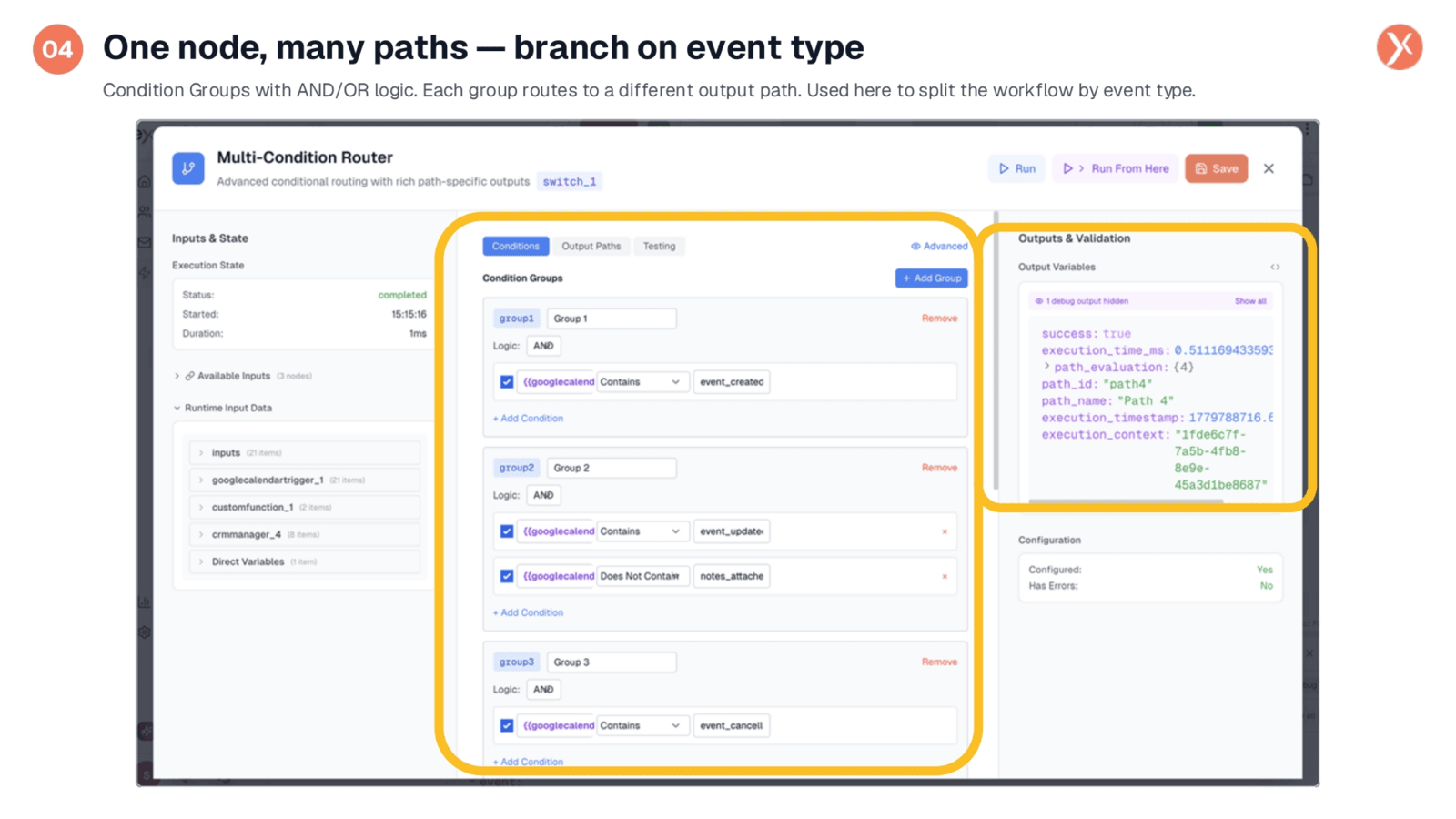
The Multi-Condition Router acts as a powerful switch, enabling a single node to manage multiple conditional paths. It organizes conditions into groups, such as matching 'event created,' or 'event updated' combined with 'no notes attached,' or 'event cancelled.' Each group defines a unique output path, allowing for complex logic within a single component. This effectively replaces several sequential condition nodes, simplifying your workflow design. The right pane clearly indicates which path was activated during a specific execution, ensuring precise event routing.
AI-Powered Task Creation
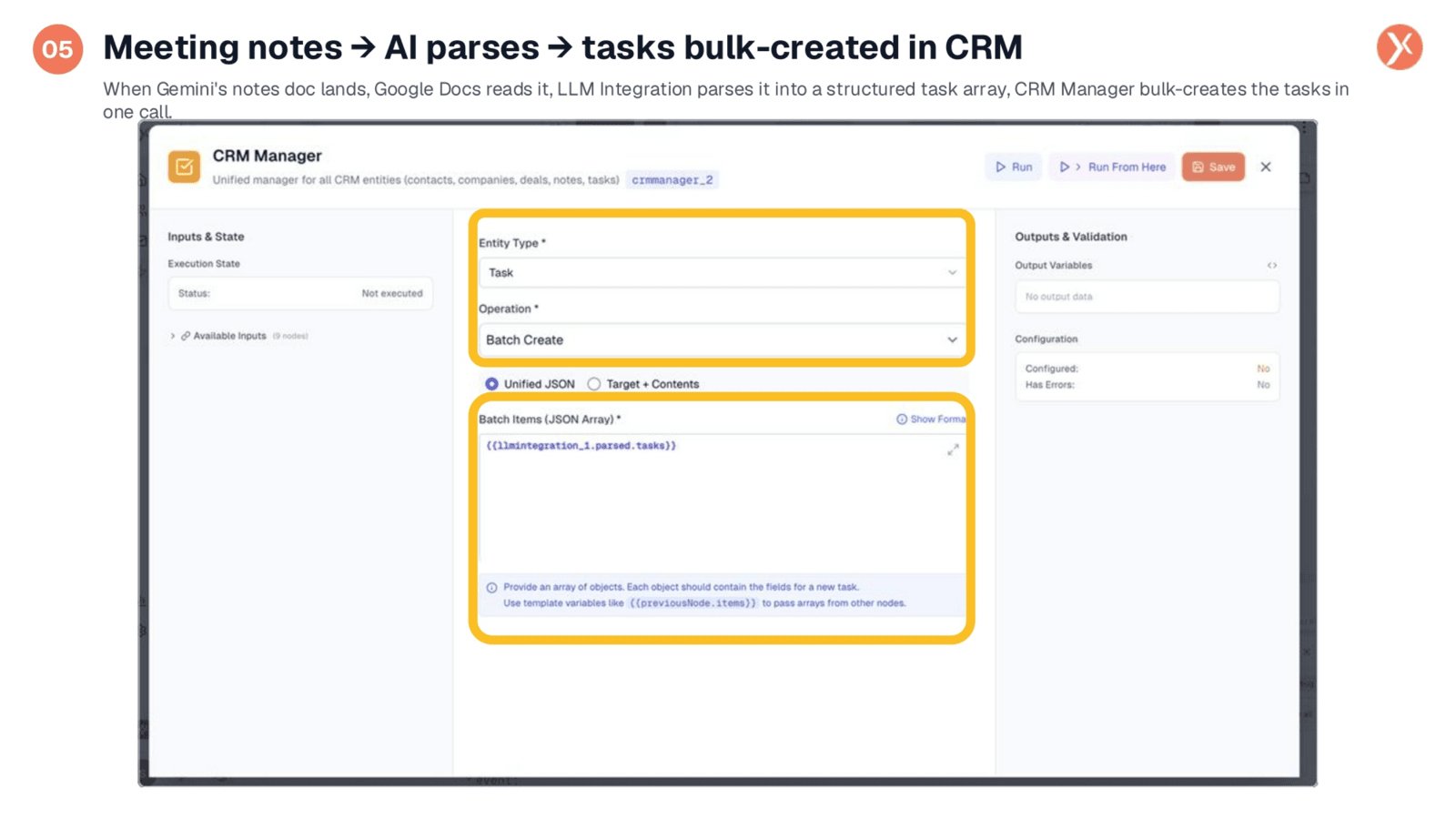
This is the core automation: transforming meeting notes into actionable tasks. After a meeting, when Gemini's notes document lands in Drive, the 'notes attached' trigger activates. A Google Docs node reads the content, which is then sent to an LLM Integration node. This node uses a prompt to extract action items as a structured JSON array. Finally, the CRM Manager, configured for 'Batch Create' tasks, takes this array and efficiently bulk-creates all identified tasks in your CRM with a single call. This three-node sequence automates the entire process, providing significant operational leverage.
Empowering Future Builds
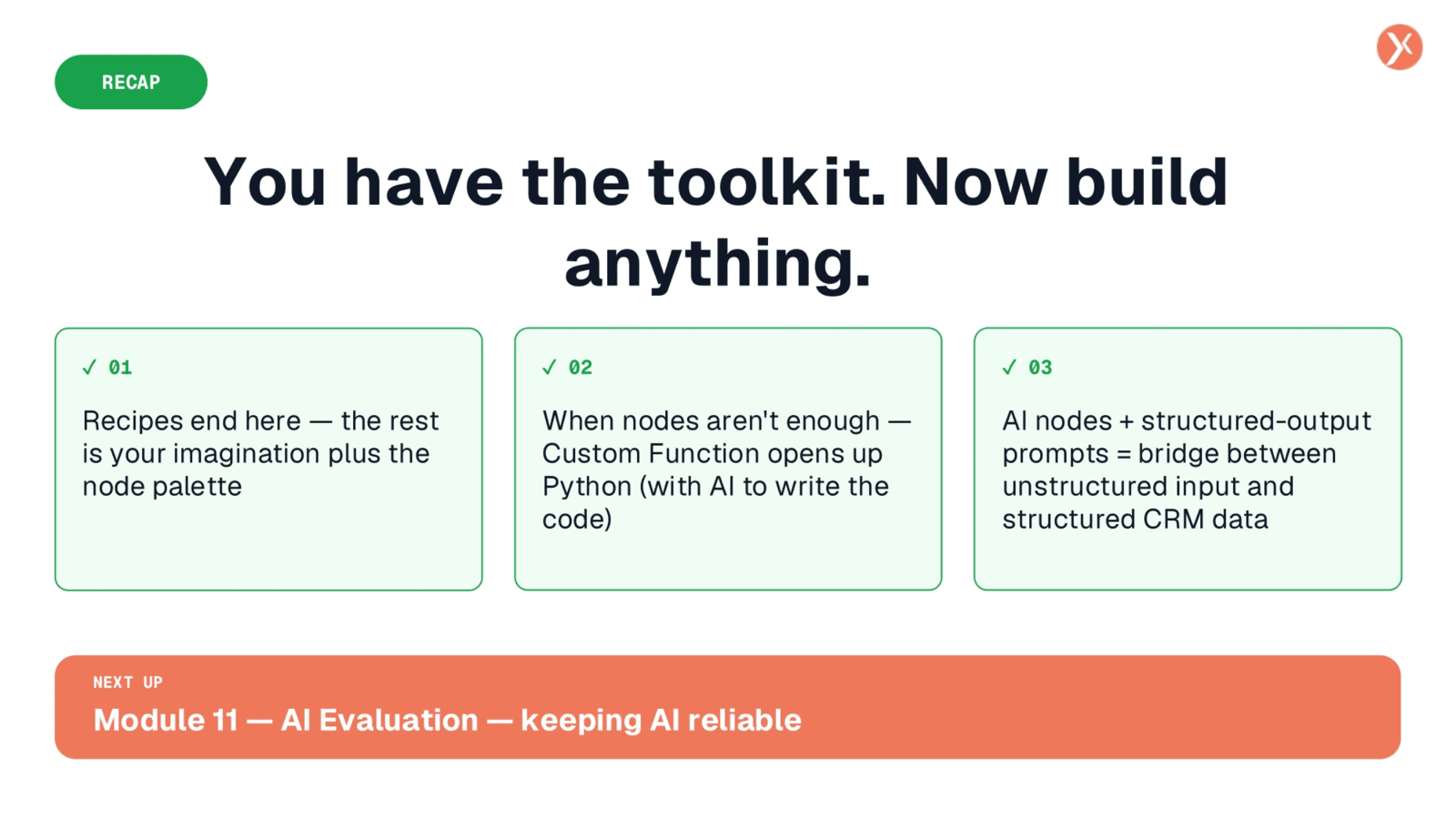
This concludes our exploration of advanced automation, showcasing how our toolkit empowers you to build sophisticated solutions. We've seen how triggers, agents, tools, and custom functions combine to create powerful workflows, from managing WhatsApp and phone interactions to orchestrating complex CRM updates and AI-parsed tasks from calendar events. The possibilities are truly limitless with these building blocks. As you continue to innovate, our next module will focus on AI Evaluation, providing strategies to ensure your AI workflows remain reliable and effective, preventing any unintended issues.