Outgoing Webhook
Today, we're diving into outgoing webhooks, a powerful feature that allows Expedify to push data out to your applications. We'll explore how events within Expedify, such as new contacts or closed deals, can trigger instant notifications to your external systems. This session will guide you through a real-world example and provide a step-by-step guide to configuring your own outgoing webhooks.
Outgoing Webhook Demonstration
We'll begin with a practical demonstration of outgoing webhooks. This involves navigating to the Outgoing tab within Settings and Webhooks to observe a registered webhook in action. We'll then examine its structure, including the URL and subscribed events, and review delivery counts. Following this, we'll explore the Webhook Statistics modal for aggregate health and individual delivery payloads, and finally, discuss three methods for building a receiver and testing the pipeline with webhook.site.
Configuring Outgoing Webhooks
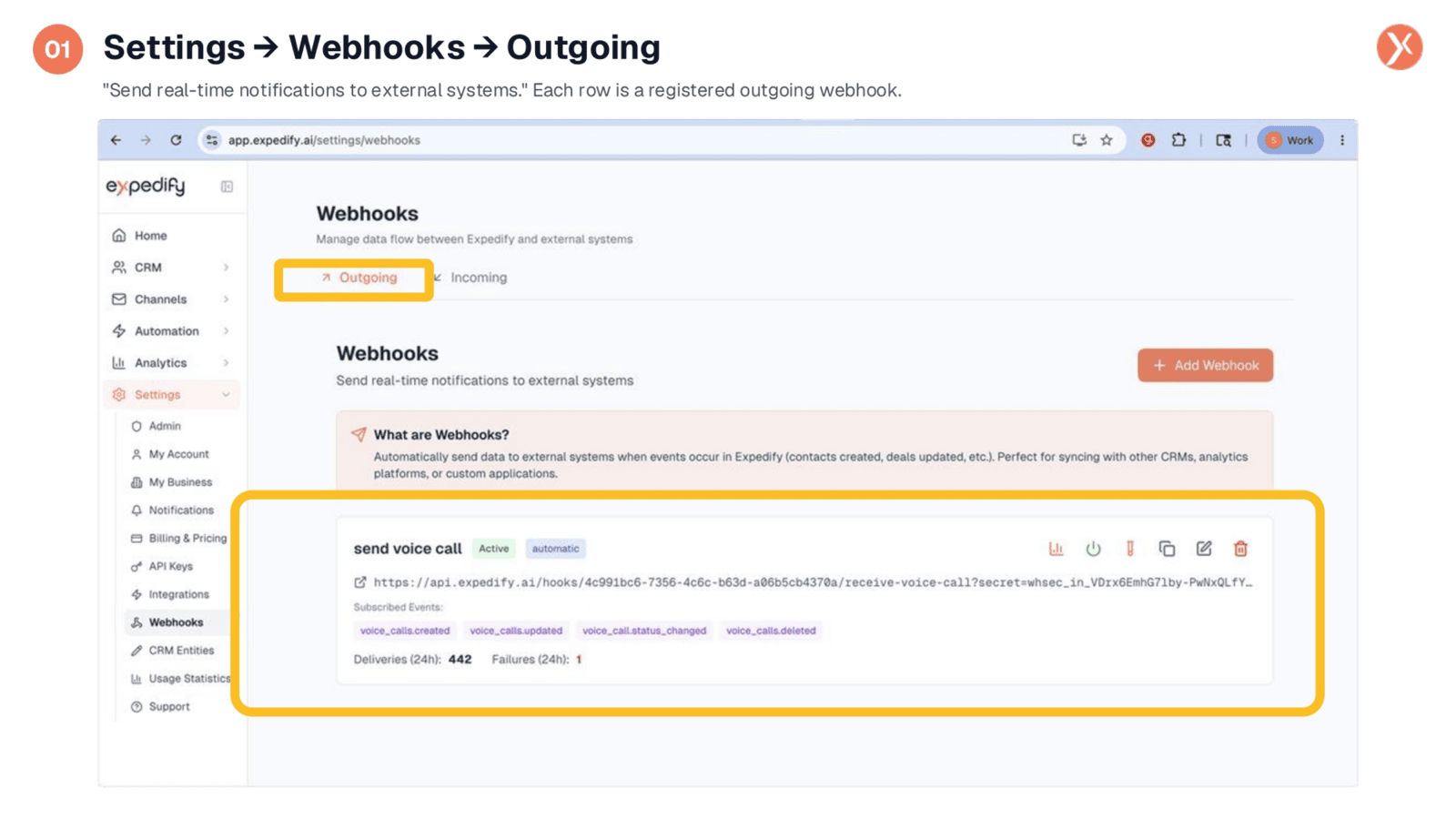
To configure outgoing webhooks, navigate to the 'Settings' menu, then 'Webhooks', and select the 'Outgoing' tab. This section allows you to send real-time notifications to external systems. Each entry represents a registered outgoing webhook, providing a clear overview of your active integrations. You'll see a dedicated callout explaining the concept, followed by a list of your configured webhooks, such as the 'send voice call' example shown here, which is active and set to fire automatically.
Understanding Webhook Card Details
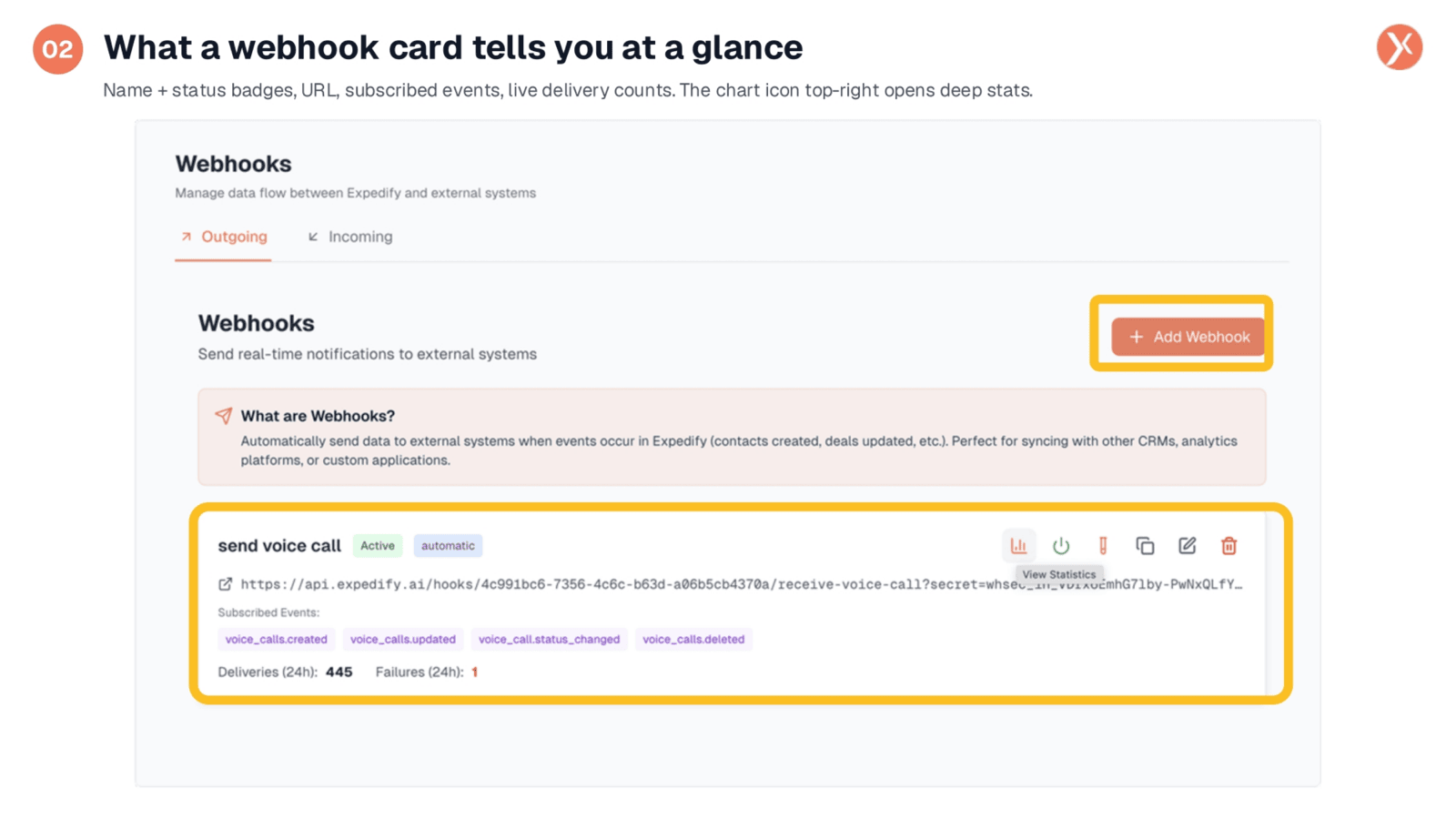
Each webhook card provides a quick overview of its status and configuration. You'll find the webhook's name, its active status, and whether it's set to automatic delivery. Crucially, the card displays the URL where Expedify posts event payloads and lists the specific events it's subscribed to, such as voice_calls.created or voice_calls.updated. It also shows real-time delivery counts, indicating how many events have been successfully sent and any failures within the last 24 hours.
Essential Receiver Requirements
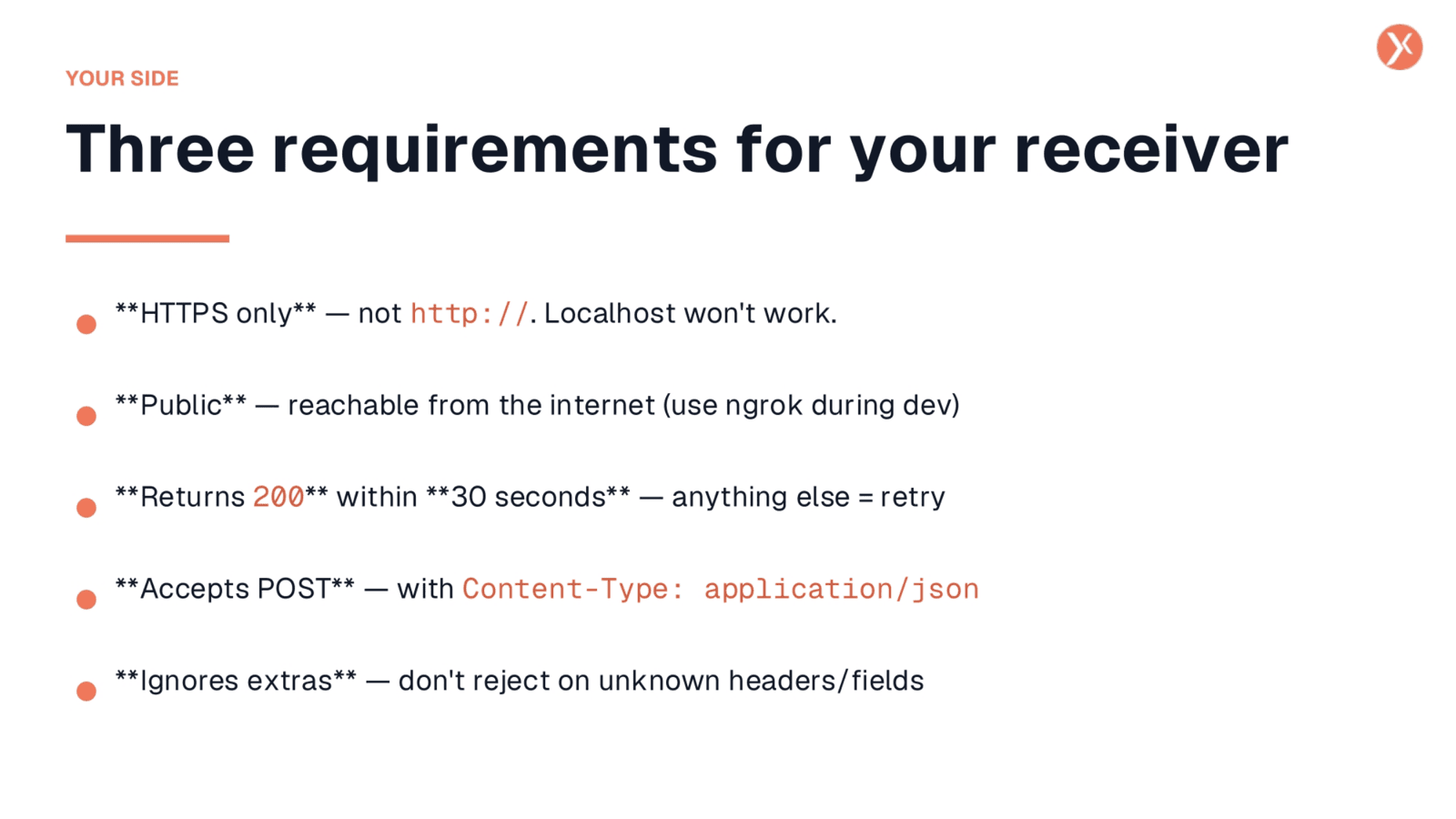
For your receiver to successfully process outgoing webhooks, it must meet five key requirements. First, it must use HTTPS; Expedify will not send data over HTTP. Second, your URL needs to be publicly accessible from the internet, meaning localhost or VPN-only addresses are not supported. Third, your receiver must return a 200 OK status within 30 seconds; any other response or a timeout will be treated as a failure and trigger a retry. Fourth, it must accept POST requests with a JSON body. Finally, your receiver should be designed to ignore any extra or unknown headers and fields, as Expedify may add metadata over time.
Consistent Outgoing Payload Structure
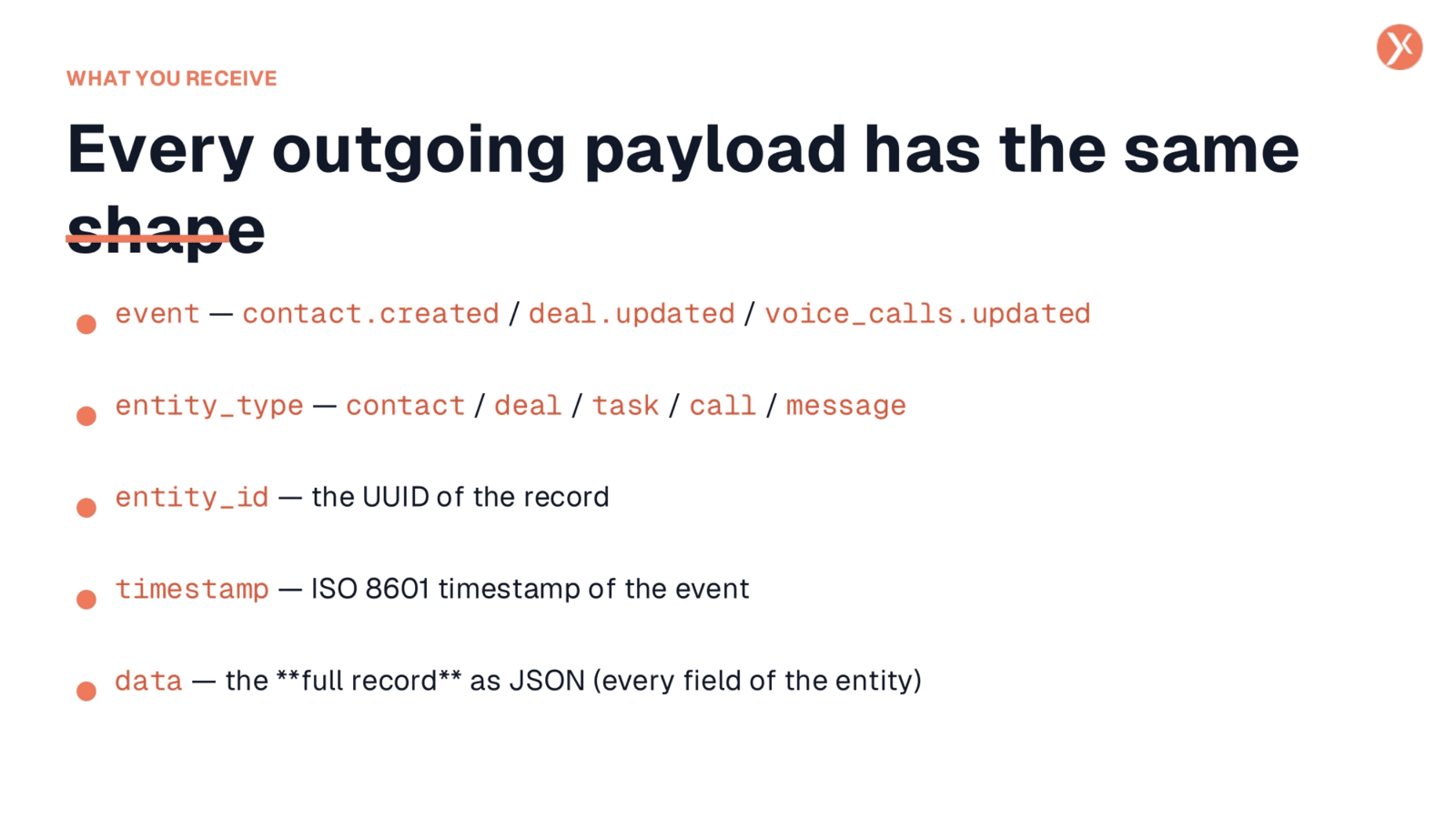
Every outgoing payload from Expedify adheres to a consistent structure, making it predictable for your receiver. It includes five top-level keys. The event key specifies what happened, such as contact.created or voice_calls.updated. The entity_type and entity_id together identify the specific record involved. A timestamp indicates when the event occurred. Most importantly, the data key contains the entire record, fully expanded with all its fields and custom data, often eliminating the need for your system to make a separate API call back to Expedify for more information.
Accessing Detailed Webhook Statistics
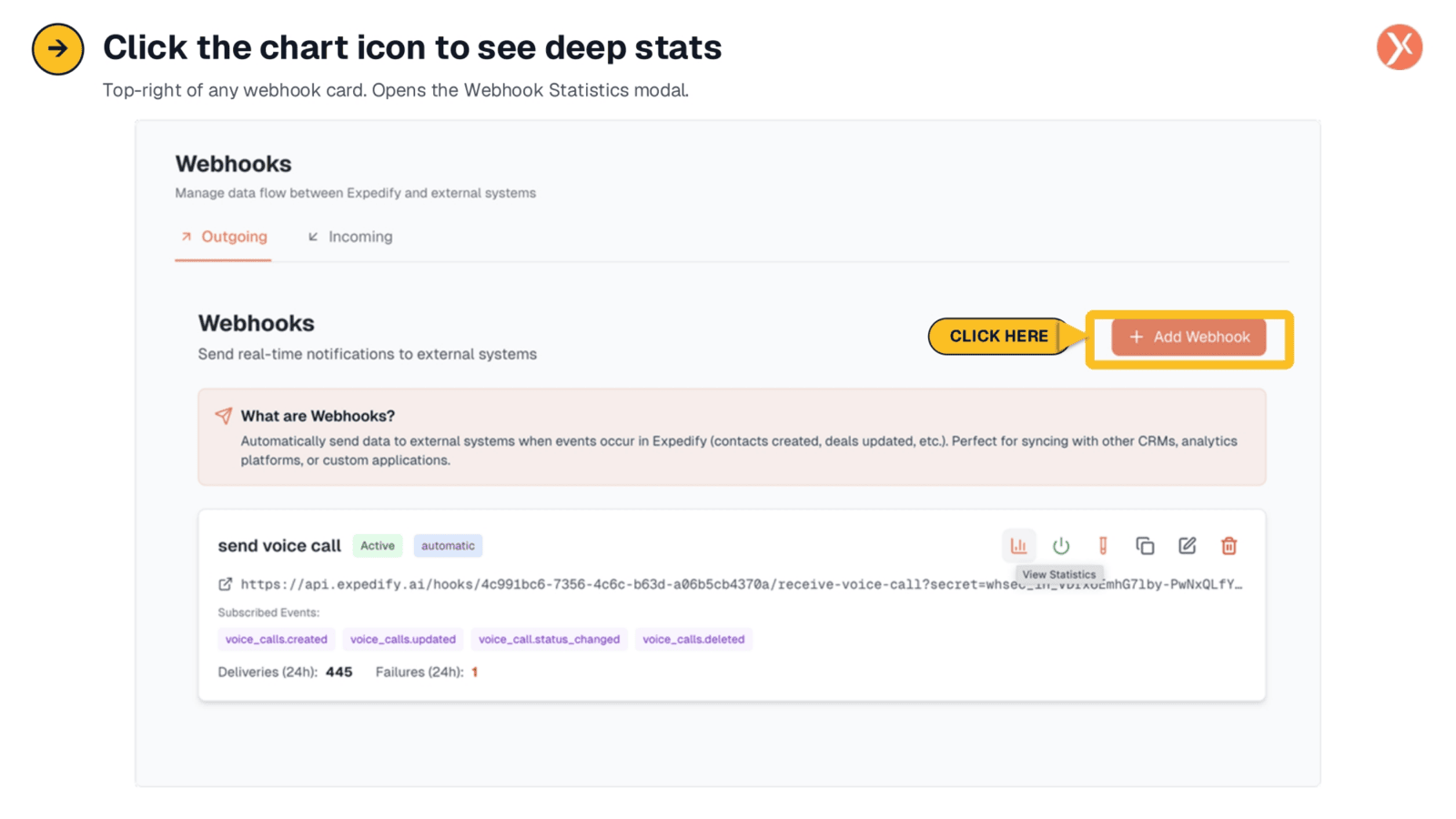
To gain deeper insights into your webhook's performance, simply click the chart icon located in the top-right corner of any webhook card. This action opens the Webhook Statistics modal, providing a comprehensive view of its health and delivery metrics. This feature is crucial for monitoring and ensuring the reliability of your data integrations.
Webhook Health Overview
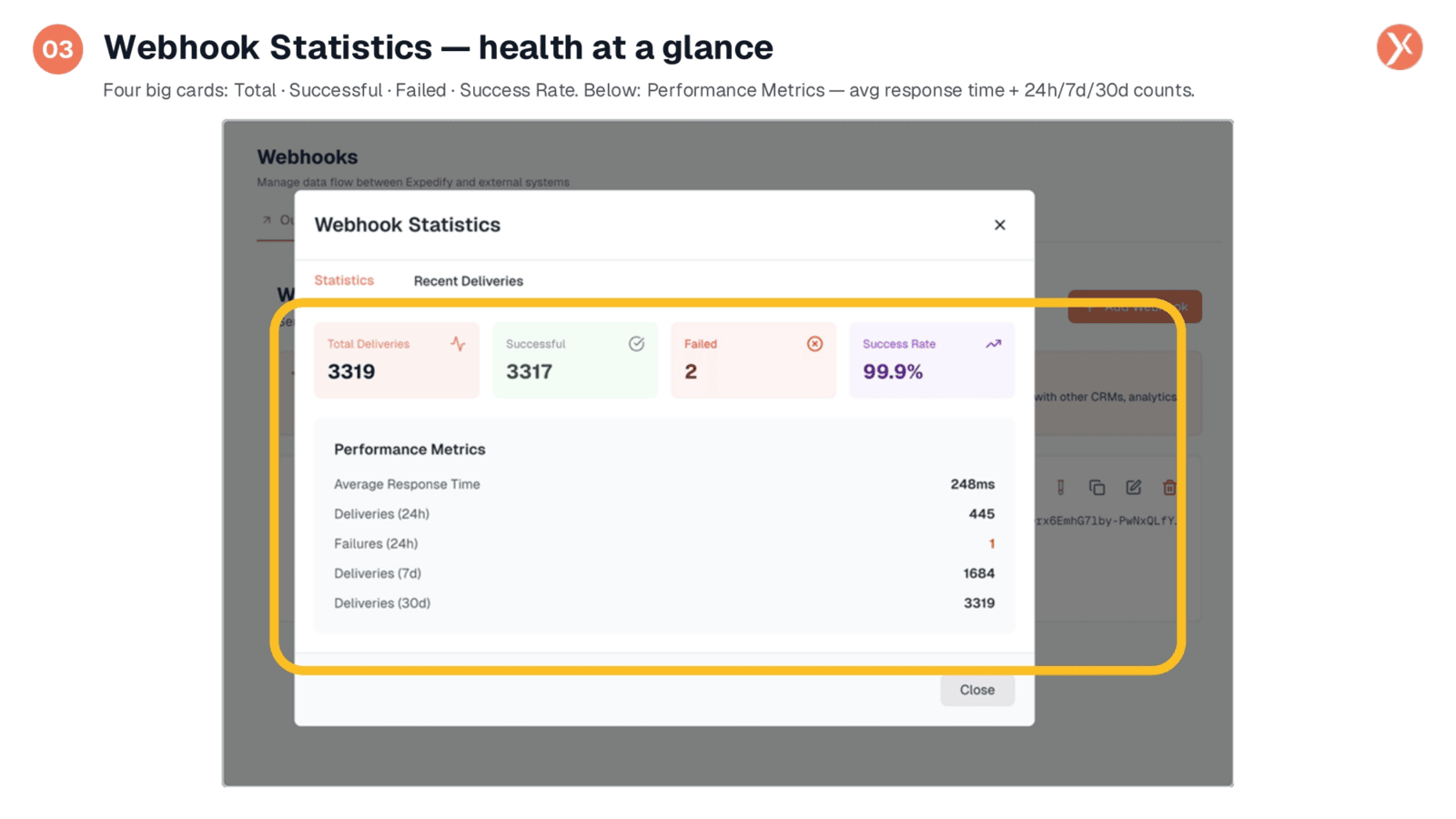
The Webhook Statistics modal offers an immediate overview of your webhook's health. It presents four key metrics: total deliveries, successful deliveries, failed deliveries, and the overall success rate. For instance, a webhook might show thousands of deliveries with a 99.9% success rate, indicating robust performance. Below these summary cards, you'll find detailed performance metrics, including the average response time and rolling counts of deliveries and failures over 24 hours, 7 days, and 30 days, providing real-time observability without additional setup.
Reviewing Individual Deliveries
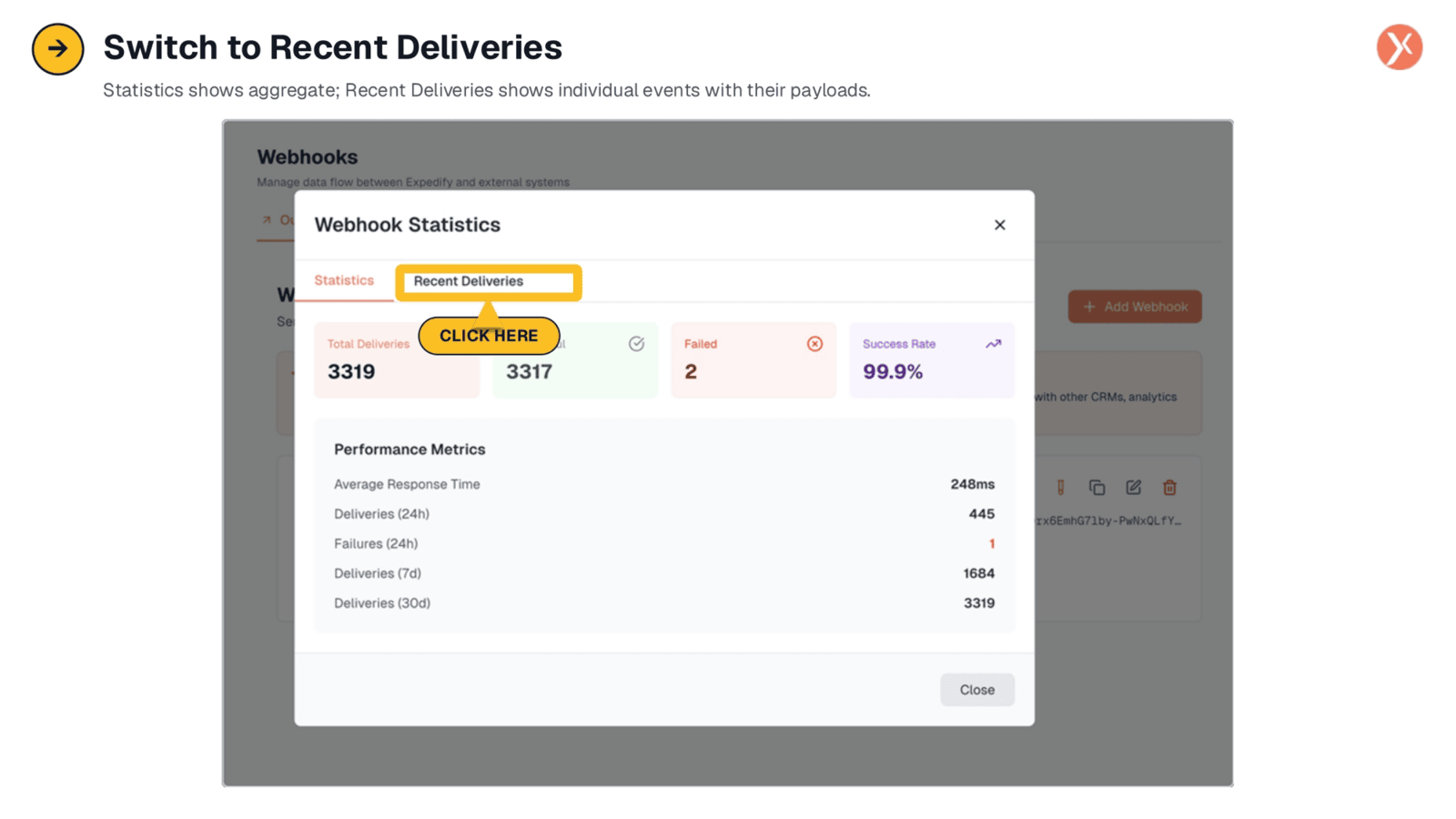
Within the Webhook Statistics modal, switching to the "Recent Deliveries" tab transforms your view from aggregate statistics to individual event details. This section is invaluable for debugging, as it lists every event that has fired, with the most recent at the top. Each entry shows the event name, status code, response time, and timestamp, allowing you to pinpoint specific deliveries and their outcomes.
Inspecting Full Delivery Payloads
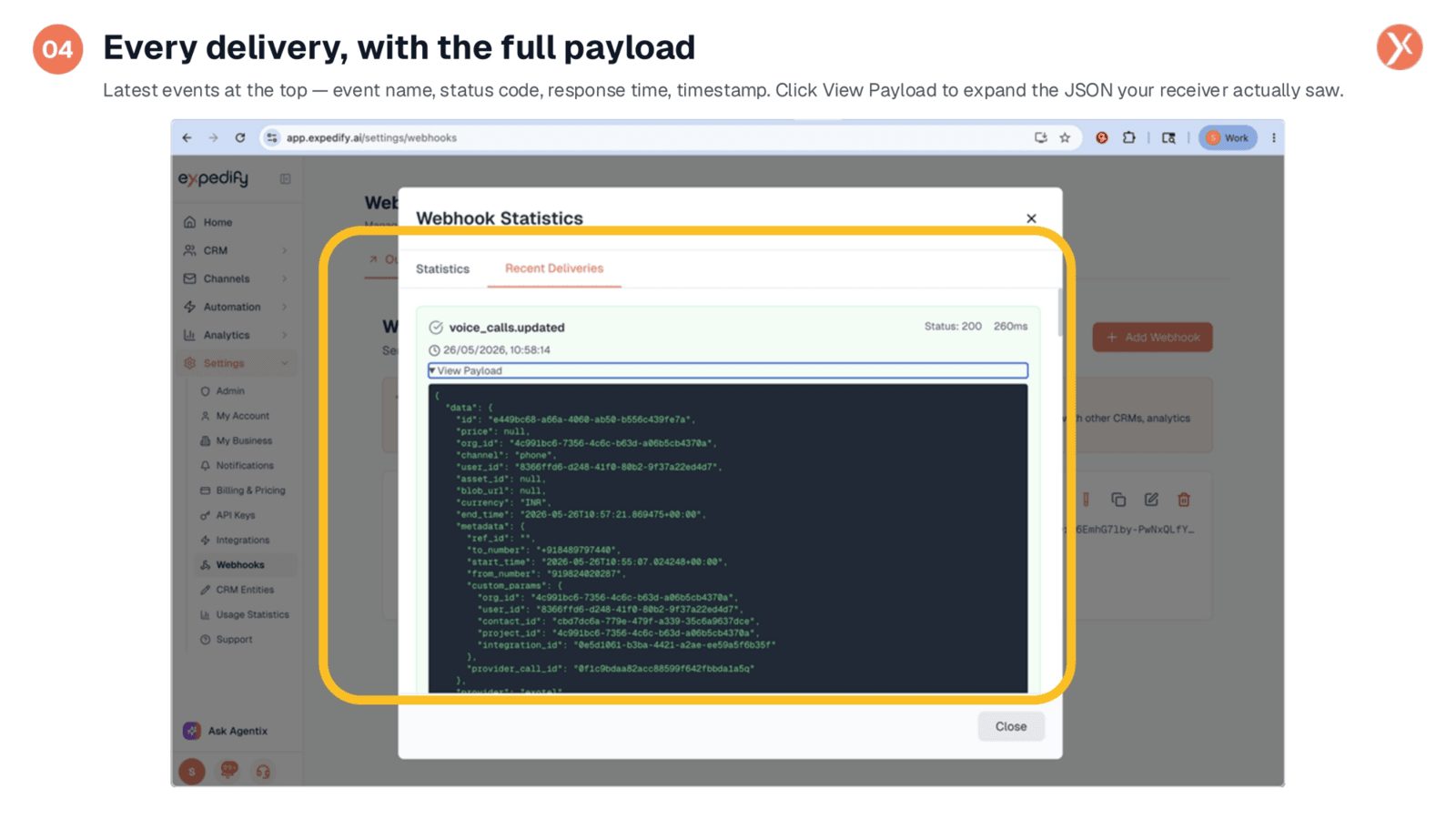
The Recent Deliveries tab provides a powerful debugging tool: the ability to inspect the full payload of every delivery. By clicking "View Payload" for any event, you can see the exact JSON data that Expedify sent to your receiver. This includes the complete record within the data block, containing IDs, channel information, currency, timestamps, metadata with phone numbers, and custom parameters. This transparency allows you to compare what your code processed against what was actually sent, eliminating guesswork during troubleshooting.
Building Receivers with Lovable and Supabase
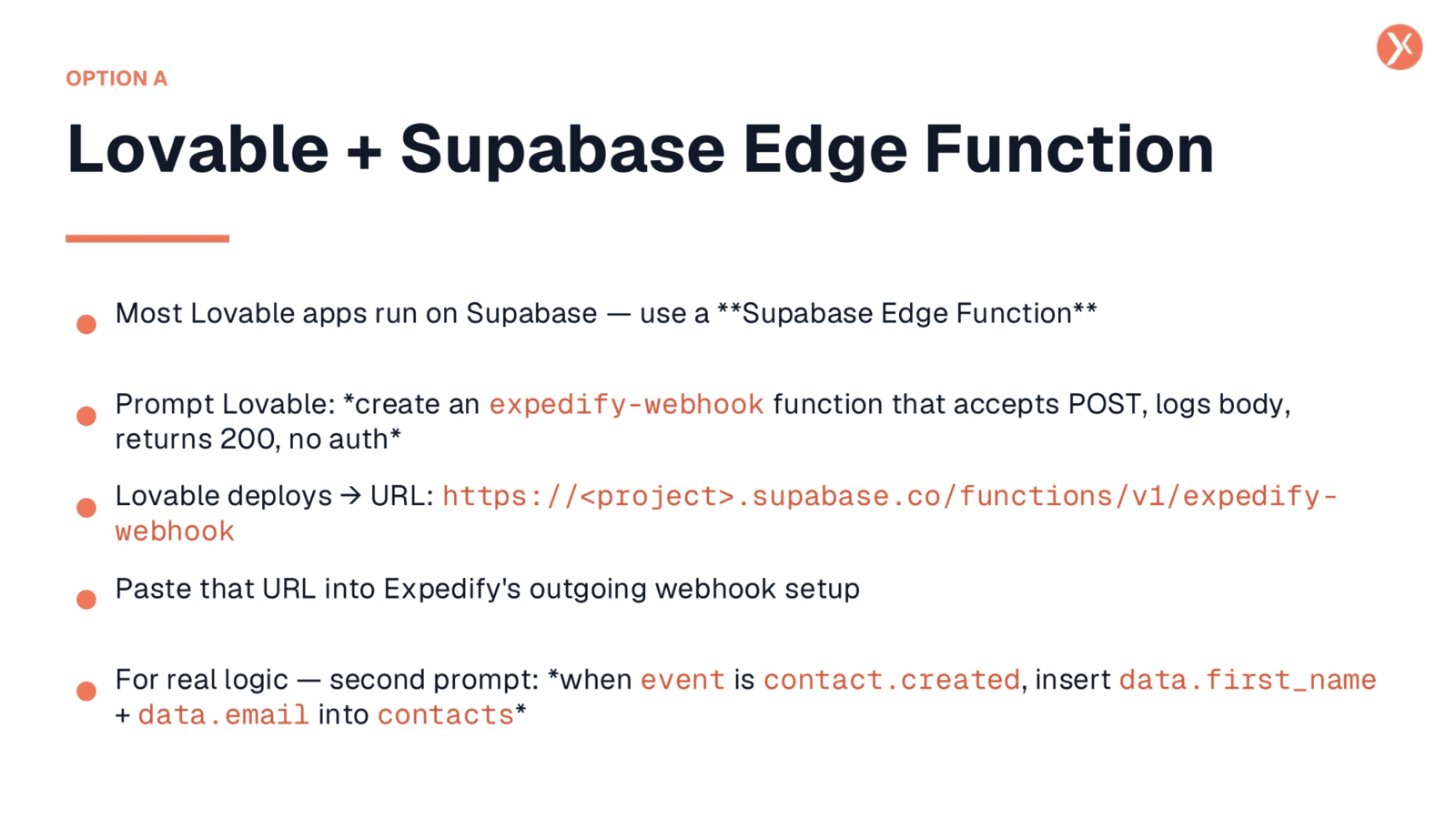
One straightforward option for building a receiver is using Lovable with a Supabase Edge Function. You can simply prompt Lovable to create an expedify-webhook function that accepts POST requests, logs the body, and returns a 200 status without authentication. Lovable will then deploy this function and provide a URL. You paste this URL into Expedify's outgoing webhook setup. For more advanced logic, you can add a second prompt, such as instructing it to insert specific data fields into a contacts table when a contact.created event occurs.
Integrating with No-Code Platforms
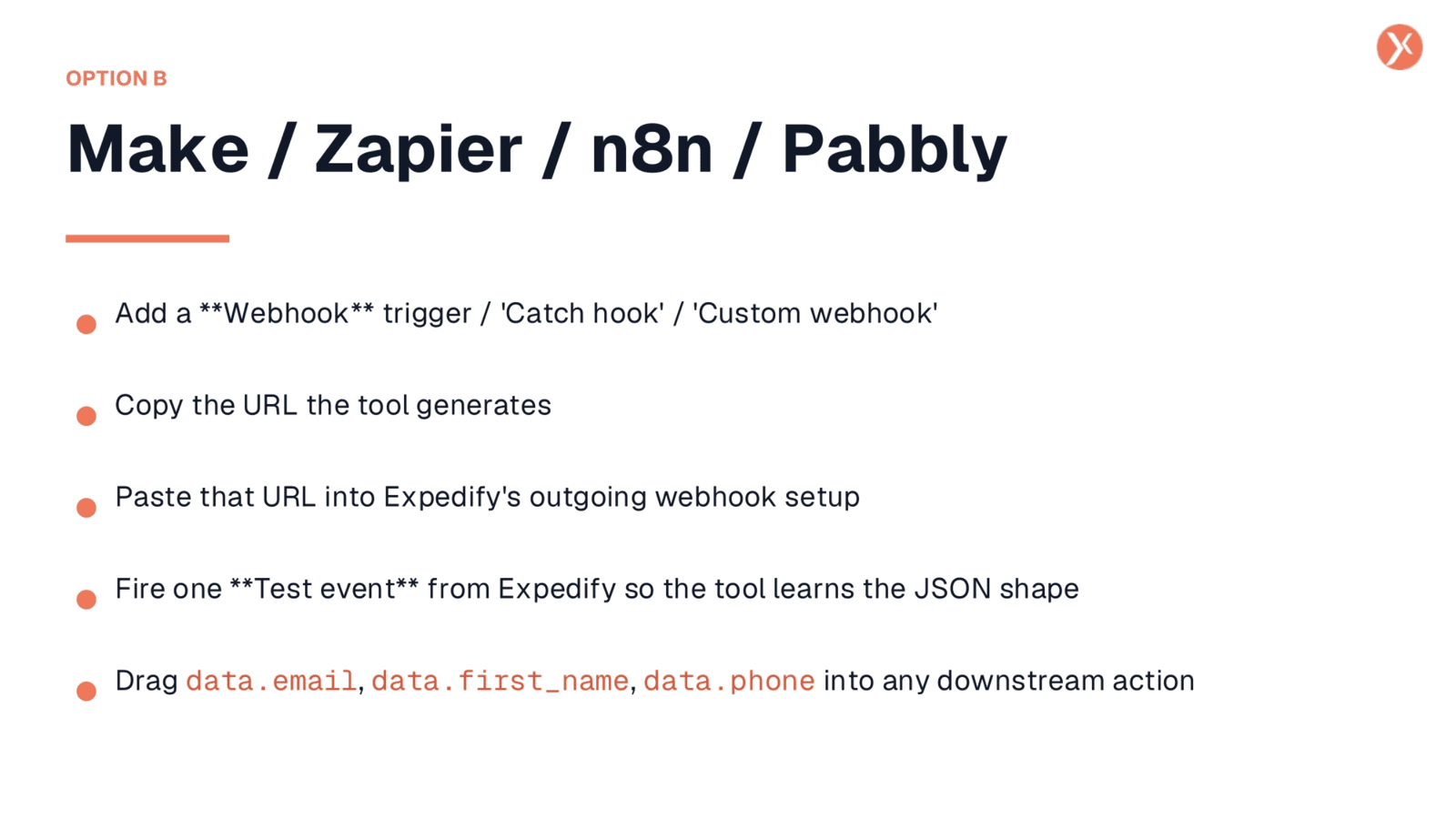
No-code platforms like Make, Zapier, n8n, and Pabbly offer another excellent option for building webhook receivers. Each platform typically provides a "Webhook" trigger, sometimes called a "Catch Hook" or "Custom Webhook," which generates a unique URL. You copy this URL and paste it into Expedify's outgoing webhook setup. To help the no-code tool understand the JSON structure, you can fire a test event from Expedify. From there, it's a simple drag-and-drop process to map data fields like data.email or data.first_name to downstream actions in your workflows.
Custom Code Receiver Implementation
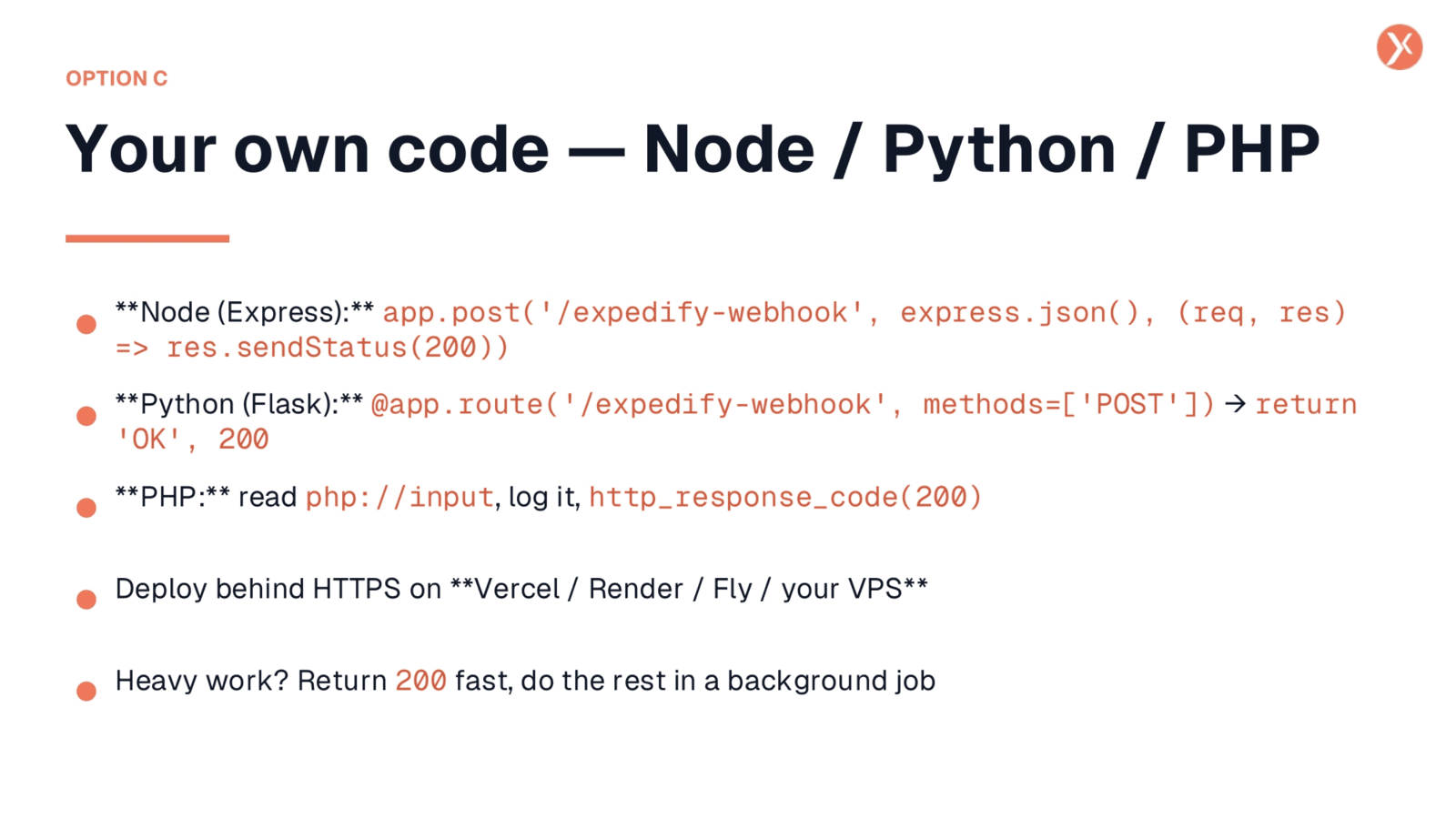
For those preferring custom solutions, building a receiver with your own code in languages like Node.js, Python, or PHP is straightforward. The core contract remains consistent: your endpoint must accept POST requests, process or log the JSON body, and return a 200 OK status quickly. If your receiver needs to perform heavy lifting, such as sending emails or interacting with slow databases, it's best to push that work to a background job and return the 200 response immediately. Ensure your custom code is deployed behind HTTPS on a platform like Vercel, Render, Fly, or your own VPS, and then use that deployed URL in Expedify's outgoing setup.
Testing the Webhook Pipeline with webhook.site
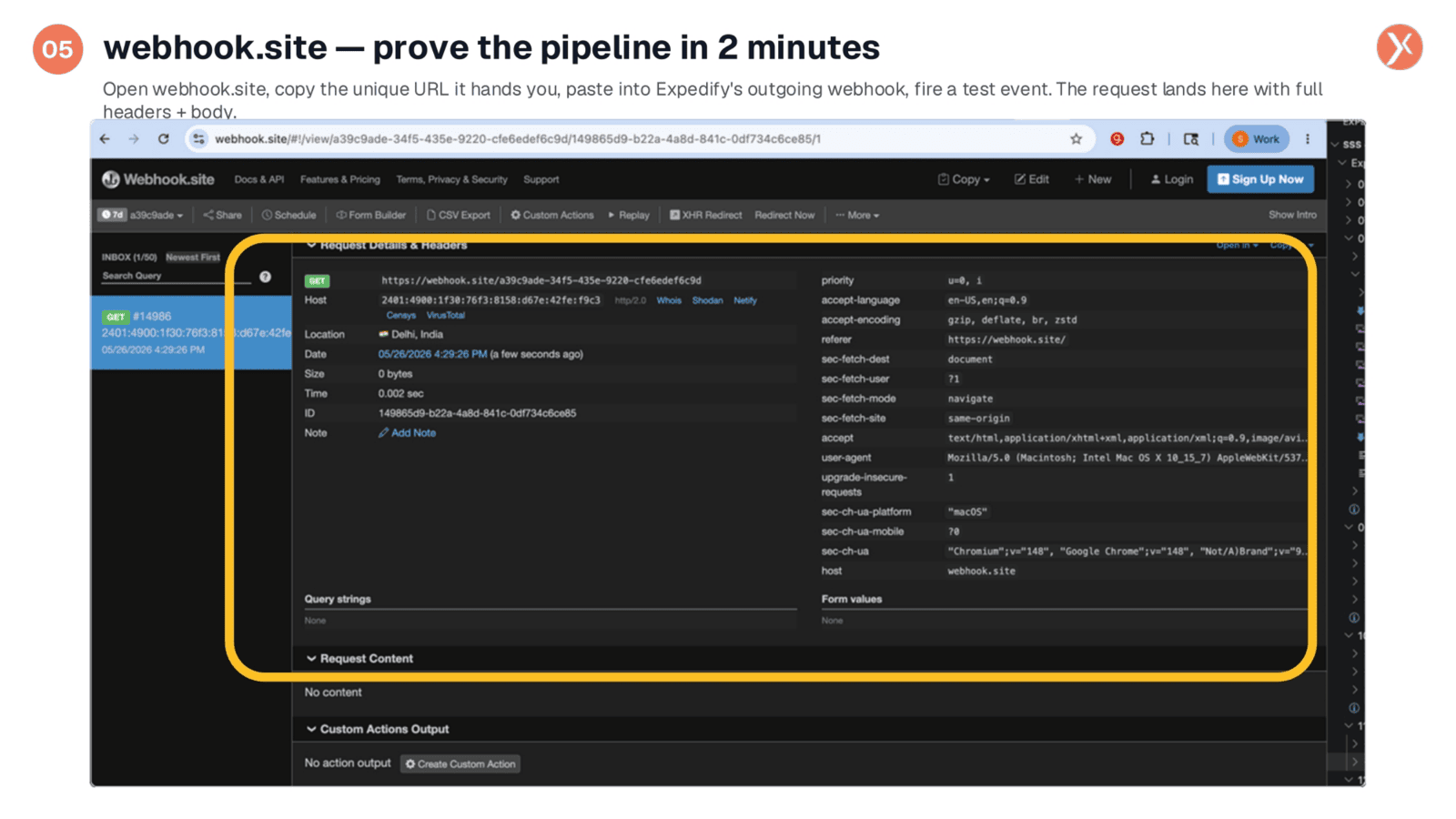
Before connecting your real receiver, it's crucial to verify that Expedify can communicate with the outside world. A free service called webhook.site allows you to do this in just two minutes. Simply open webhook.site, copy the unique URL it provides, and paste it into Expedify's outgoing webhook setup, subscribing to an event like contact.created. After creating a test contact in Expedify, switch back to webhook.site, and you'll see the request land live, complete with full headers and the JSON body. If this test works, you've confirmed the Expedify side is functioning correctly, and you can then confidently swap the URL for your actual receiver.
Common Webhook Failure Modes
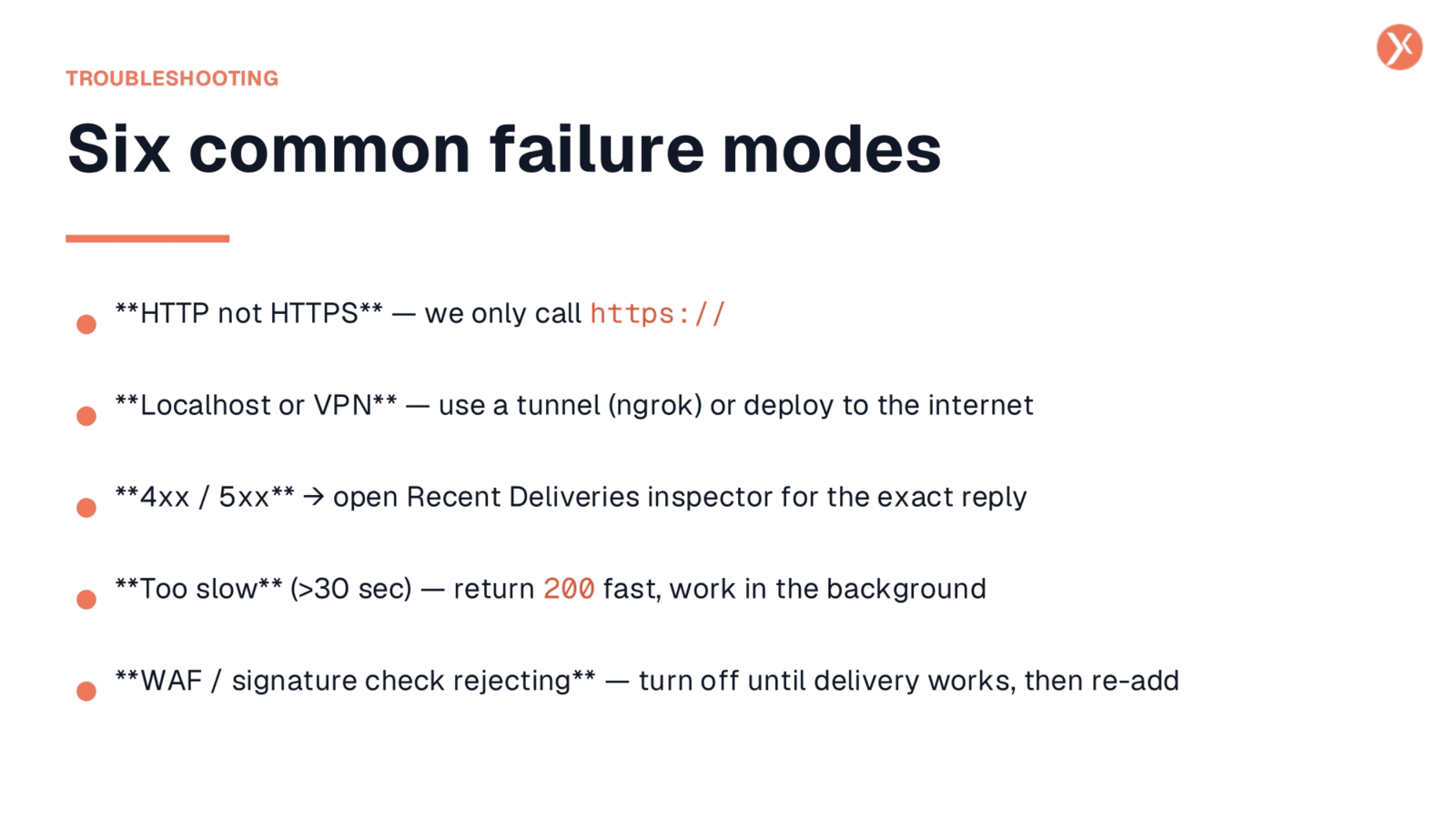
When troubleshooting, be aware of common failure modes. Expedify exclusively calls HTTPS, so an HTTP endpoint will never fire. Similarly, localhost or VPN-only addresses are unreachable; your receiver must be publicly accessible. If your server returns a 4xx or 5xx error, or takes longer than 30 seconds to respond, Expedify will treat it as a failure and retry. You can diagnose these issues by checking the Webhook Statistics modal's Recent Deliveries tab for exact status codes and response times. Finally, a common pitfall is an overly strict signature verification that rejects legitimate requests; temporarily disable it until delivery works, then re-enable.
Selecting Appropriate Events for Subscription
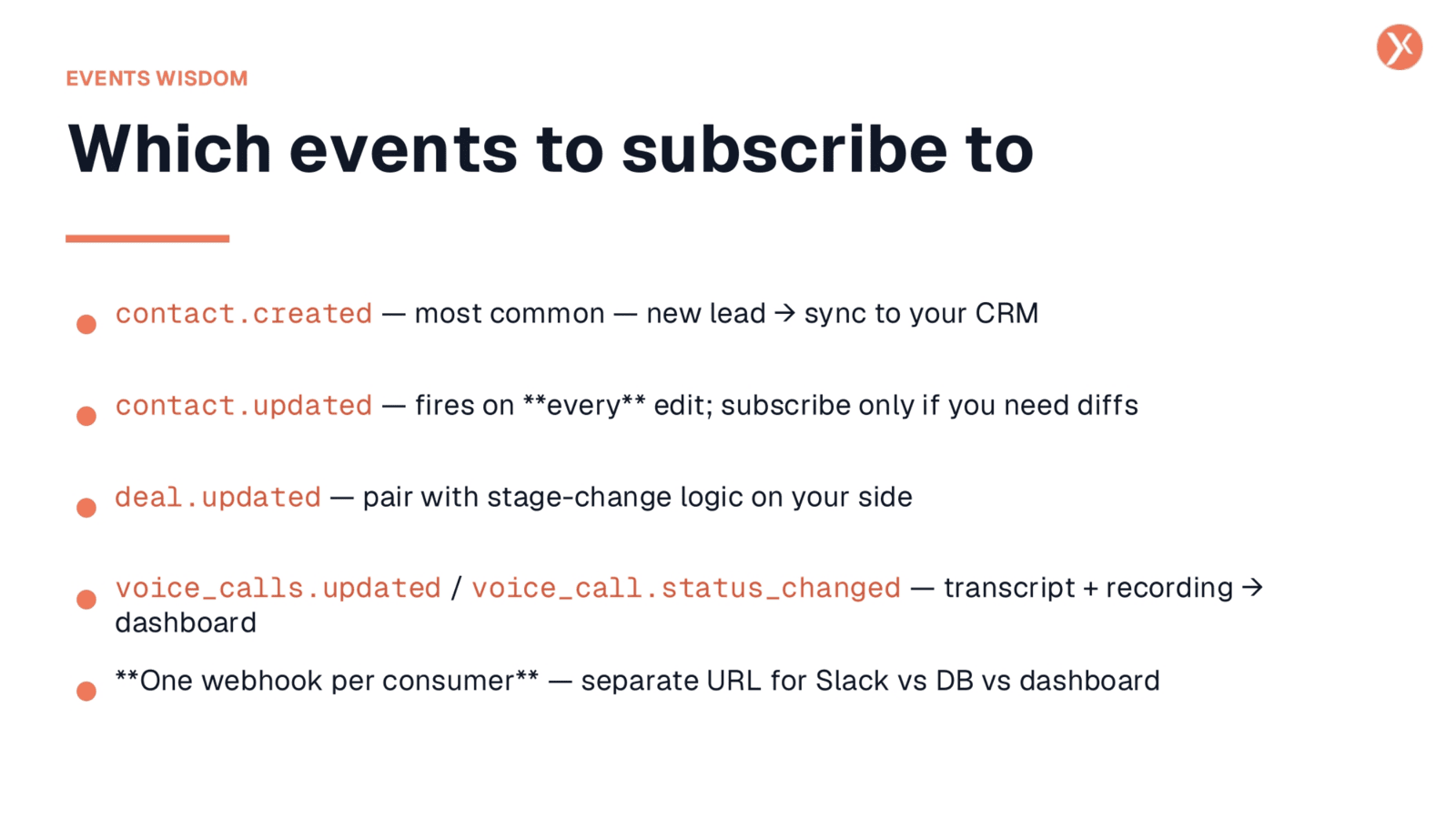
Choosing the right events to subscribe to is key for efficient webhook usage. contact.created is a common choice for syncing new leads to your CRM. contact.updated fires on every edit, so subscribe only if you specifically need to track granular changes. deal.updated is ideal for integrating with pipeline stage-change logic. voice_calls.updated and voice_call.status_changed are valuable for AI call integrations, as they deliver transcripts and recording links directly in the payload. For optimal organization and debugging, it's recommended to create separate webhooks for each consumer, such as one for Slack notifications and another for your database sync.
Outgoing Webhooks: Your Stack's News Feed
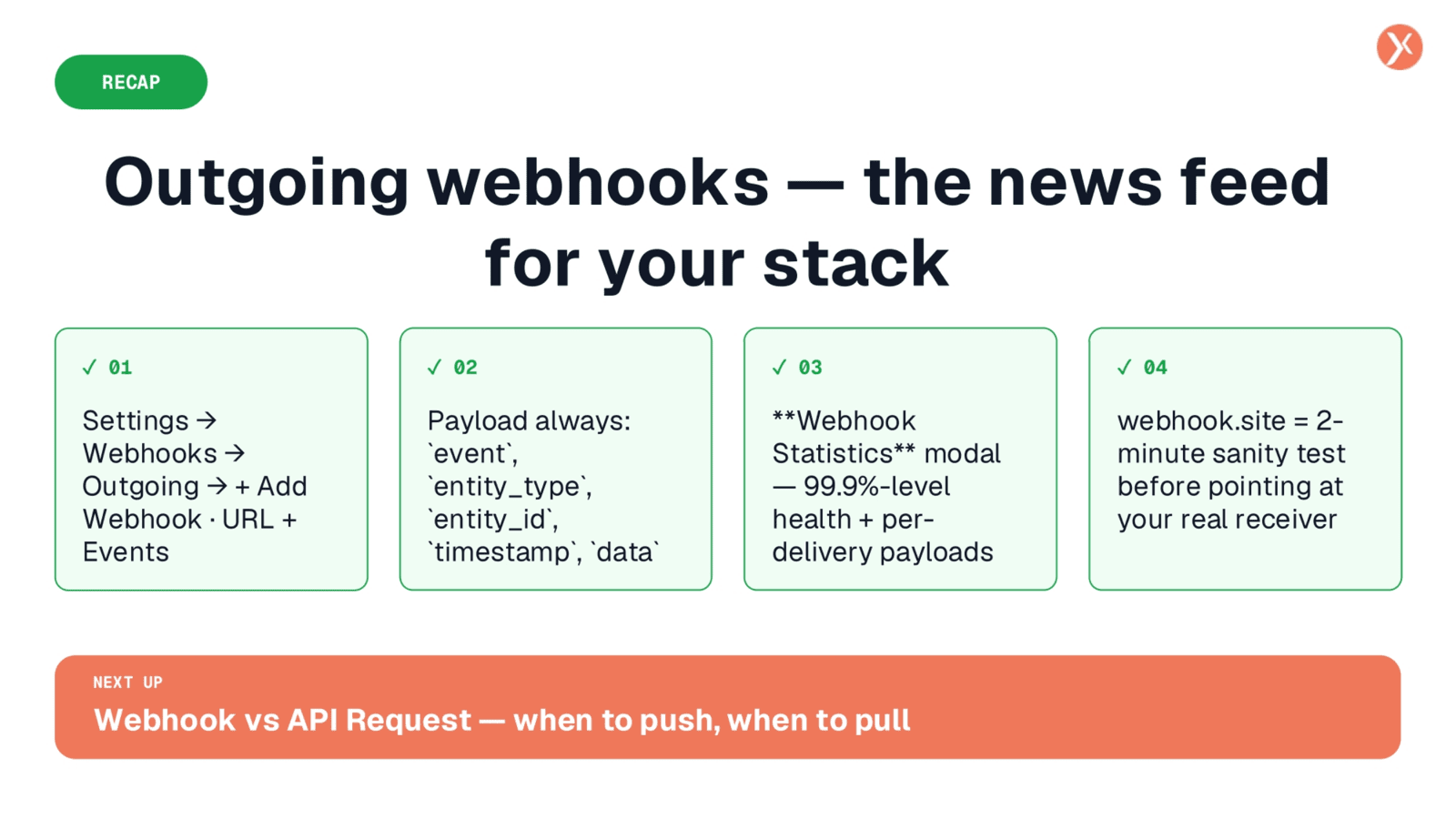
To recap, outgoing webhooks provide a real-time news feed for your tech stack. The process involves setting up your receiver, whether it's a Lovable Edge Function, a no-code platform like Zapier, or custom code, ensuring it meets the HTTPS, public, and 200 OK response requirements. You then register this URL in Expedify's Outgoing Webhooks settings and select the events you wish to track. Every payload includes the event, entity details, timestamp, and the full record. The Webhook Statistics modal offers comprehensive health monitoring and a per-delivery payload inspector for easy debugging. Finally, webhook.site serves as a quick, two-minute sanity check before deploying to your live receiver.