Rerun & Run From Here
Today, we'll walk through a practical scenario: fixing a bug in a workflow and verifying that fix efficiently. We'll use a familiar lead status change workflow to demonstrate how to correct an orphaned CRM task. The key is using 'Run From Here' to re-execute only the necessary nodes, reusing previous outputs and saving valuable time and resources.
A Bug, A Fix, A Surgical Re-run
Our demonstration focuses on a common scenario: identifying a bug, applying a fix, and performing a surgical re-run. This process involves spotting a broken output, making a precise fix within the relevant node, and then utilizing 'Run From Here' to verify the correction. We'll ensure the entity is correctly linked without re-executing the entire workflow, streamlining your debugging process.
Familiar 5-Node Workflow Overview
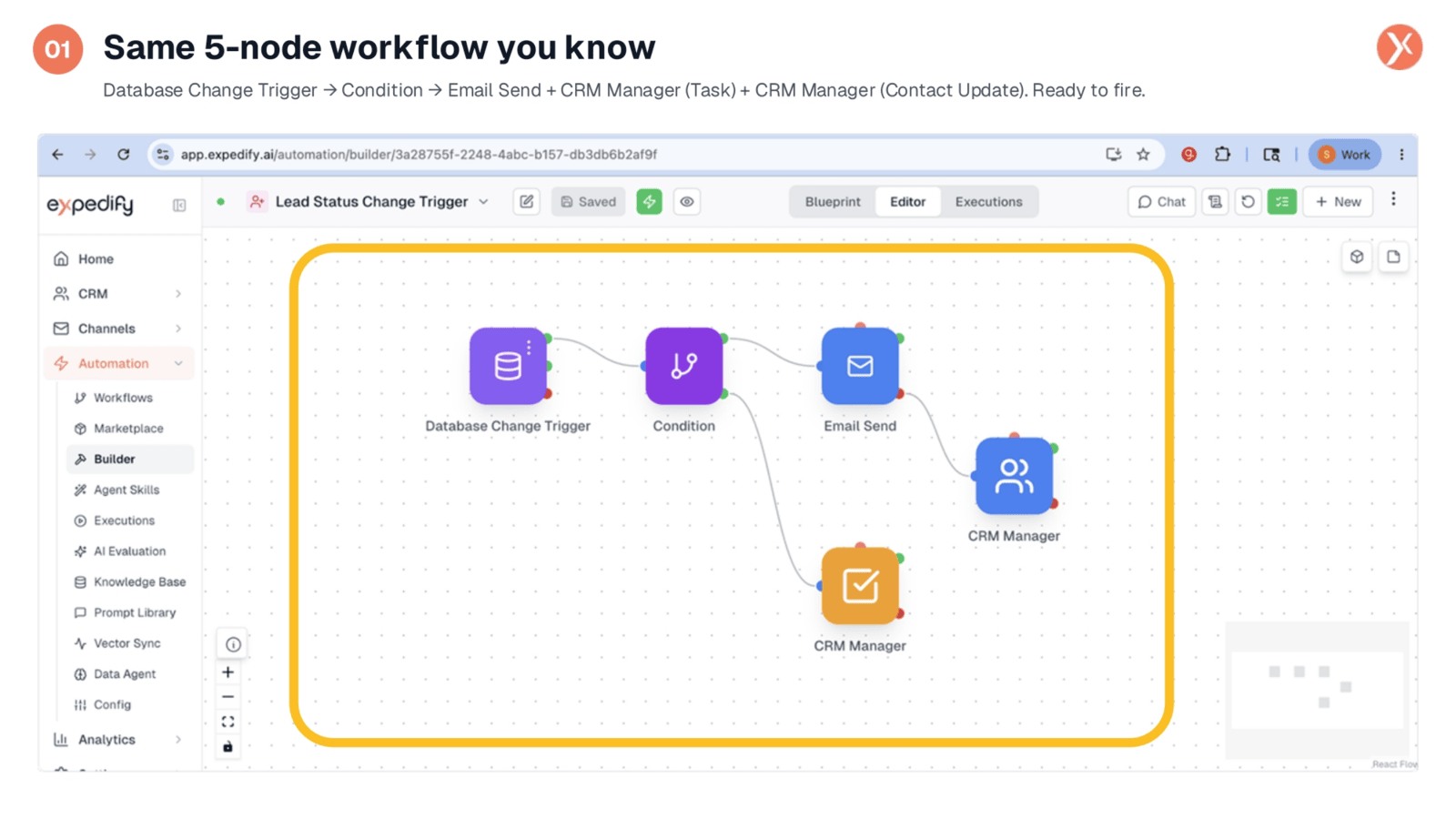
We're working with the familiar five-node workflow designed to trigger when a contact's lead status changes. This automation includes a Database Change Trigger, a Condition, an Email Send, and two CRM Manager nodes. Our attention will be on the CRM Manager node responsible for creating a follow-up task, as this is where we'll uncover and address a specific bug. This setup is ready to fire, allowing us to simulate the issue.
Orphaned Task After Workflow Completion
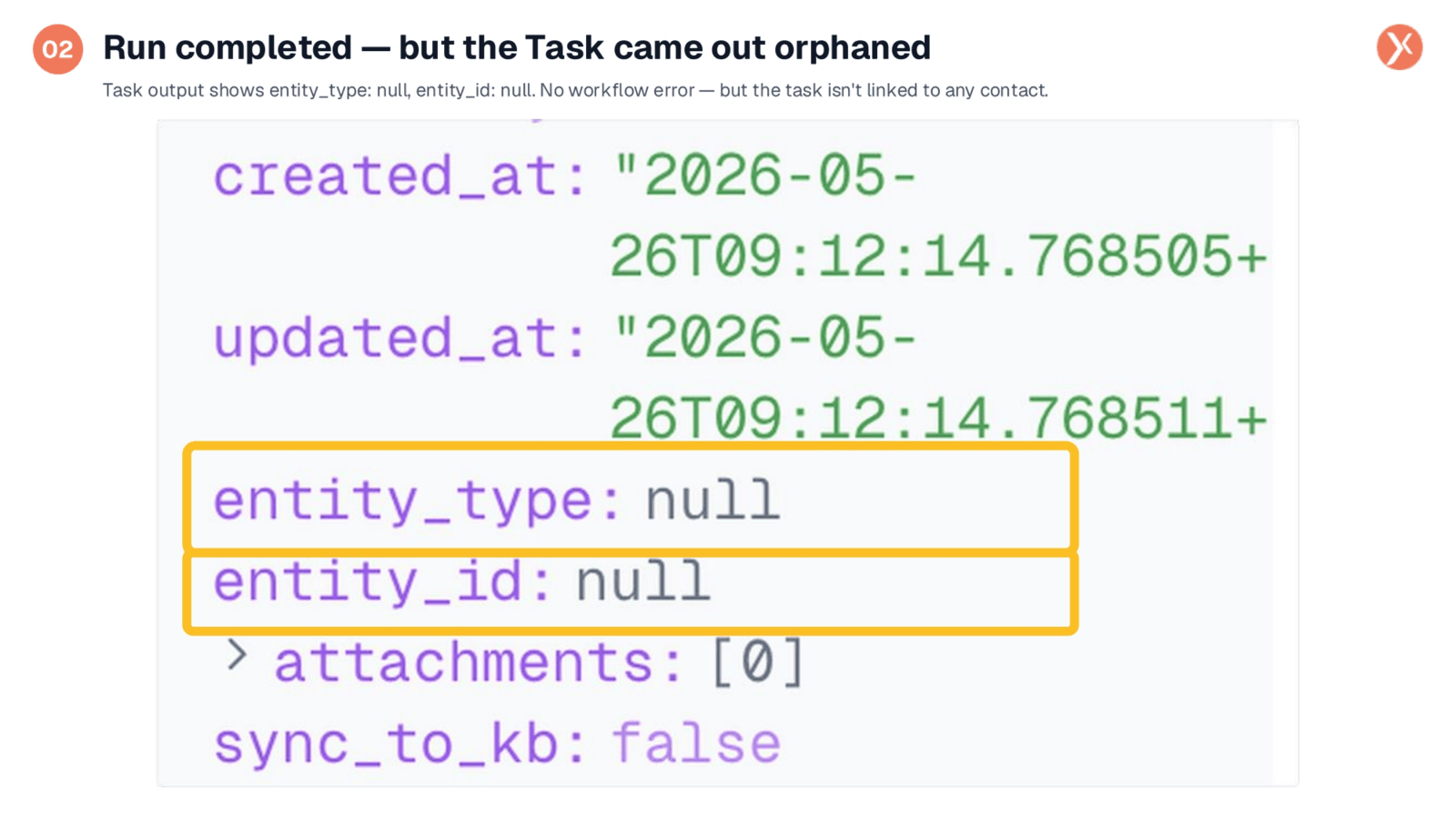
After executing the workflow by changing Shashank's status, the run completed successfully in just 241 milliseconds. However, upon inspecting the task output, we observe a critical issue: both the 'entity_type' and 'entity_id' fields are null. This indicates that while the task was created, it remains orphaned, lacking a proper link to any contact. Such bugs can be subtle, as the workflow technically finishes without an error, making careful output review essential.
Identifying the 'Contactss' Typo Bug
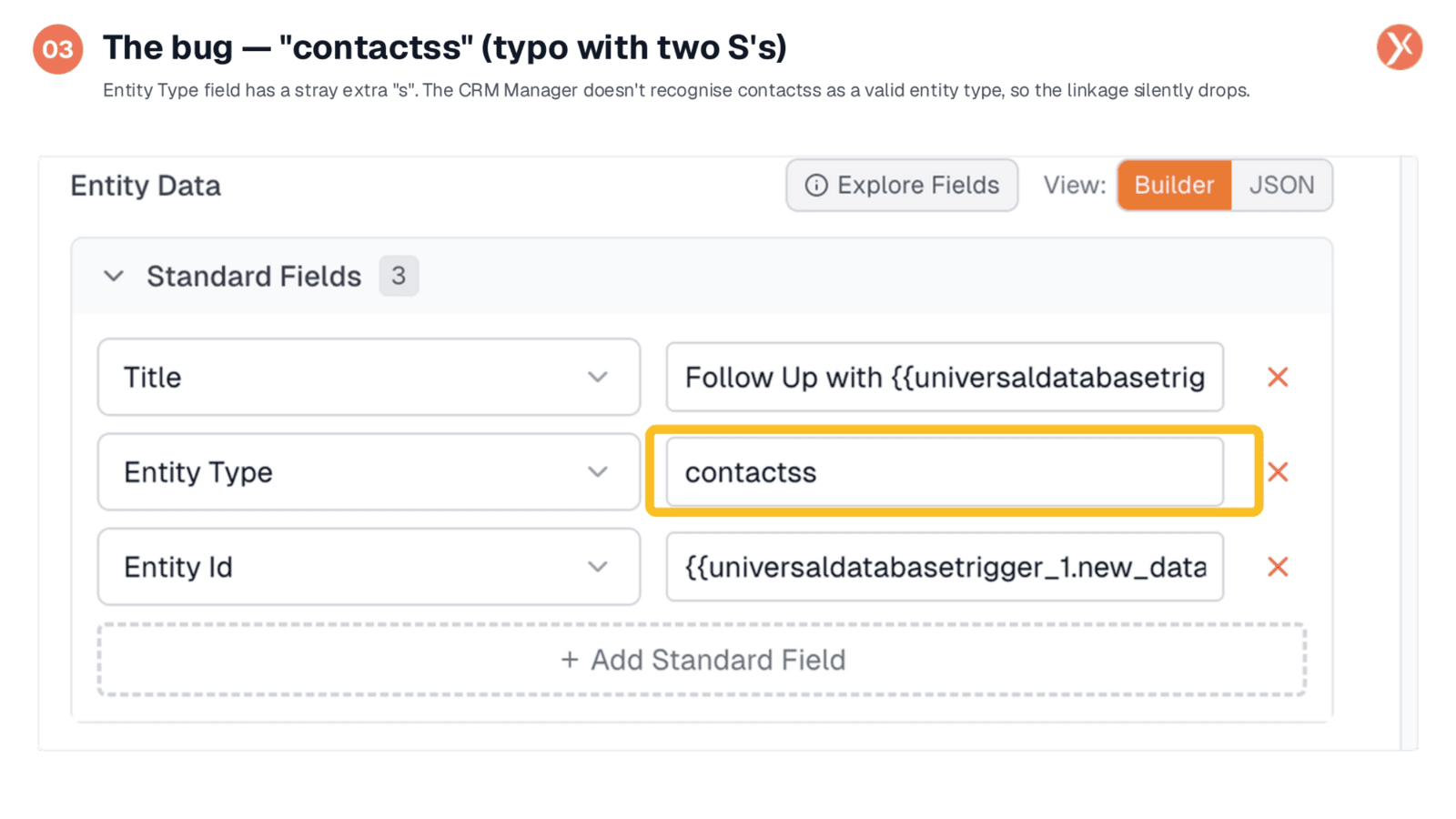
The root cause of the orphaned task lies within the 'Entity Type' field in the CRM Manager node's configuration. Here, we find a simple but impactful typo: 'contactss' with two 'S's. The CRM Manager expects the singular form, 'contact,' to correctly identify and link to the appropriate table. Because 'contactss' doesn't match any valid entity type, the linkage silently fails, resulting in an unattached task. Now, we'll proceed to correct this error.
Correcting the Entity Type to 'Contact'
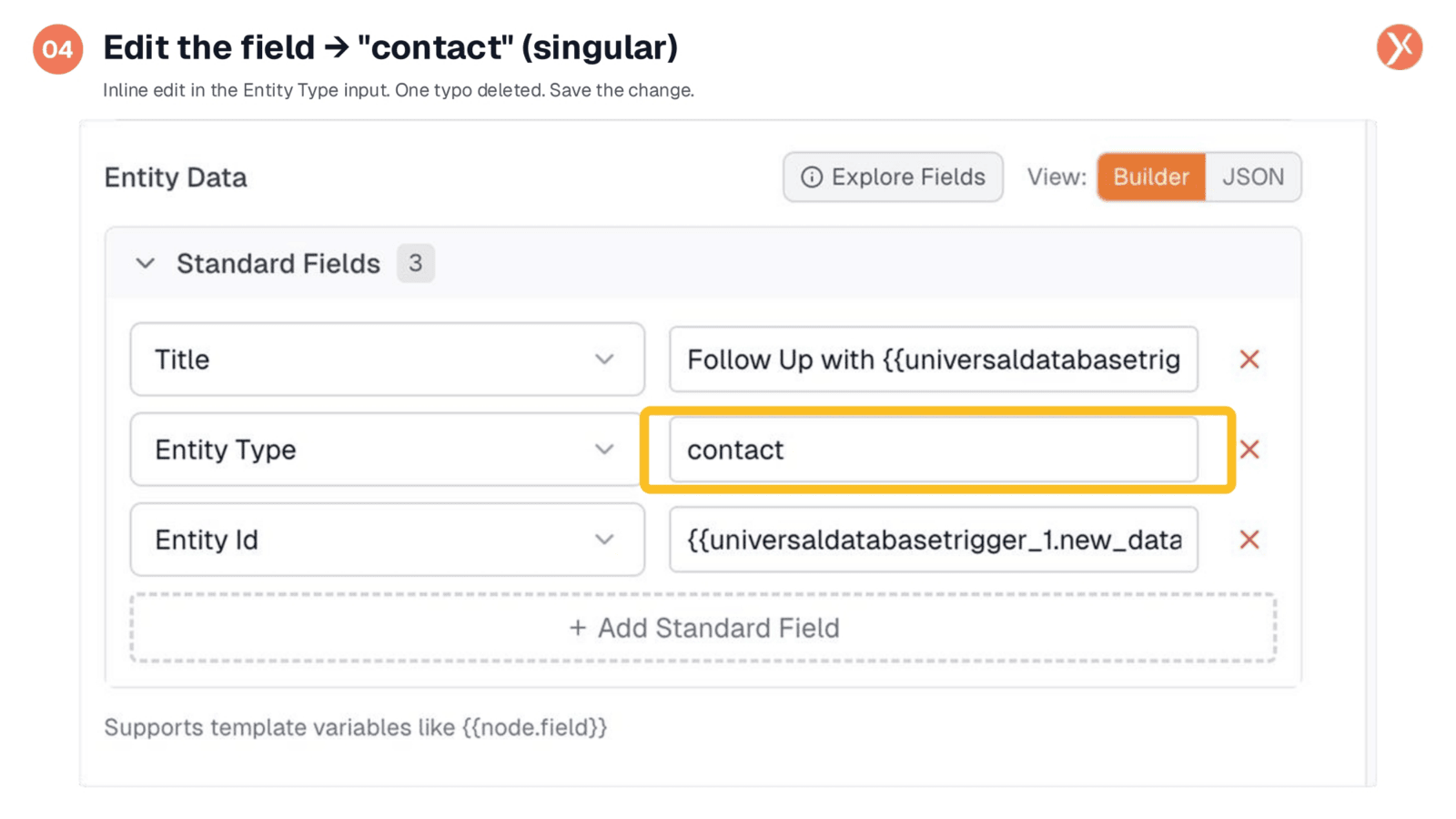
To resolve the issue, we simply edit the 'Entity Type' field, changing 'contactss' to the correct singular form, 'contact.' This small adjustment is the fix. Now, the crucial step is to verify this correction efficiently. The traditional method of re-firing the entire workflow by changing Shashank's status again would be slow and resource-intensive, re-executing all five nodes from scratch. Fortunately, Expedify offers a much faster and more targeted approach, which we'll explore next.
Understanding Node Re-run Options
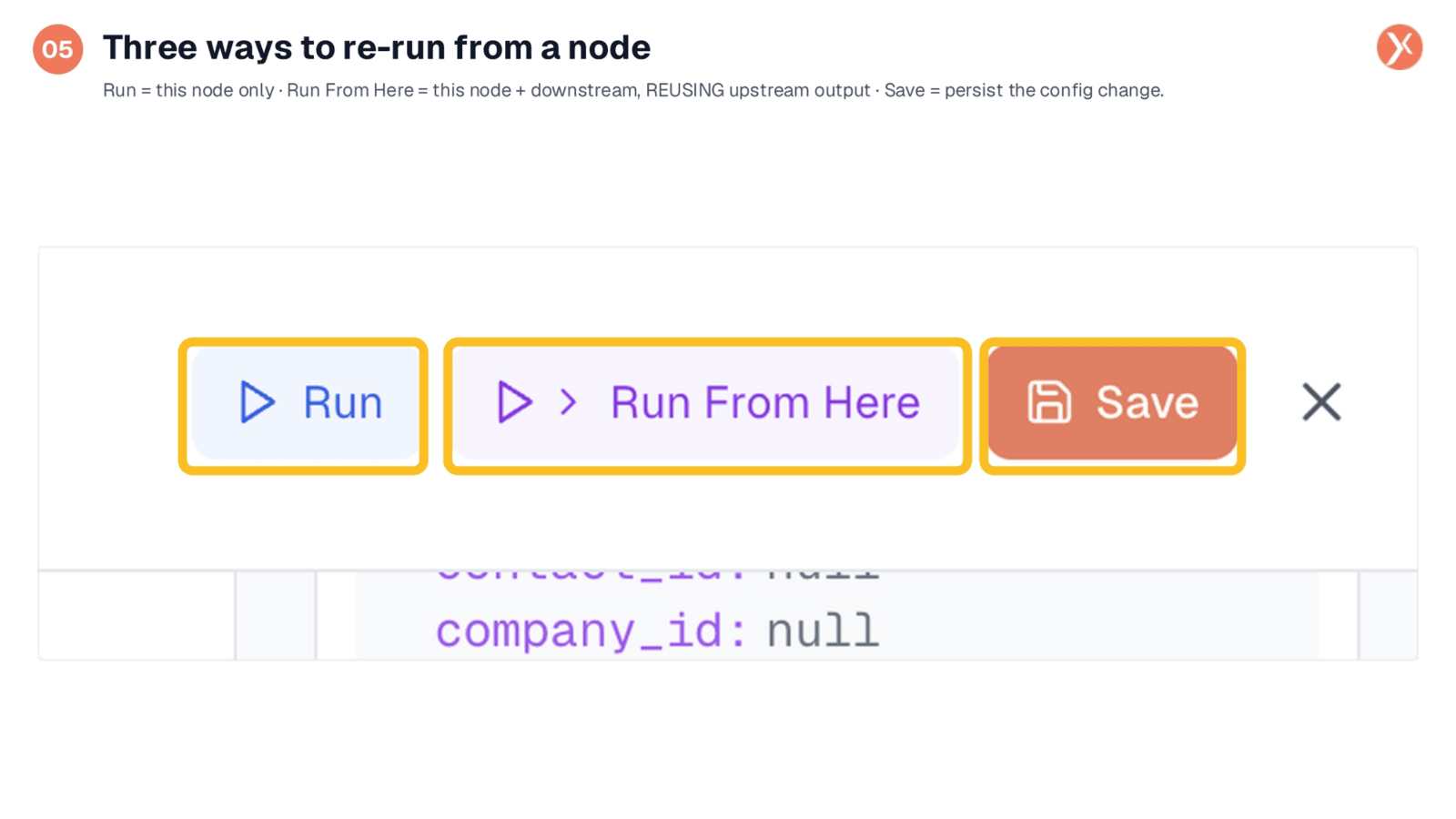
Expedify provides three distinct options for re-running from a node, each serving a specific purpose. The 'Run' button re-executes only the current node, ideal for quick iterations. 'Run From Here' re-executes the current node and all downstream nodes, crucially reusing the outputs from previous upstream steps. This avoids unnecessary re-computation and saves resources. Finally, 'Save' persists any configuration changes. Since we've already applied our fix, 'Run From Here' is the optimal choice for verification.
Executing 'Run From Here'
With the 'Entity Type' field now correctly set to 'contact,' we proceed to click the 'Run From Here' button. This action initiates a targeted re-execution of our corrected node and all subsequent downstream nodes. By choosing this option, we leverage Expedify's intelligent re-run capabilities, ensuring that only the necessary parts of the workflow are processed, while efficiently reusing the outputs from the preceding upstream steps. This is the precise action needed to verify our fix.
Correctly Linked Entity Output
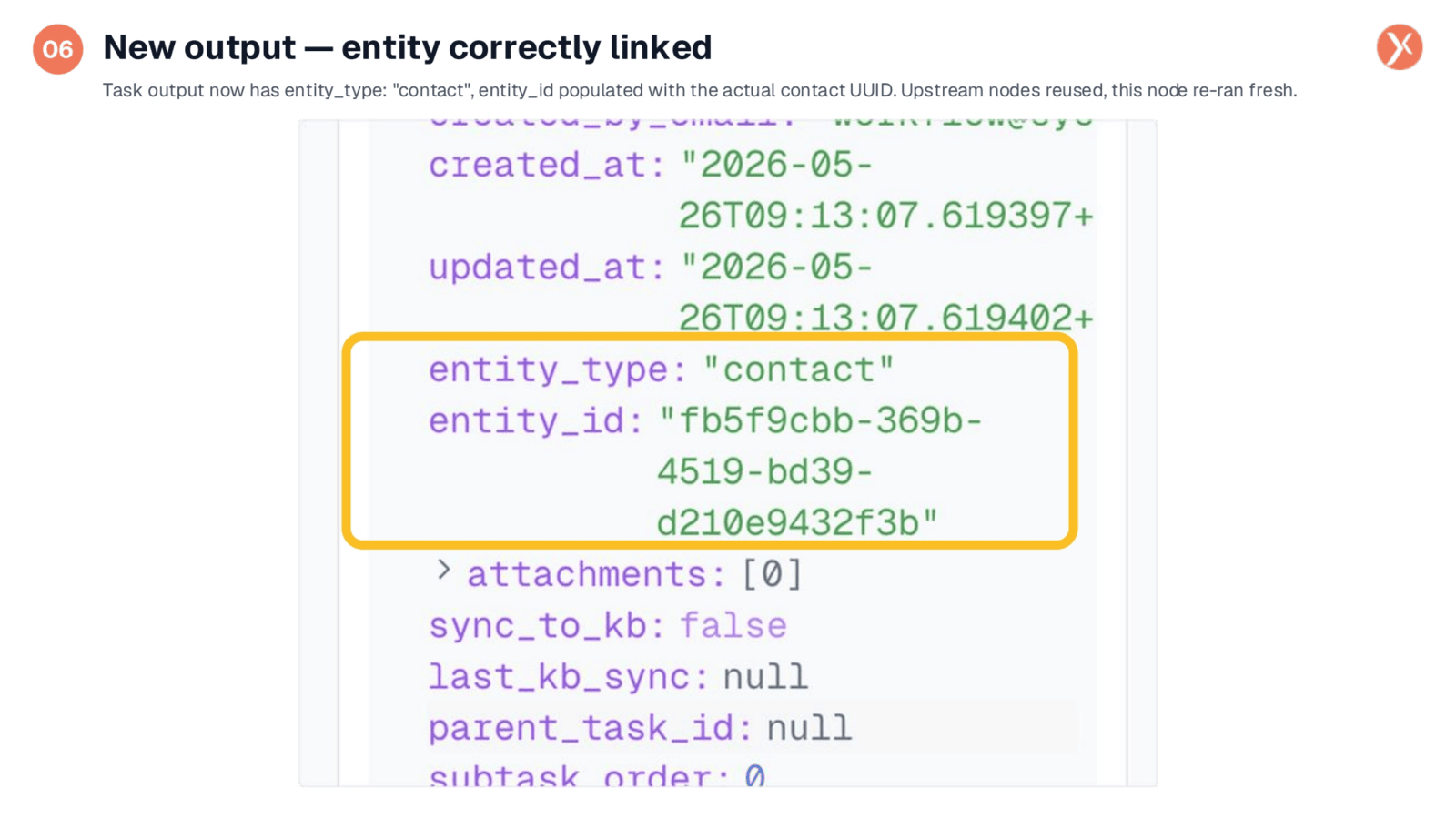
Observing the refreshed output panel, we can now see the 'entity_type' correctly populated as 'contact,' and the 'entity_id' field contains Shashank's actual contact UUID. This confirms the task is now properly linked. Crucially, this re-execution was highly efficient: the initial trigger did not refire, nor did the condition re-evaluate or the email send. Only the corrected node re-ran, demonstrating a precise and resource-saving verification process completed in mere seconds.
Task Successfully Linked to Contact
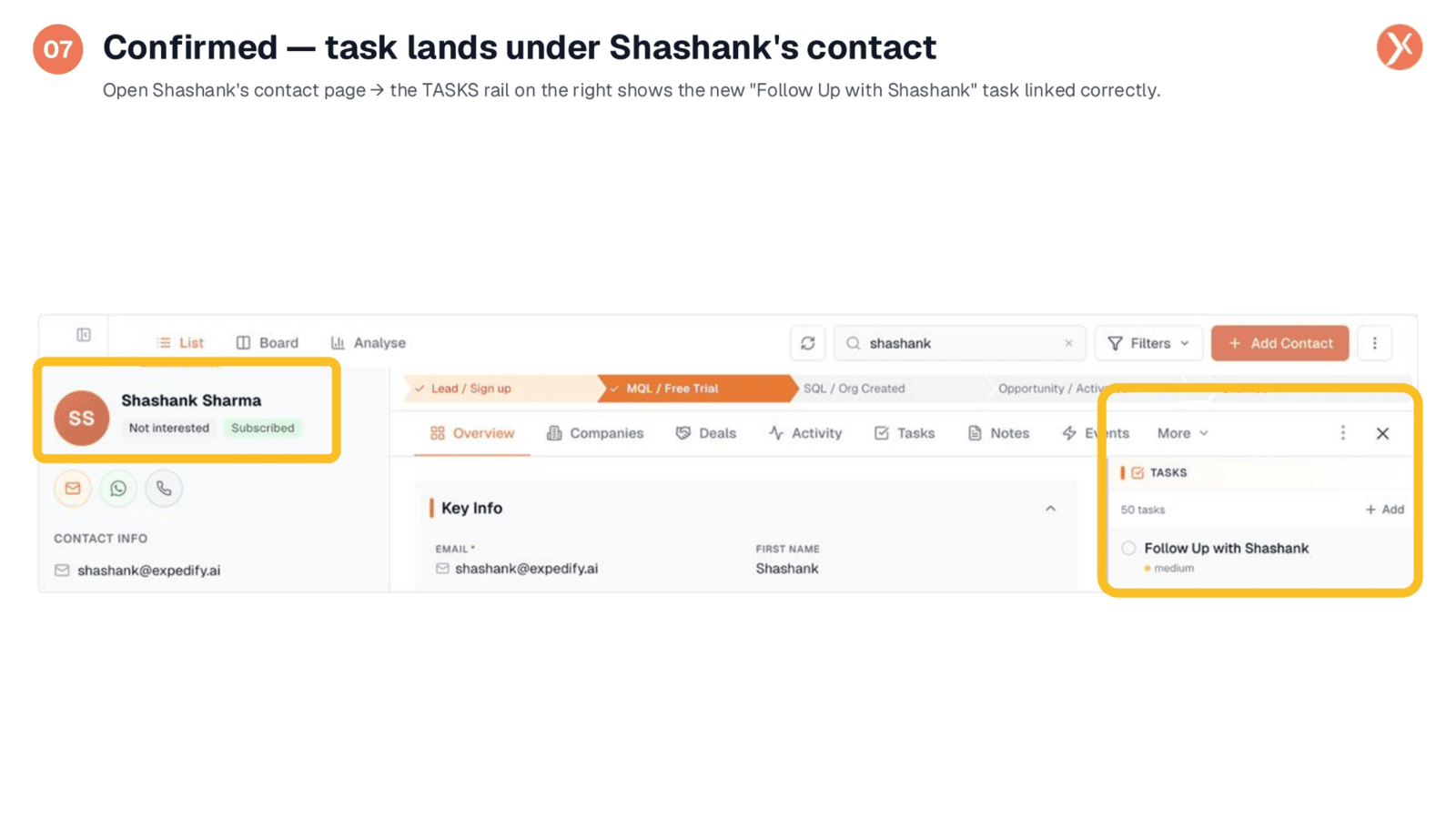
To fully confirm our fix, we navigate to Shashank's contact page within the CRM. On the right-hand 'TASKS' rail, we can now clearly see the 'Follow Up with Shashank' task, correctly linked and with medium priority. This successful linkage validates our 'Run From Here' approach. Had we re-fired the entire trigger, we would have created an additional orphaned task, leading to unnecessary clutter. 'Run From Here' ensured a clean, precise, and efficient resolution, delivering only the correct, linked task.
Choosing the Right Re-run Scope
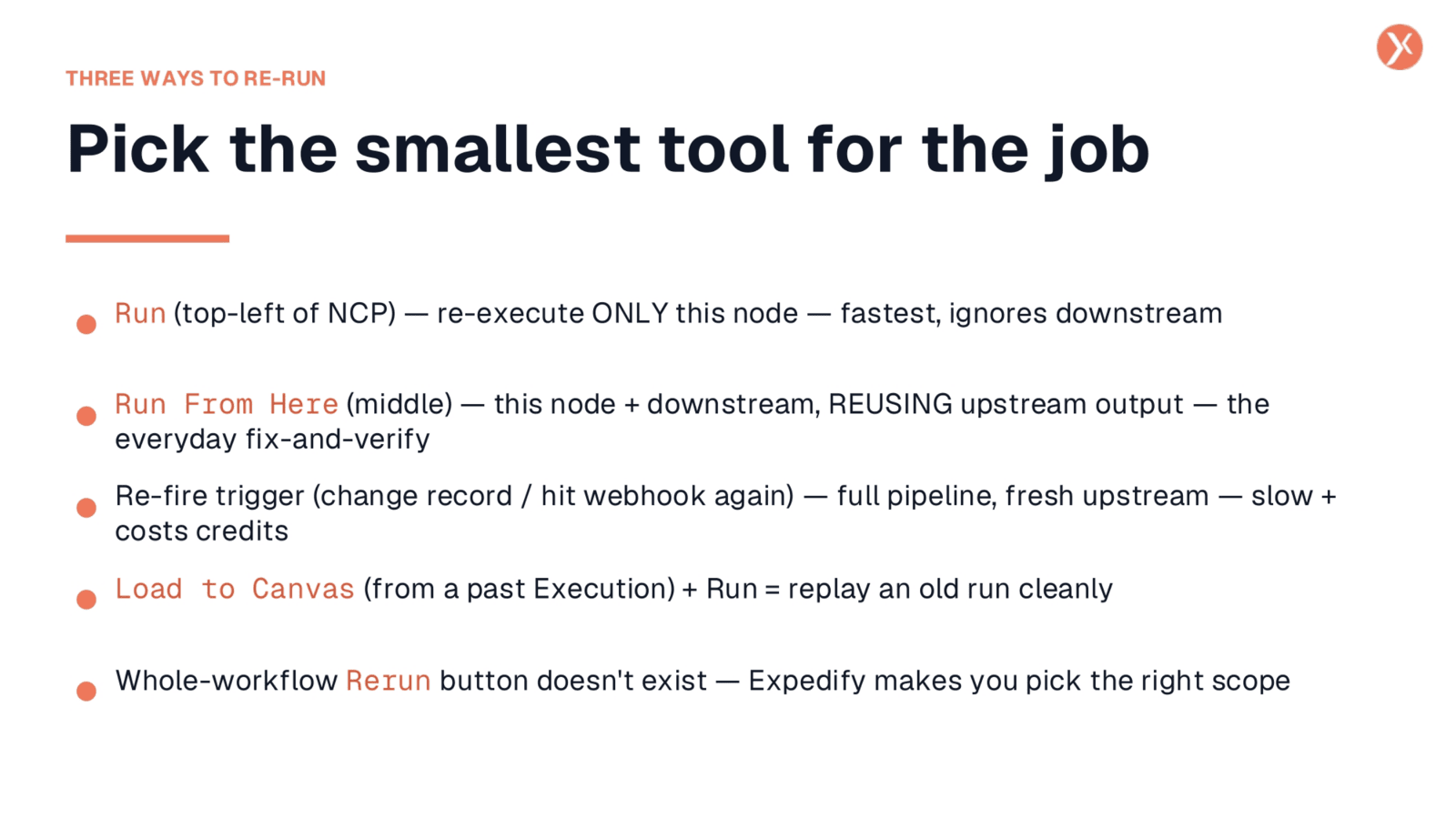
Expedify offers a range of re-run options, emphasizing the importance of selecting the most appropriate tool for the task. 'Run' executes only the current node, ideal for isolated testing. 'Run From Here' re-runs the current node and all downstream elements, efficiently reusing upstream outputs for everyday fix-and-verify scenarios. Re-firing the trigger, while an option, initiates a full pipeline run from scratch, which is slower and potentially costly, reserved for when fresh upstream data is essential. Expedify intentionally guides users to choose the smallest, most efficient scope for re-execution.
Efficient Fix-and-Verify with Expedify
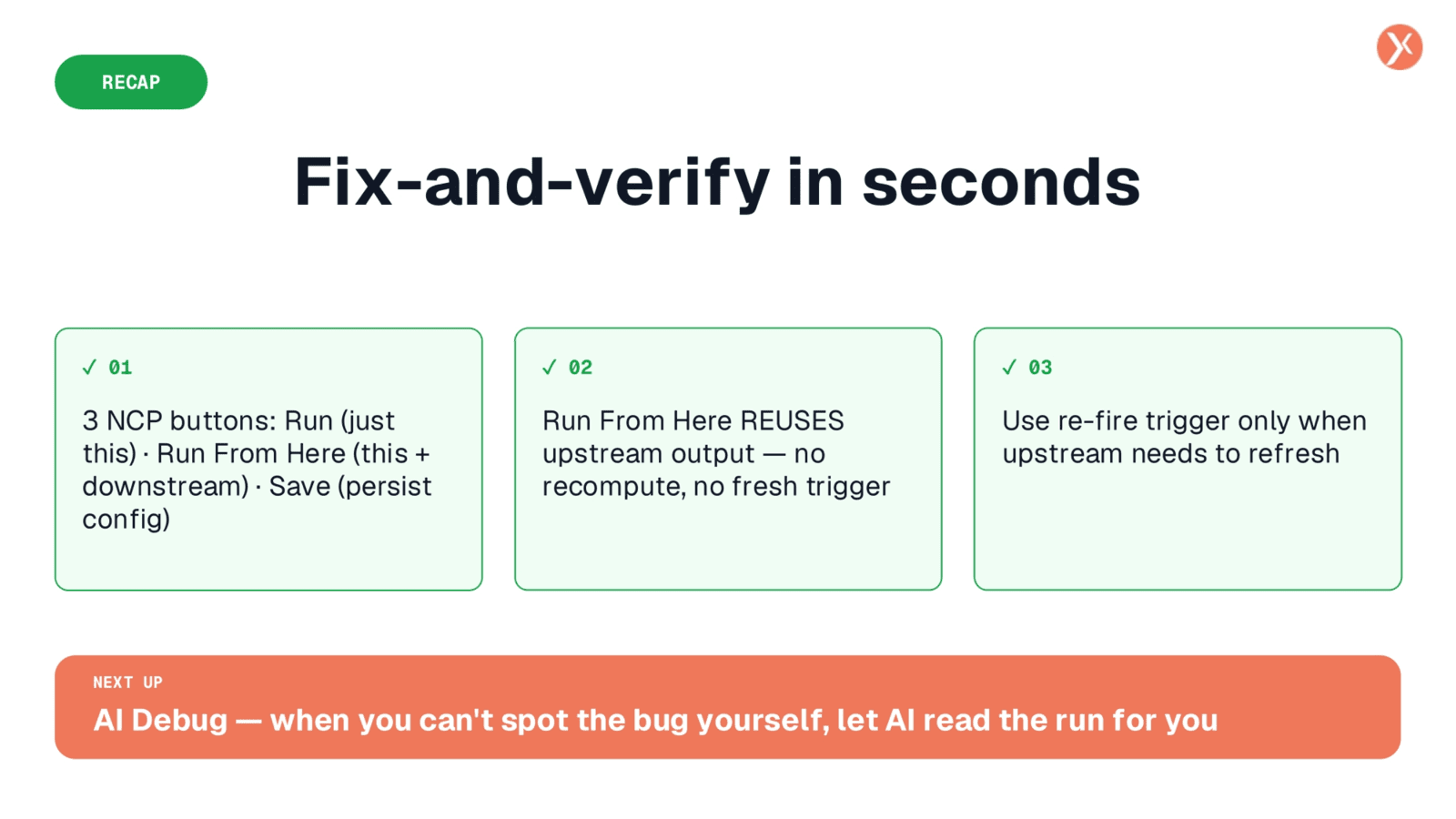
Expedify's 'Run From Here' feature empowers you to fix and verify workflow issues in seconds. It's a powerful tool for targeted re-execution, ensuring efficiency and accuracy. Next, we'll explore AI Debug for those times when bugs are harder to spot.