Voice Inbound Call
The Voice Inbound Call node is central to intelligently routing every incoming call. After the Voice Inbound Trigger answers, this node determines who handles the conversation. You can choose between an AI Voice Agent or a direct human transfer to a specific phone number. This powerful node provides total clarity on call routing, ensuring calls are directed efficiently based on your configured settings. We will explore both modes, the auto-wired call ID, and the crucial call timeout feature.
Voice Inbound Call Demo
Let's explore the Voice Inbound Call node. We'll examine its workflow position and configuration.
The Routing Node Explained
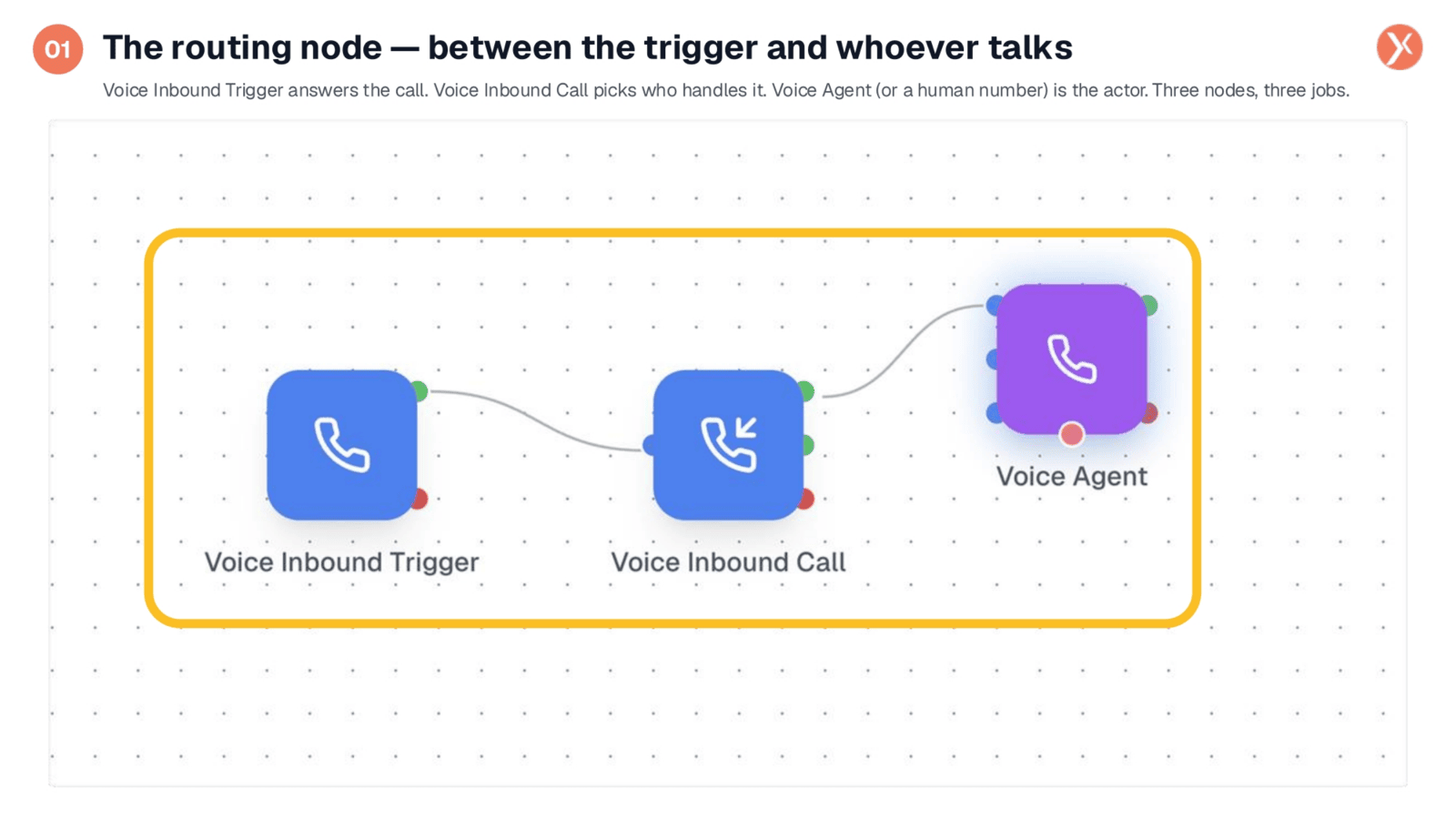
A complete inbound phone automation involves three key nodes. The Voice Inbound Trigger initiates the process when a call arrives. The Voice Inbound Call node, our focus today, then determines the call's destination. Finally, the Voice Agent, or a human transfer, acts as the recipient. This setup ensures that from the moment a call is received, it's intelligently directed to the appropriate handler, whether that's an AI or a human.
Accessing the Voice Inbound Call Node
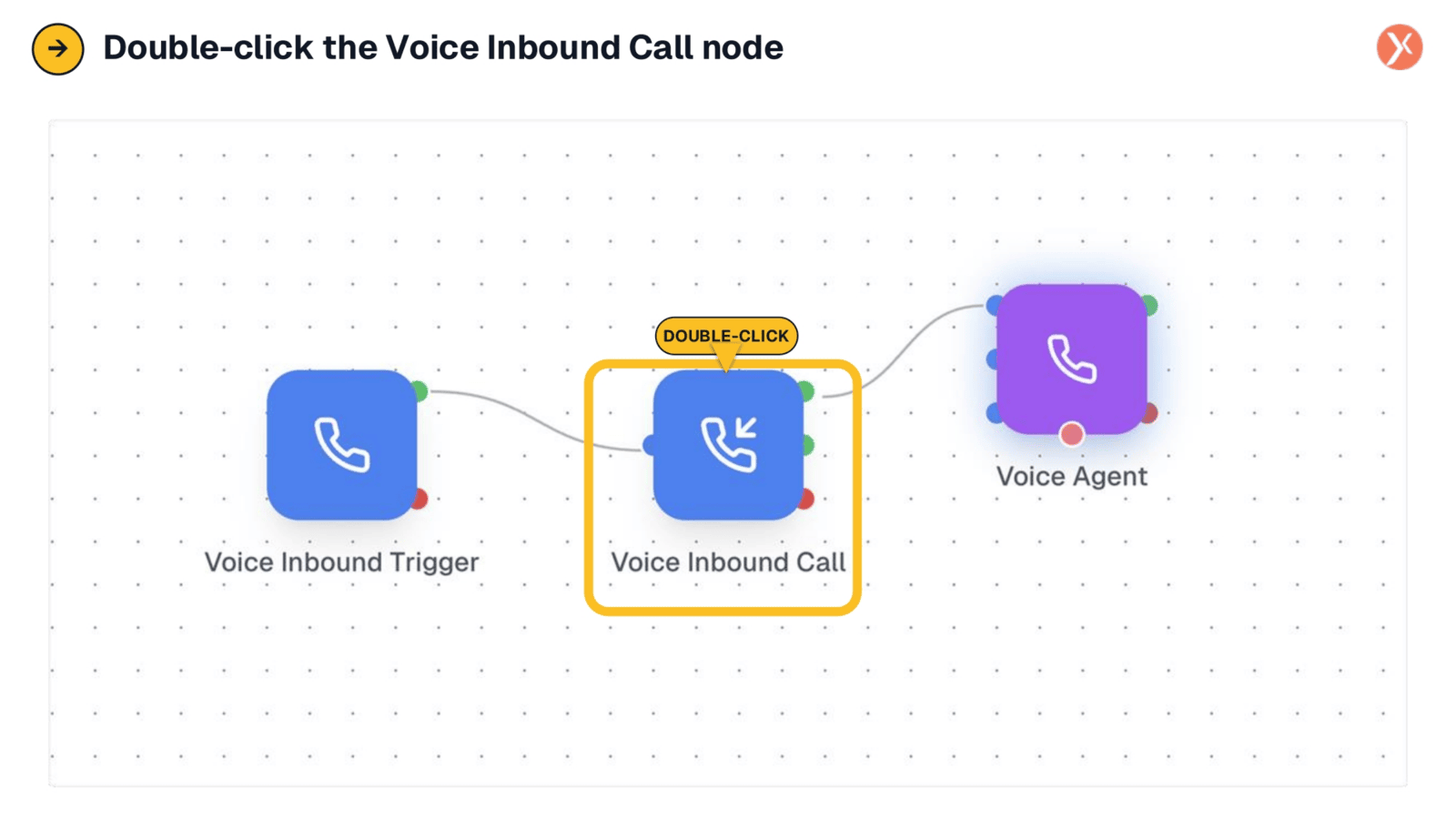
To access and configure the Voice Inbound Call node, simply double-click it within your workflow. This action opens the dedicated configuration panel, allowing you to customize precisely how all incoming calls are handled. It's a straightforward and essential step to manage this crucial routing component effectively.
Inside Voice Inbound Call: Configuration Overview
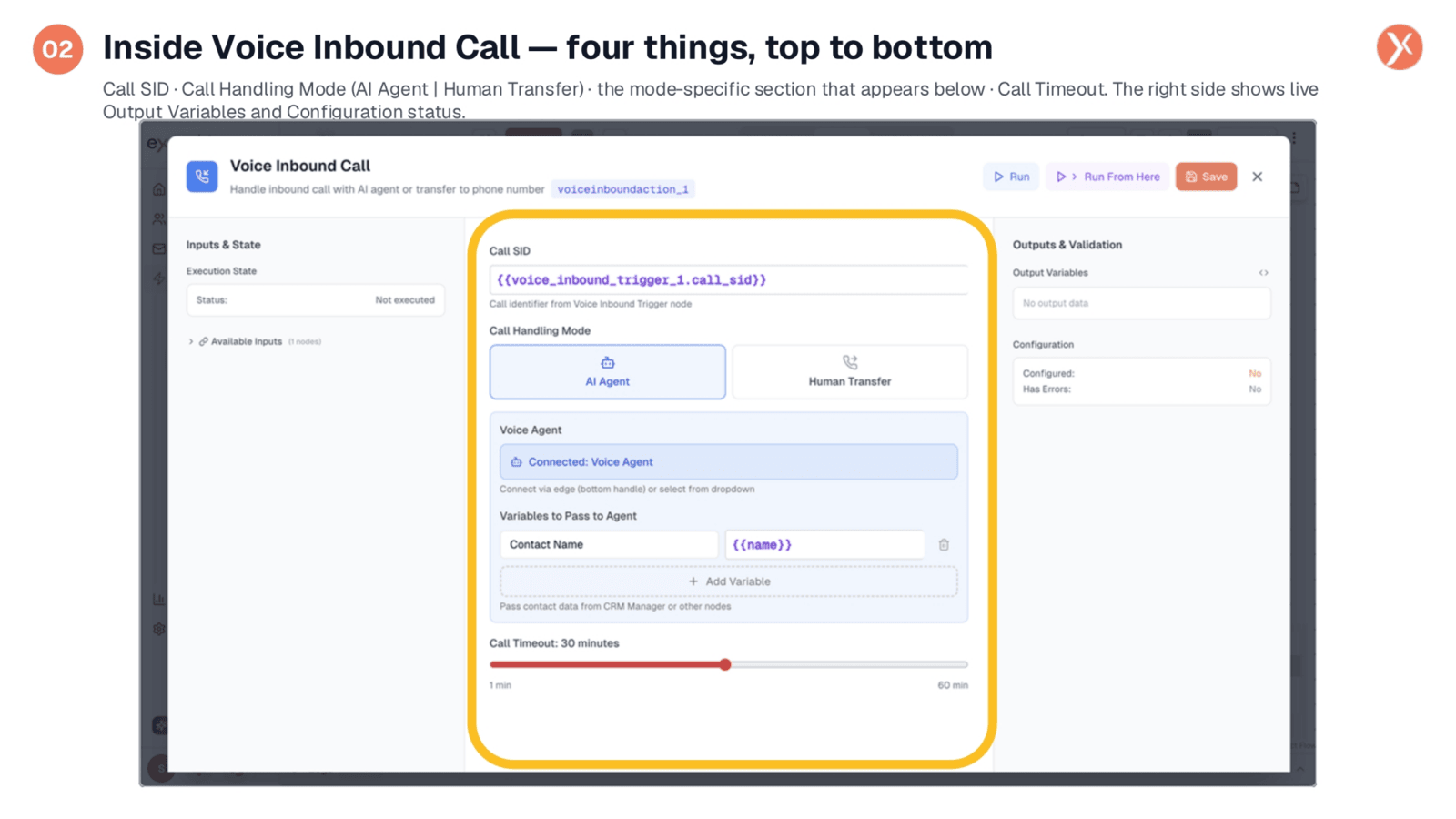
The Voice Inbound Call configuration panel is organized into four main sections. At the top, you'll find the Call SID, which is pre-filled. Below that is the Call Handling Mode, offering a choice between AI Agent or Human Transfer. The section directly beneath these tabs dynamically adjusts based on your selected mode. Finally, at the bottom, the Call Timeout slider allows you to set a duration for the call. We will now examine each of these components in detail.
Call SID: Auto-Wired Call Identifier
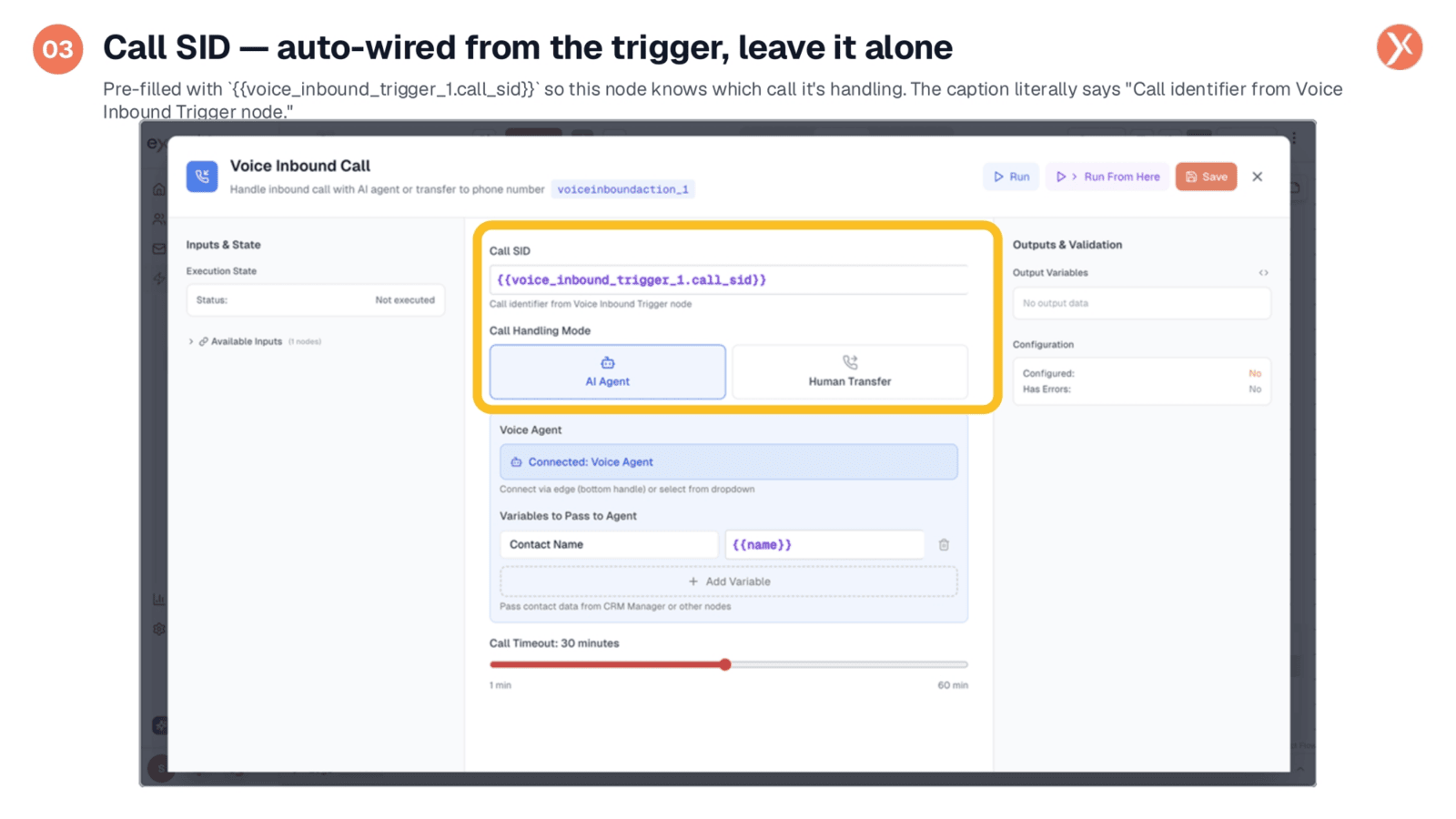
The Call SID field automatically populates with a unique identifier for each incoming call, sourced directly from the Voice Inbound Trigger node. This pre-filled variable ensures the system accurately tracks and handles the specific call. In most standard configurations, this field requires no manual adjustment, as it's automatically wired for seamless operation. A helpful caption below the field clarifies its origin and purpose.
AI Agent Mode: Connecting and Context
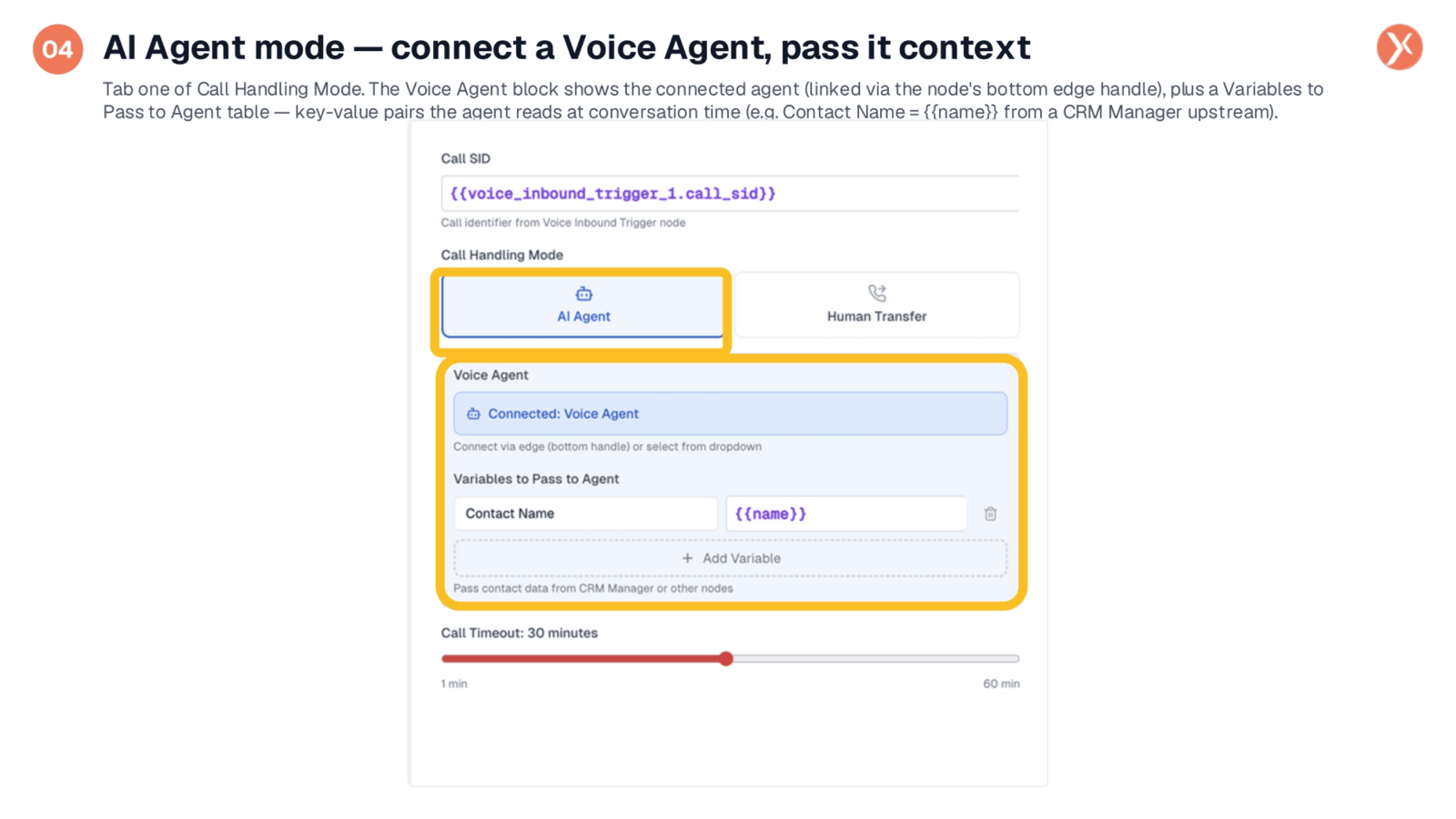
In AI Agent mode, you configure two primary elements. First, establish the Voice Agent connection by linking a Voice Agent node or selecting one from the dropdown. This ensures the AI is ready to engage. Second, utilize the "Variables to Pass to Agent" section to provide crucial context to the AI. For example, you can pass a contact's name, allowing the agent to personalize the conversation. This feature enables the AI to access relevant information, enhancing the caller's experience.
Human Transfer Mode: Direct Call Routing
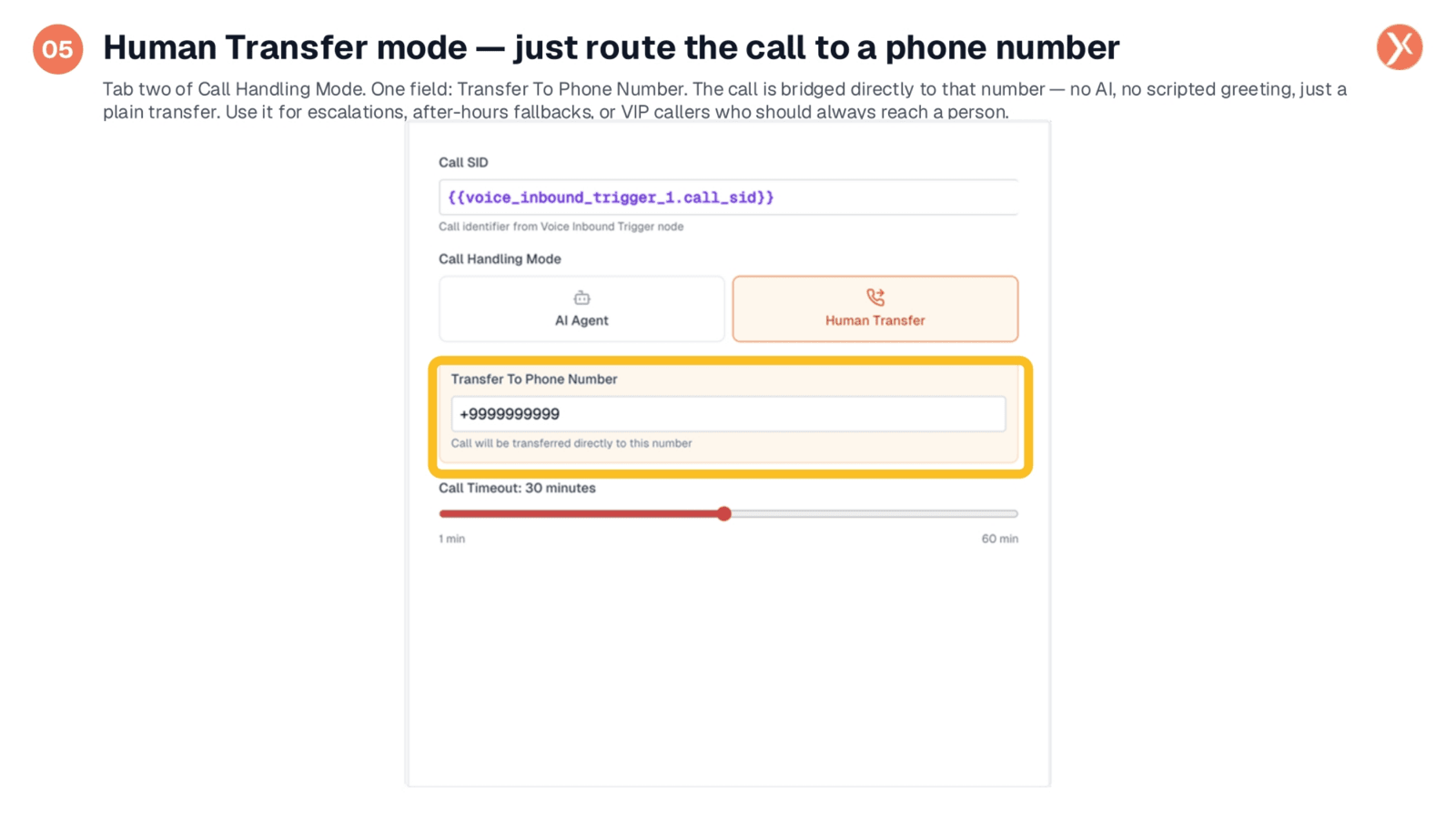
The Human Transfer mode simplifies call routing by providing a single "Transfer To Phone Number" field. Here, you enter the desired phone number in international format, and the incoming call is directly bridged to that line. This mode facilitates immediate, unscripted transfers, making it ideal for escalations, after-hours call handling, or directing VIP callers to specific personnel. It offers a straightforward solution for scenarios requiring direct human interaction without AI intervention.
Call Timeout: Managing Call Duration
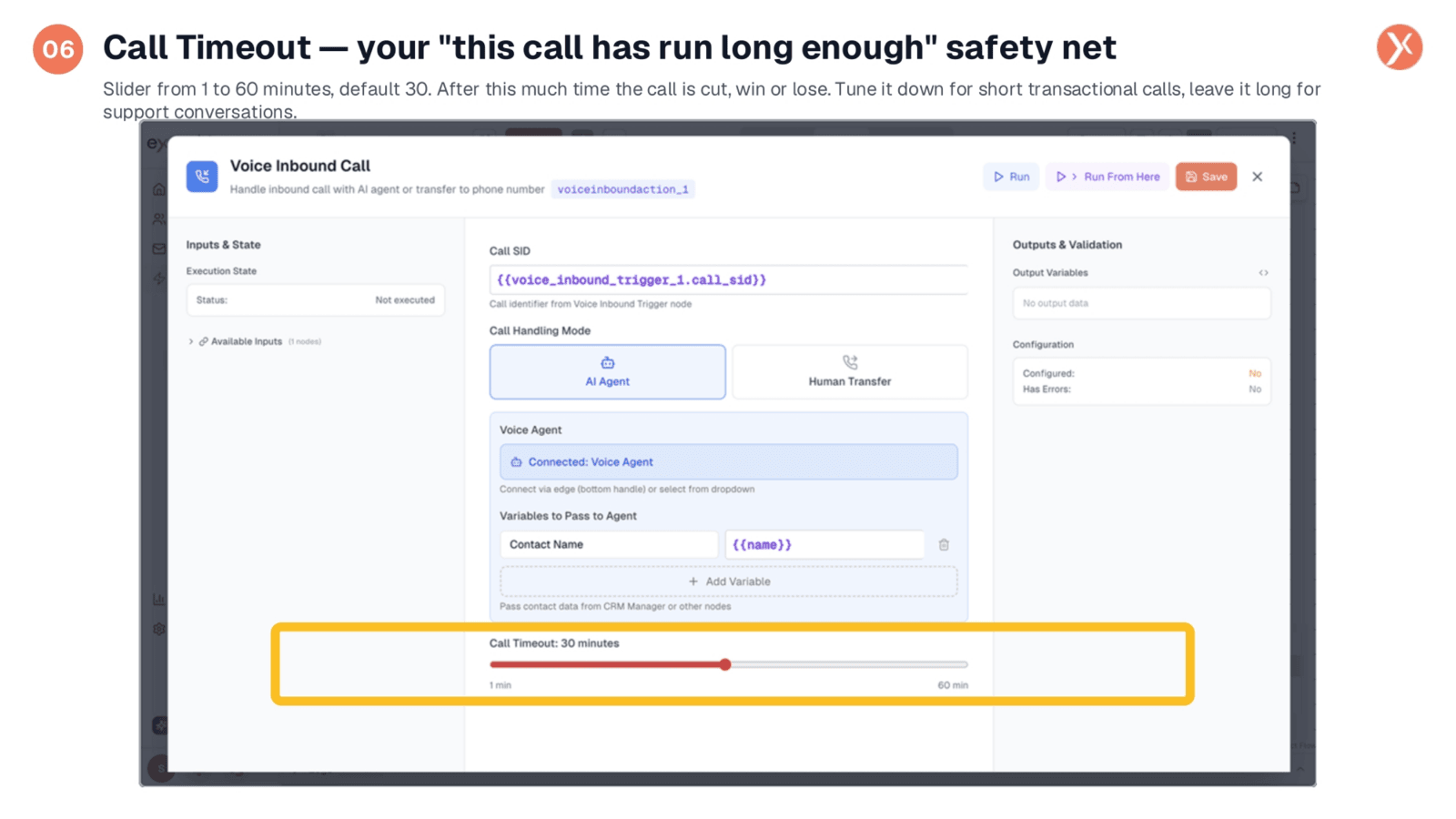
The Call Timeout feature acts as a crucial safety net, allowing you to define the maximum duration for any incoming call. Configurable from one to sixty minutes, with a default of thirty, this setting automatically ends a call once the specified time limit is reached. This prevents runaway calls, especially in scenarios where AI agents might encounter issues or callers become disoriented. Adjust the timeout based on the call's purpose, setting shorter durations for transactional interactions and longer ones for complex support conversations.
Voice Inbound Call Recap
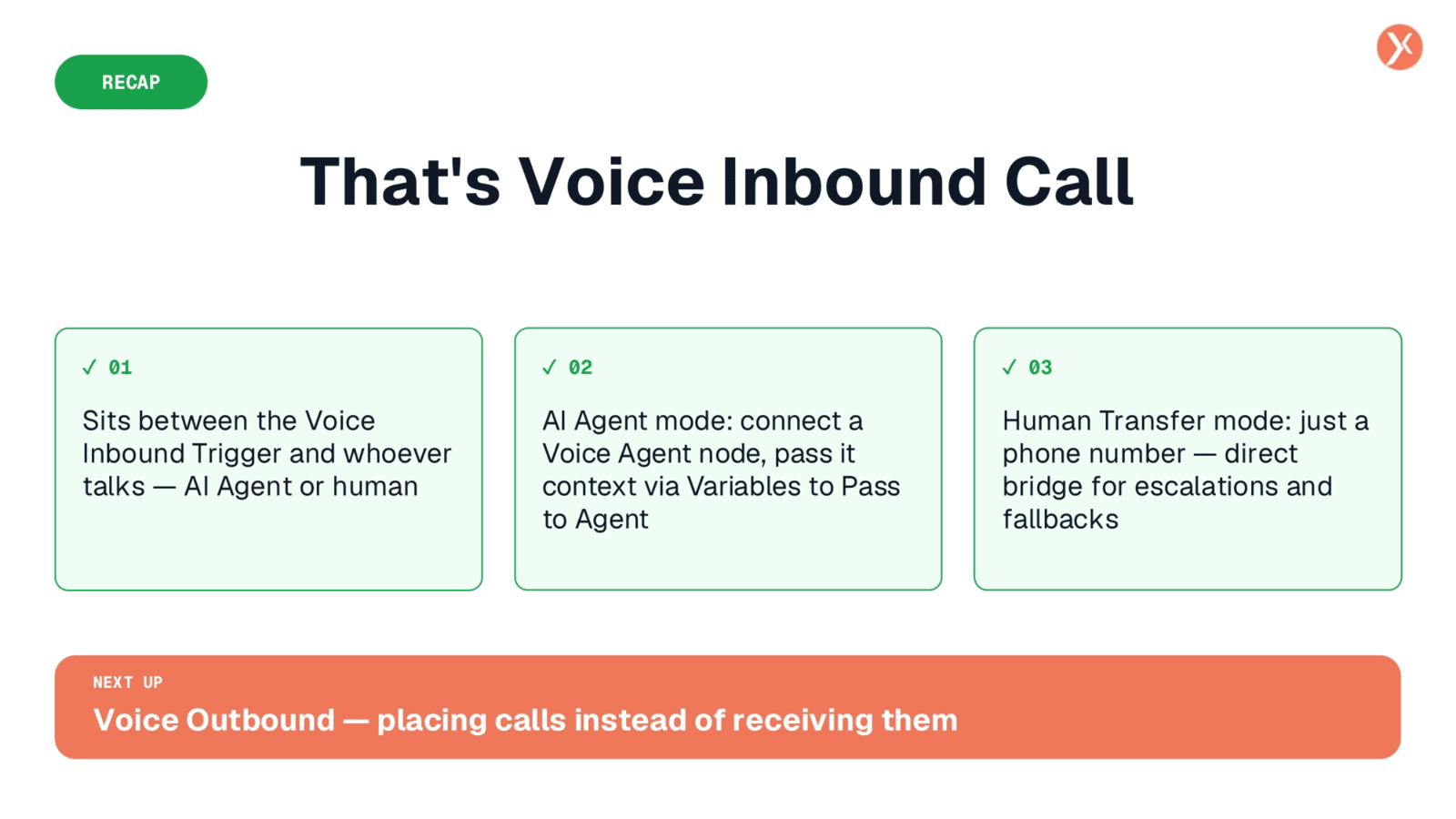
We've covered the Voice Inbound Call node, a versatile tool for managing incoming calls. It sits between the Voice Inbound Trigger and the agent, offering both AI Agent and Human Transfer modes. Remember to connect your Voice Agent and pass context for AI interactions, and use the Human Transfer for direct phone number routing. The Call Timeout feature ensures calls don't run indefinitely. Next, we'll explore Voice Outbound for placing calls.