Web Scraper
Welcome to the Expedify Web Parser, a powerful tool designed to extract essential data from any website. This solution helps you automate the process of gathering structured content, images, and text, ensuring you get exactly what matters from the web.
Web Scraper Demo
Let's begin our demonstration of the Web Scraper.
Meet the Web Scraper: One Node, Full Scraping Stack
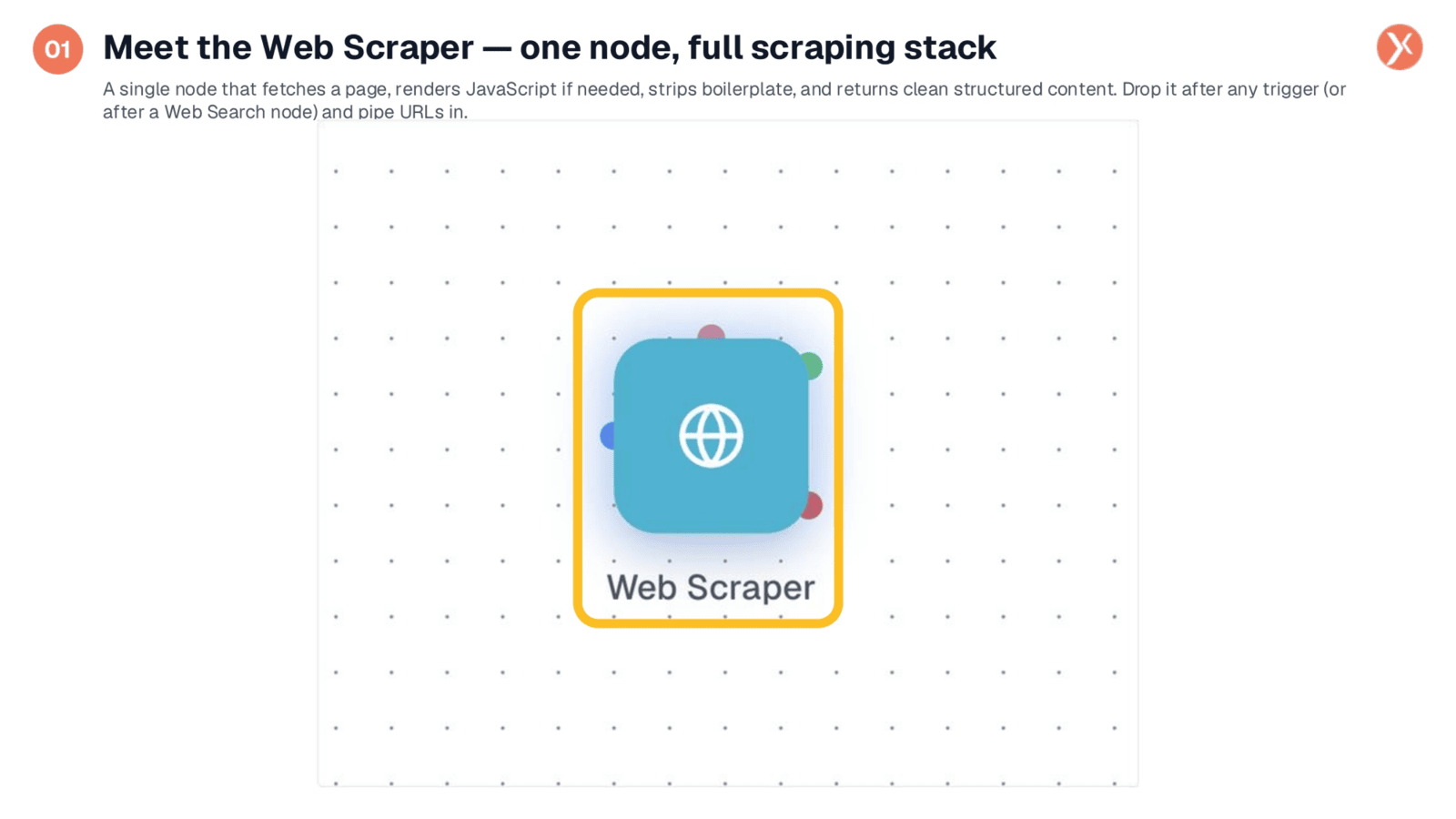
The Web Scraper node is a single, powerful component that provides a full production-grade scraping stack. It handles request management, JavaScript rendering, content extraction, and anti-bot user agents. This node takes a URL as input and delivers clean text, structured data, and metadata for your downstream processes. You can integrate it with a Web Search node, a webhook trigger, or simply hardcode a specific page to monitor. It's a versatile solution for all your web content needs.
Three Top-Level Fields: Core Configuration
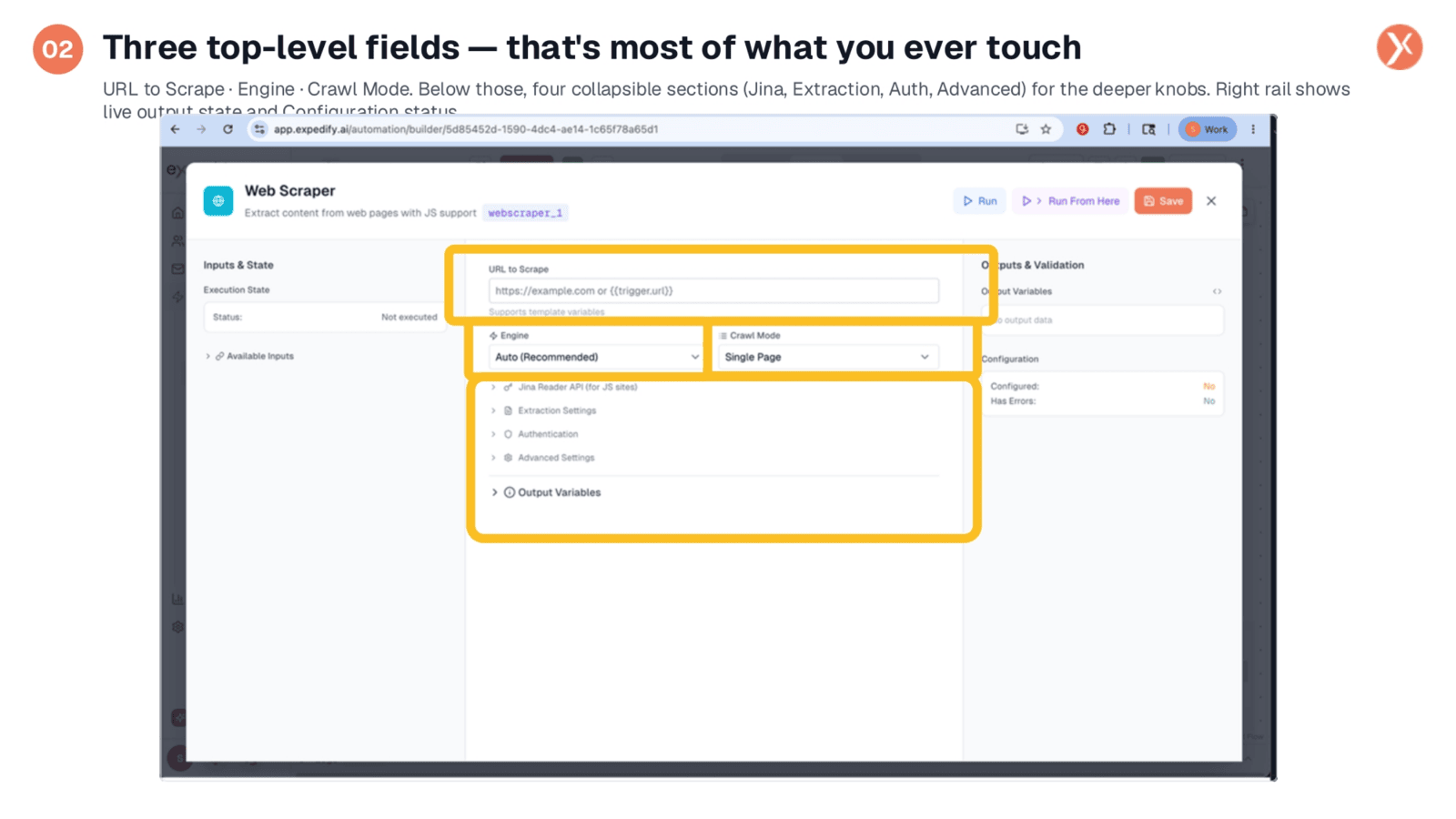
The Web Scraper node's configuration fits neatly on one panel. At the top, you'll find the three essential settings you'll adjust most often: the URL you intend to scrape, the rendering engine, and the crawl mode. Below these, four collapsible sections offer deeper controls for specific scenarios. These include Jina Reader for JavaScript-rendered sites, Extraction Settings for content filtering, Authentication for logged-in pages, and Advanced Settings for fine-tuning timeouts and politeness. The right panel provides live output variables and a configuration status check.
URL to Scrape: Inputting Your Target
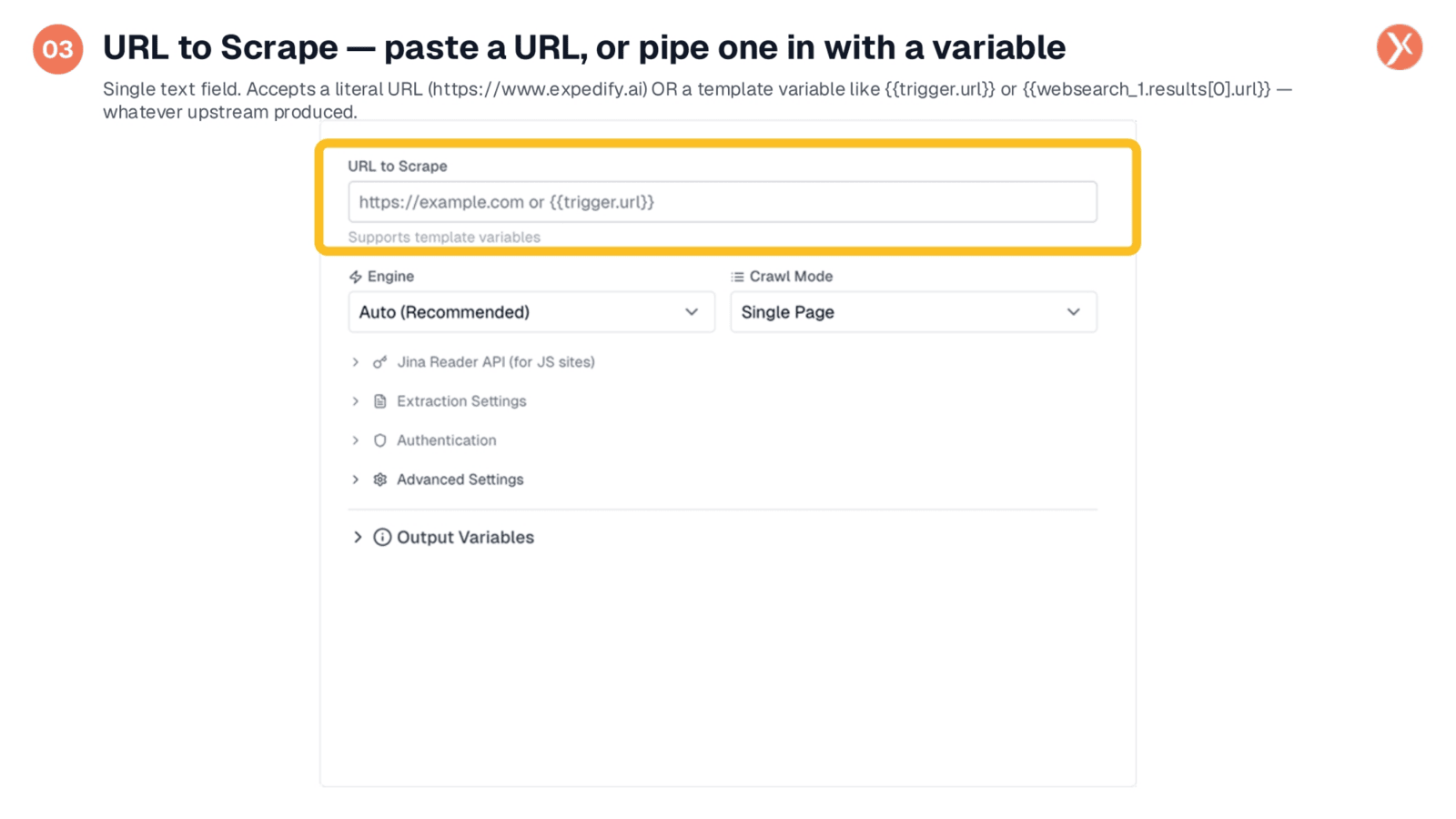
The 'URL to Scrape' field is where every operation begins. You can input a literal URL if you're targeting a specific page, such as a competitor's pricing page or a company's 'About Us' section. Alternatively, for dynamic workflows, you can use a template variable like 'trigger.url'. This allows the node to scrape any URL provided by an upstream node, whether it's from a Webhook Trigger or a Web Search node. This flexibility means one node can handle an infinite number of URLs, making your automation highly adaptable.
Engine: Picking the Right Tool for the Site
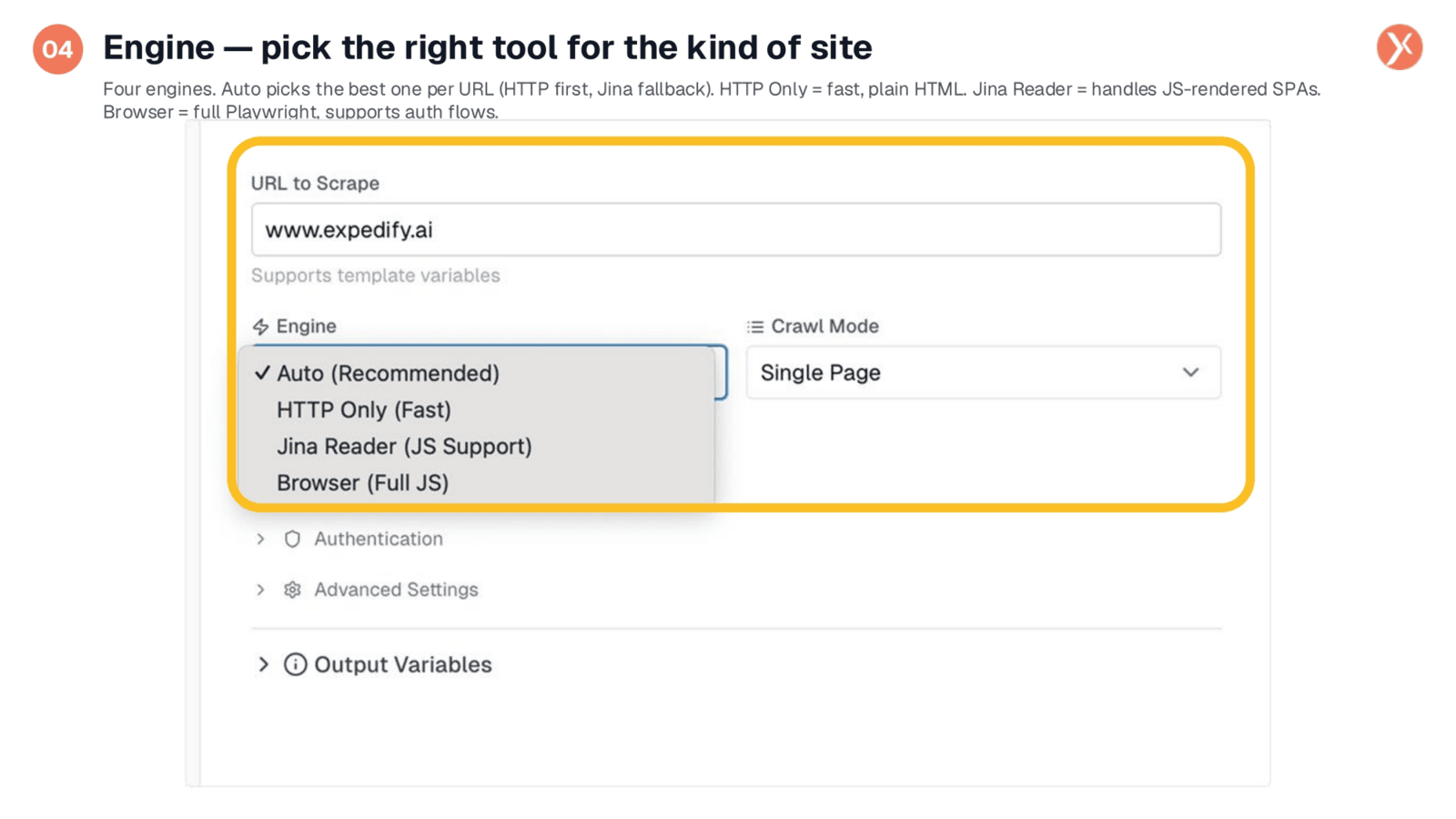
The Web Scraper offers four distinct engines, though 'Auto' is the recommended default. Auto intelligently attempts a fast HTTP fetch first, then falls back to Jina Reader if JavaScript rendering is required. 'HTTP Only' is ideal for plain HTML sites like blogs or documentation, offering the fastest performance. 'Jina Reader' is specifically designed for JavaScript-rendered single-page applications, ensuring content from React or Vue sites is properly extracted. For the most challenging cases, including pages behind complex login flows, 'Browser' provides a full headless browser experience. For most tasks, 'Auto' will efficiently determine the best approach.
Crawl Mode: Defining Your Scraping Scope
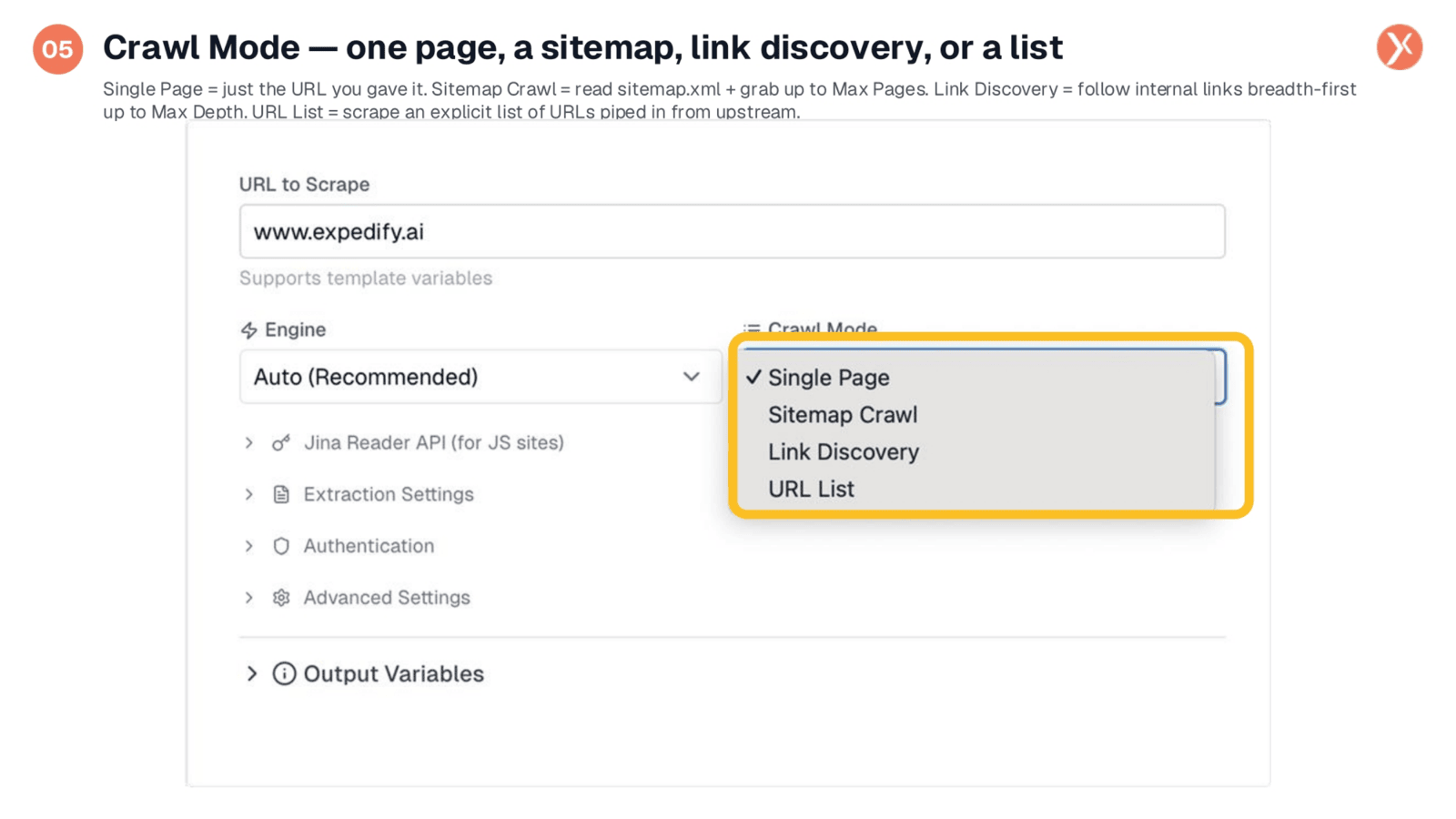
Crawl Mode dictates how extensively the node will scrape. 'Single Page' fetches only the specified URL, perfect for targeting individual pages like product details. 'Sitemap Crawl' reads a site's sitemap.xml and extracts content from every page listed, up to a maximum, which is excellent for comprehensive website scraping. 'Link Discovery' acts as a crawler, following internal links breadth-first from your starting URL to a specified depth. Finally, 'URL List' accepts an array of URLs from an upstream source, enabling bulk extraction from multiple specific pages, such as results from a Web Search node.
Jina Reader Integration and Content Slicing
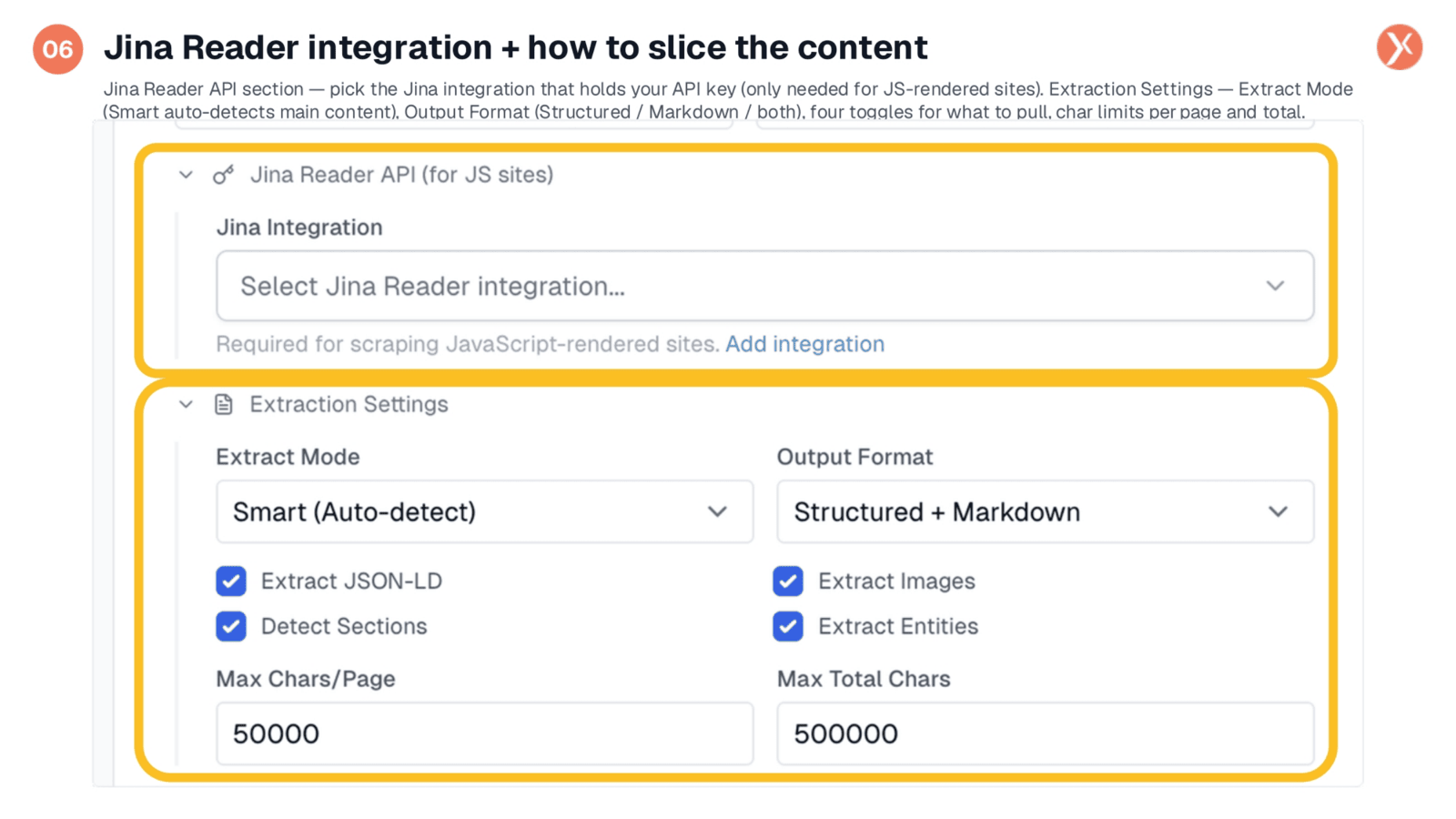
This section covers two key areas. The 'Jina Reader API' is where you select your Jina API key integration, essential only when scraping JavaScript-heavy sites. A convenient link is provided to add a new integration if needed. The 'Extraction Settings' are more extensive. 'Extract Mode' defaults to 'Smart (Auto-detect)', which intelligently identifies and strips main content from boilerplate elements like menus and footers. 'Output Format' allows you to choose between structured JSON, clean Markdown, or both. You can also toggle options to extract JSON-LD data, images, section headings, and entities. Character limits per page and total provide important guardrails, with generous defaults suitable for most LLM inputs.
Authentication: Scraping Logged-In Pages
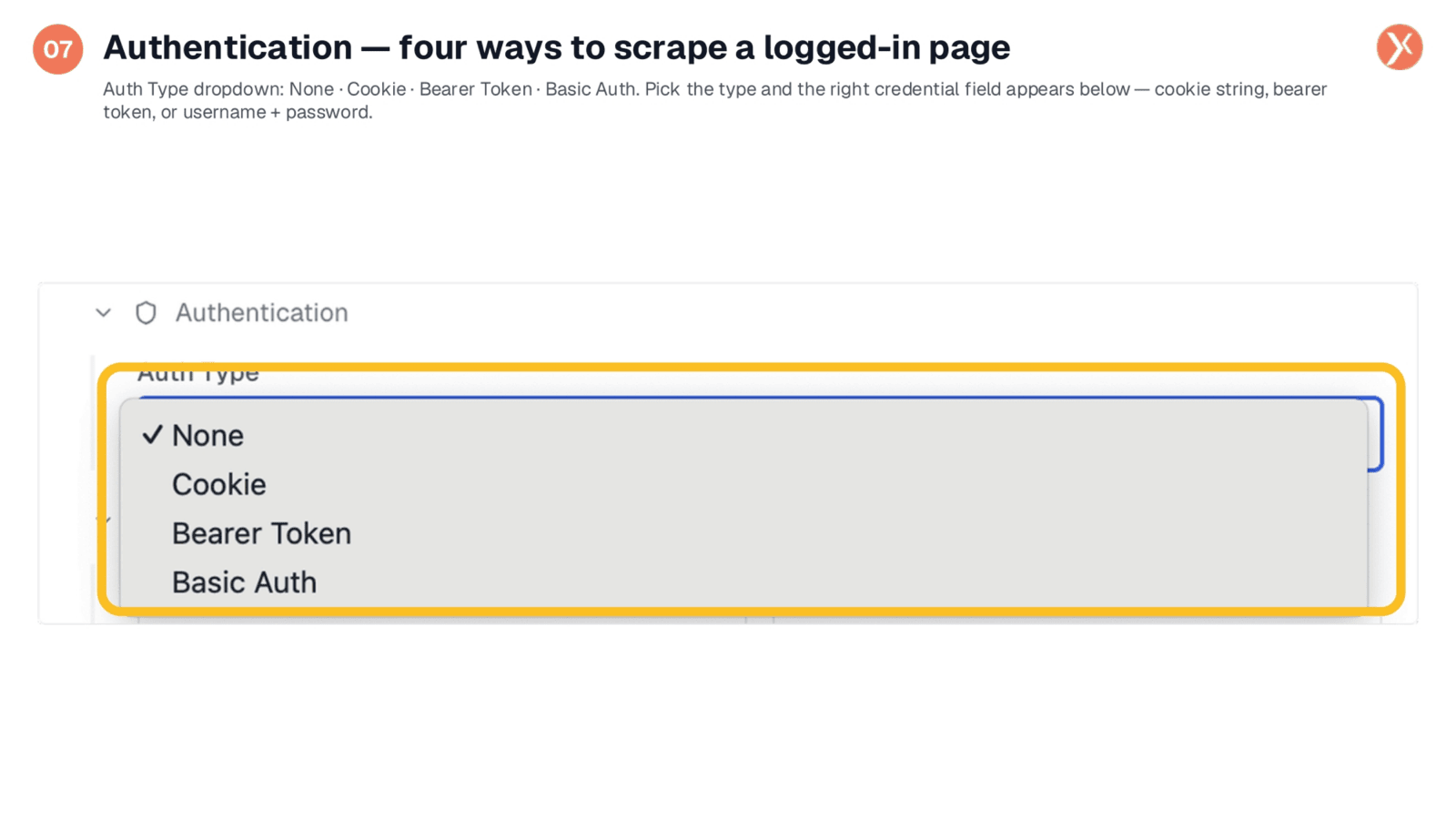
The 'Authentication' section addresses scenarios where the target page requires a login. The 'Auth Type' defaults to 'None' for public pages. For authenticated access, you can select 'Cookie' and paste a cookie string from your browser's developer tools. 'Bearer Token' is suitable for APIs and modern applications using OAuth-style tokens. 'Basic Auth' handles older systems requiring a username and password. Once a type is selected, the appropriate credential field appears. Importantly, your credentials remain secure within your workflow, used only to set HTTP headers for the fetch request.
Advanced Settings: Politeness and Safety Knobs
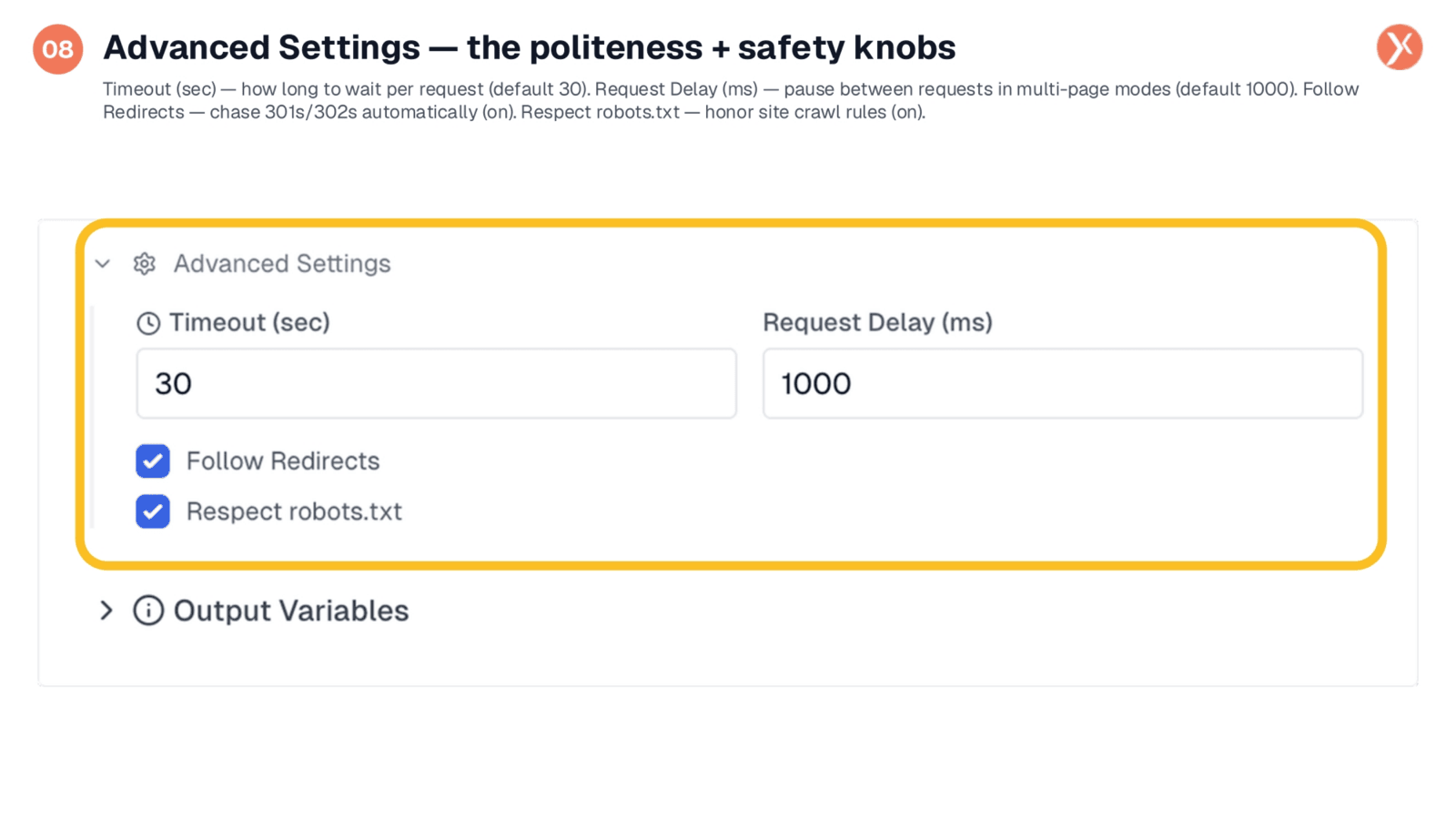
The 'Advanced Settings' section provides crucial controls for politeness and safety, though defaults are often sufficient. 'Timeout' sets the maximum waiting time per request, typically 30 seconds, adjustable for slow servers or faster testing. 'Request Delay' defines the pause between requests in multi-page modes, defaulting to a polite one second to prevent rate-limiting. 'Follow Redirects' ensures 301s and 302s are automatically chased, which is generally recommended. 'Respect robots.txt' ensures the node adheres to the site's crawl rules, a critical setting to maintain unless you have explicit permission to bypass them. These settings help avoid IP blocking and ensure ethical scraping practices.
Outputs: What the Web Scraper Hands Off
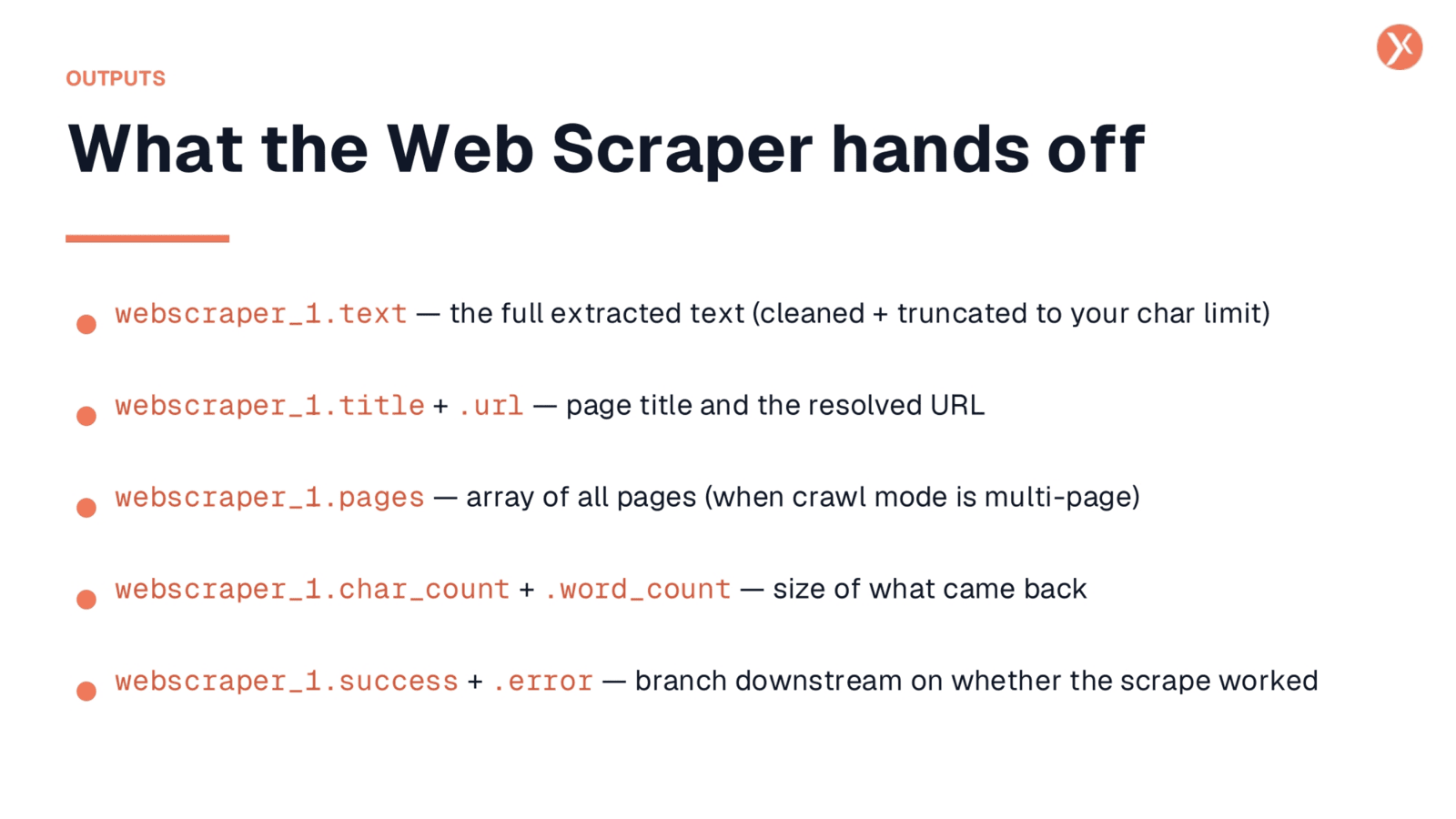
Upon completion, the Web Scraper provides several valuable outputs for your downstream nodes. 'webscraper_1.text' delivers the full extracted text, cleaned and truncated to your specified character limit, ready for an LLM Integration or a Search KB Add Document node. 'webscraper_1.title' and '.url' provide the page title and the resolved URL after any redirects. For multi-page crawls, 'webscraper_1.pages' returns an array, with each item containing its own text, title, and sections. 'webscraper_1.char_count' and '.word_count' offer a summary of the content's size. Finally, 'webscraper_1.success' and '.error' enable conditional branching in your workflow, allowing you to handle successful scrapes and errors appropriately.
Recap: That's the Web Scraper
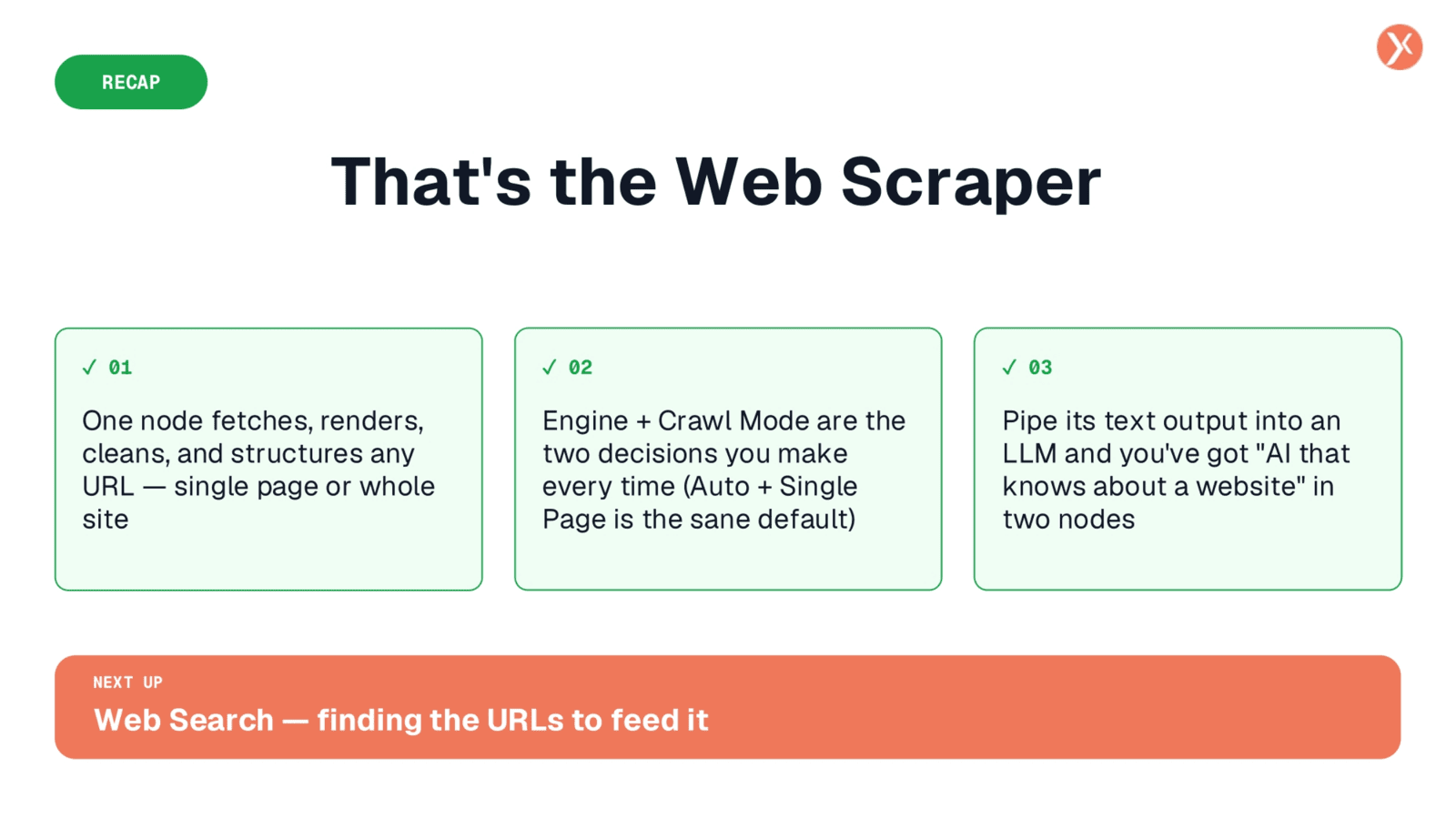
The Web Scraper is a versatile node that fetches, renders, cleans, and structures content from any URL, whether it's a single page or an entire site. The key decisions involve selecting the right engine and crawl mode, with 'Auto' and 'Single Page' being the sensible defaults. By piping its clean text output into an LLM, you can empower your AI with real web content, moving beyond hallucinations. Next, we'll explore the Web Search node, which helps you find the URLs to feed into the Web Scraper.